Research a systems-design notice and a possible history match
Application path: Main Menu → Primary Searches → Research All Open Solicitations → Possible History → award details.
This example follows a current systems-design notice to a possible-history list and an award detail. A classification match is a research lead; it does not establish that the earlier contract is a predecessor or incumbent.
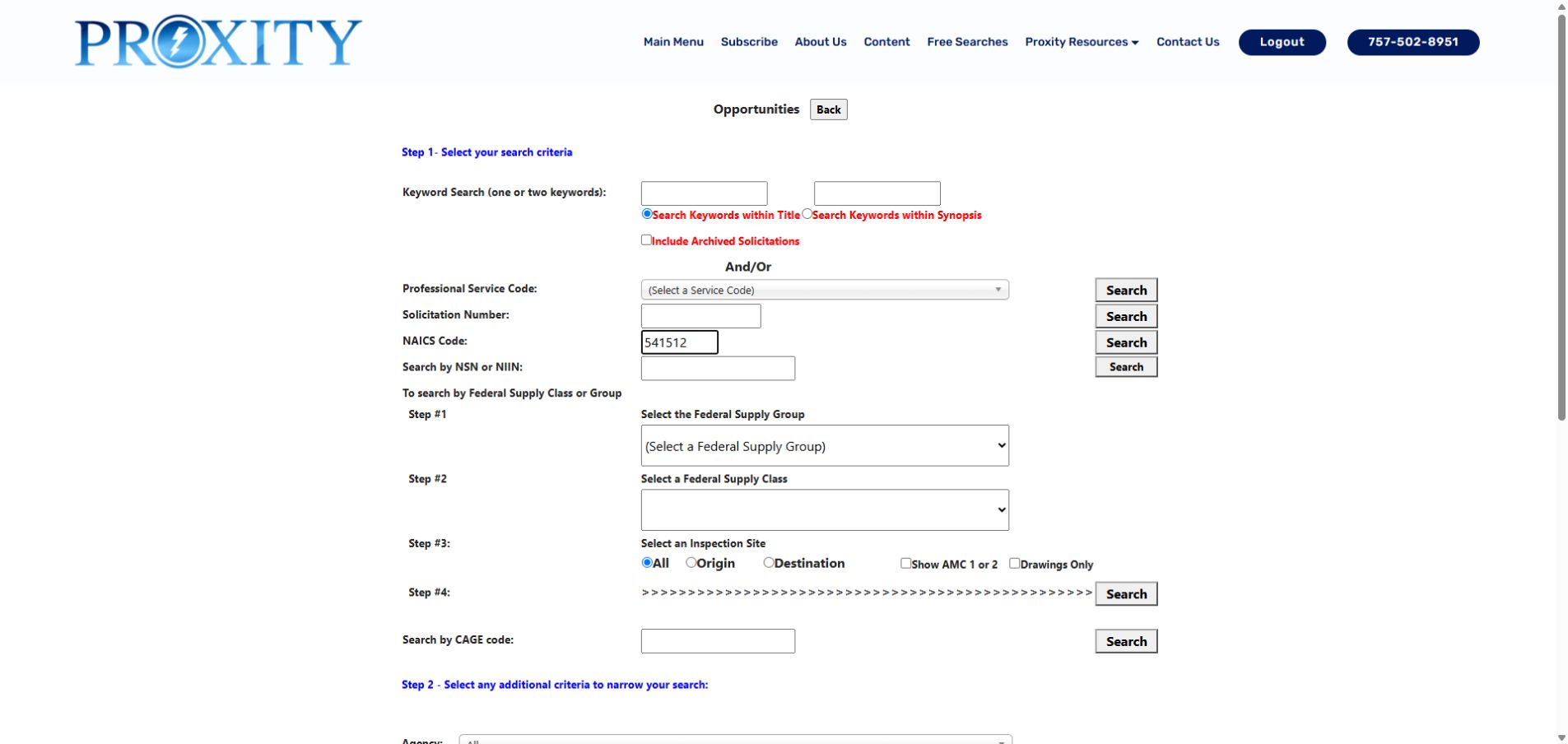
October 14, 2026 form example. The NAICS code is entered in its own search row; select that row's Search button.
Search the NAICS code
In Research All Open Solicitations, enter 541512 in NAICS Code and select the Search button beside that field. Leave the keyword boxes blank and Include Archived Solicitation unchecked. Read the results by Agency, Office, Subject, Opening Date, Closing Date, State, Estimated Value and Set Aside.
In the October 14, 2026 example, rows included IHS FICAM Program Support, Border Patrol Technical Operations Center, MCC Software Development Recompete, and DHS OIG Information Technology Support Services NEXT GEN. The DHS row showed October 13 through November 12, 2026, Washington, DC, and Small Business Set Aside - Total. These values describe that dated result; check the current row for today's dates and terms. A code match does not replace reading the work statement.
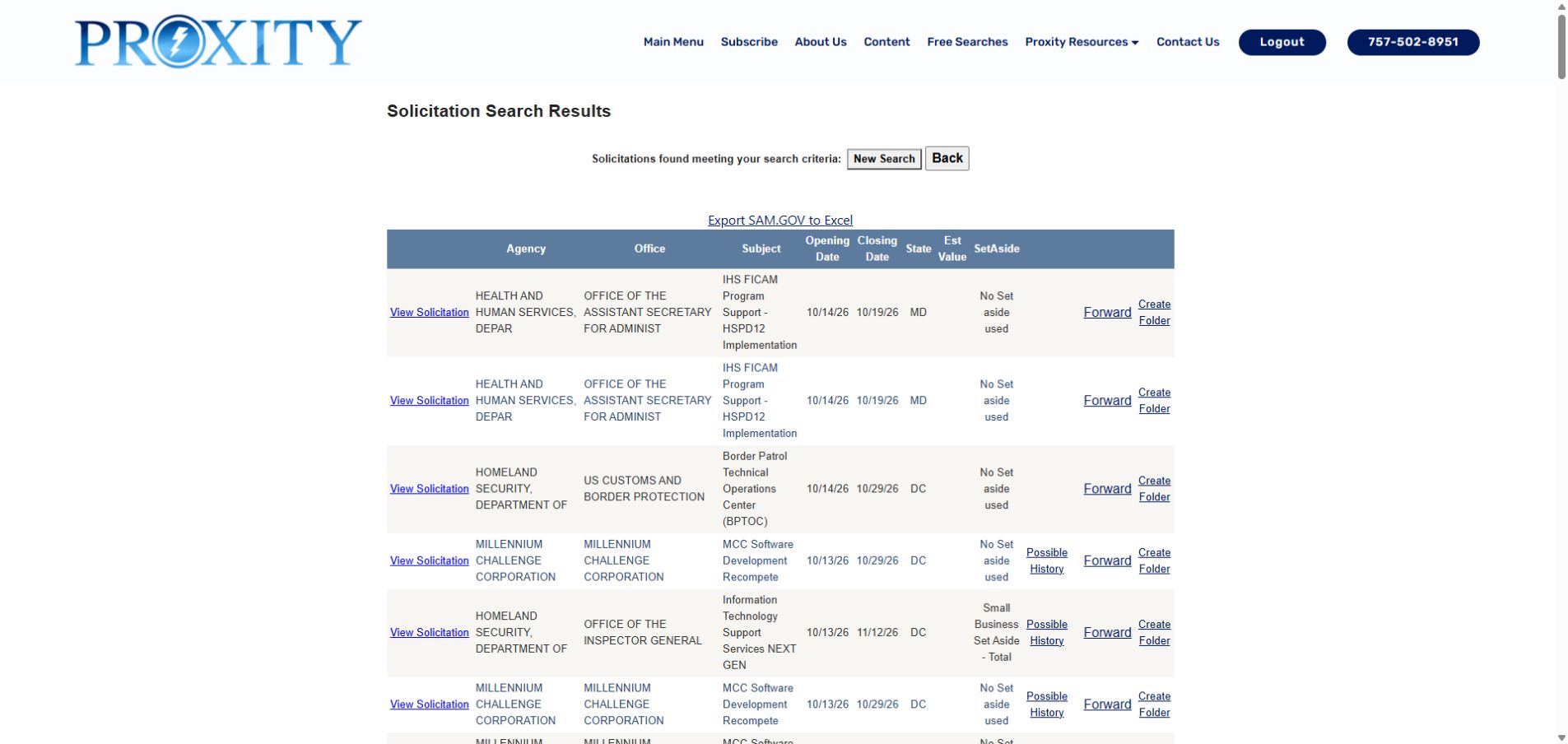
The results page shows separate View Solicitation, Possible History, Forward and Create Folder actions where available.
Inspect a possible history record
On the DHS OIG row, select Possible History. The separate list contains candidate records matched by PSC, NAICS and ZIP. One displayed candidate was contract 70FA3126F00000066, Operations, Maintenance and Enhancements for Privacy Compliance Portal, vendor SALIENT CRGT, with a displayed total of $92,252.16 and dates September 11, 2026 to September 28, 2027.
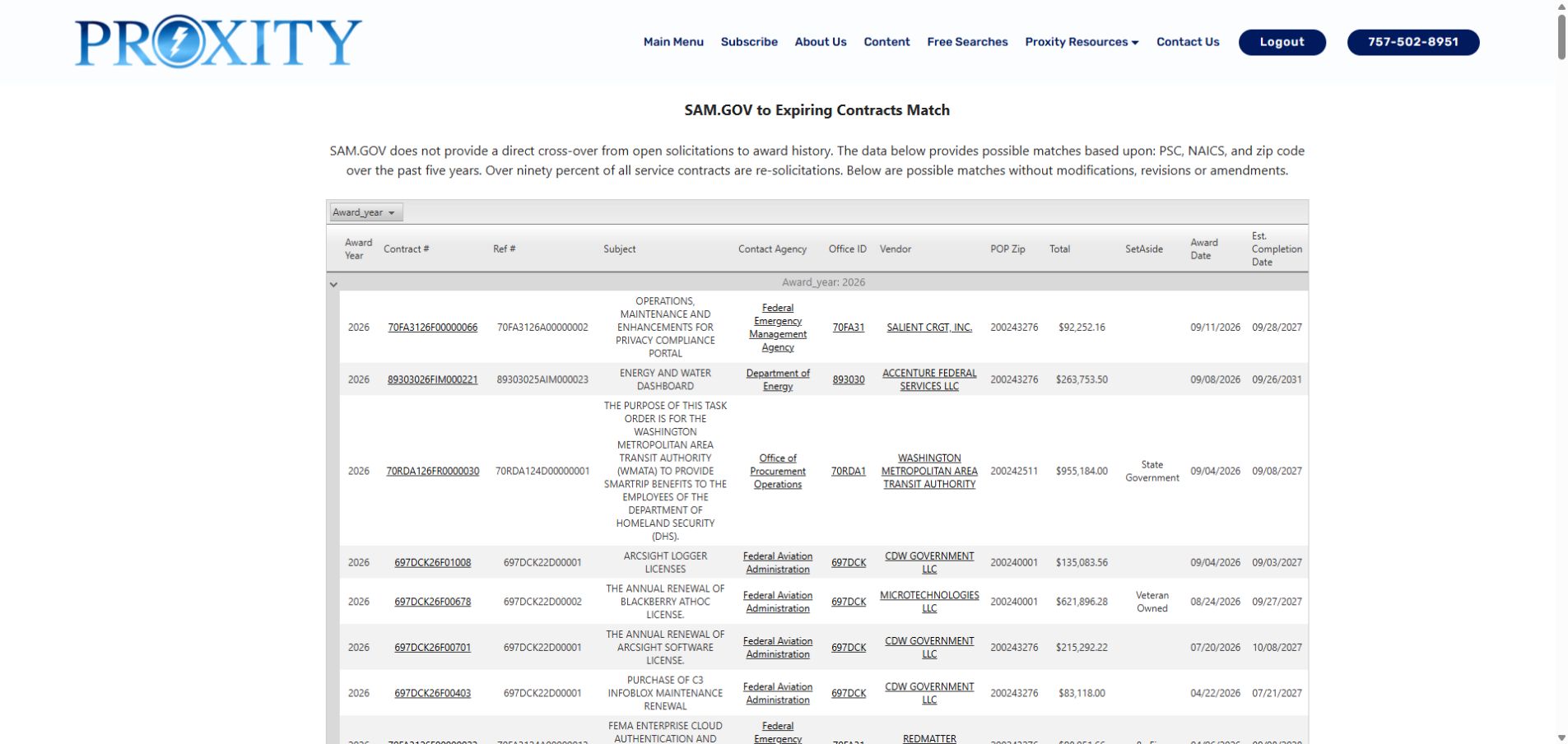
The displayed list identifies possible matches by classification and work-location data. Treat each row as a candidate to compare.
Select the candidate Contract # to open its award action. The detail showed modification 0, an Action Obligation of $92,252.16, a signed date of September 11, 2026, an effective date of September 29, 2026, and an ultimate completion date of September 28, 2027. Use Back to return to the candidate list, then return to the same DHS results.
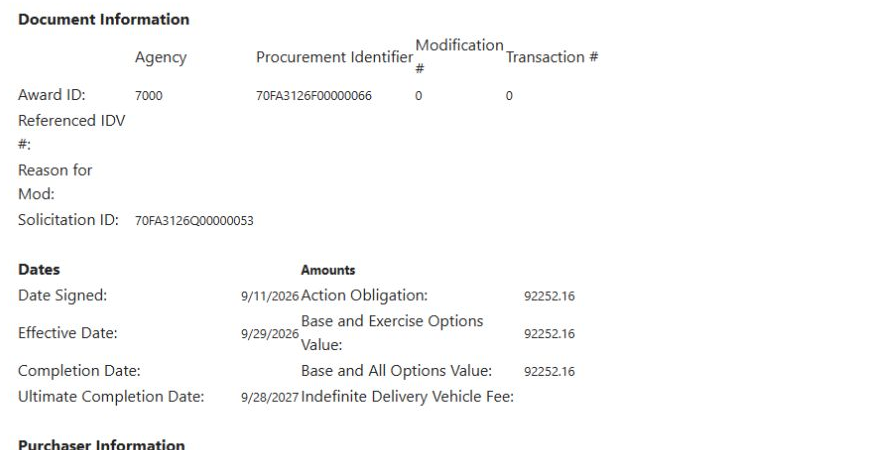
This crop keeps the identifier, modification, action obligation and dates visible.
The DHS notice and candidate record remain separate. Compare each work description, buyer, location and date; the match alone does not prove a predecessor, incumbent, award outcome or business fit. Read the notice's scope, requirements, deadline and eligibility before deciding whether to pursue it. For the list's full field definitions, see Possible award-history matches.
Compare searches for computer training
Application path: Main Menu → Research All Open Solicitations. This separate example is for a company offering computer training. It compares a classification search with title and synopsis searches. The following results were observed October 16, 2026; counts and dates change.
1. Search the training classification
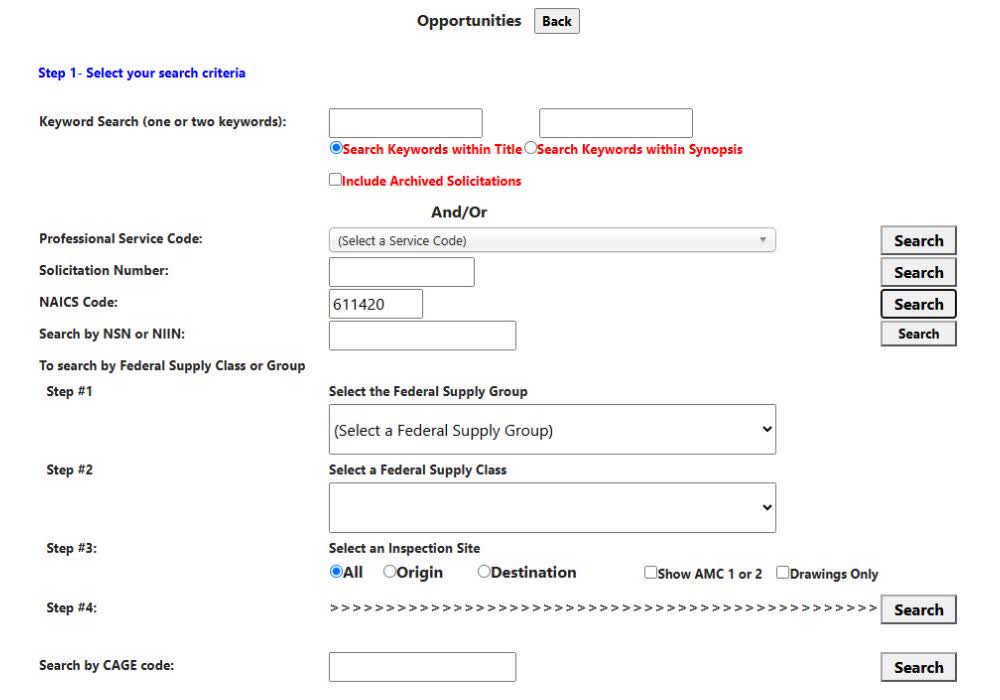
Enter 611420 in NAICS Code, leave both keyword boxes blank, leave archived solicitations unchecked, and select Search beside NAICS Code. Leave other filters at their defaults.
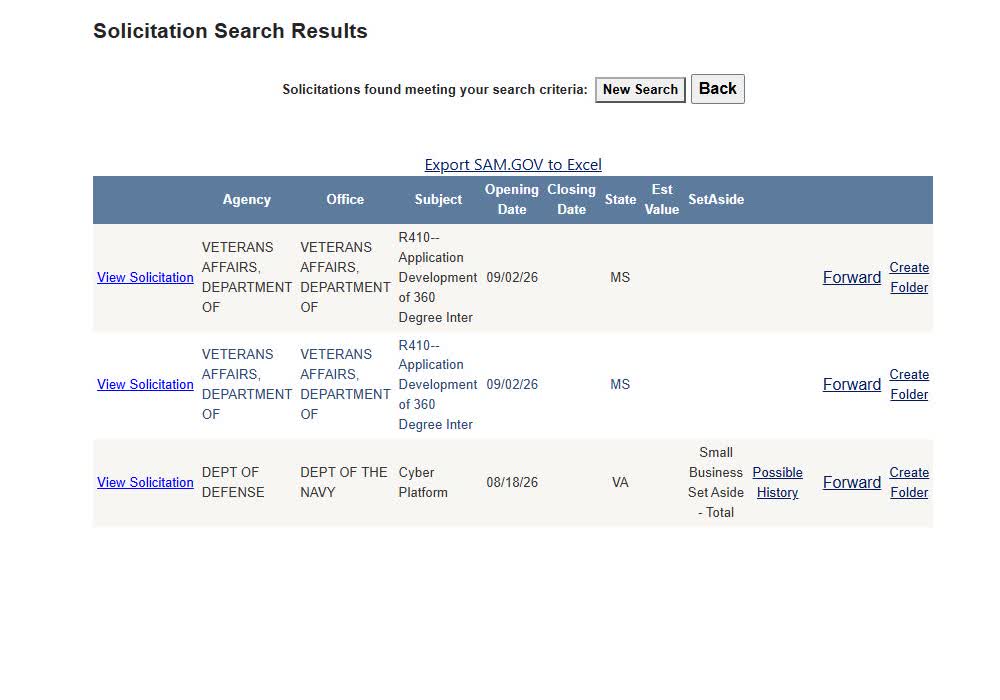
Read the three returned rows
This search returned three rows: two VA application-development notices and a Navy Cyber Platform notice. Read each subject and use View Solicitation to check the actual work required. A classification match alone does not establish that a notice suits your training business.
2. Try the words in the title
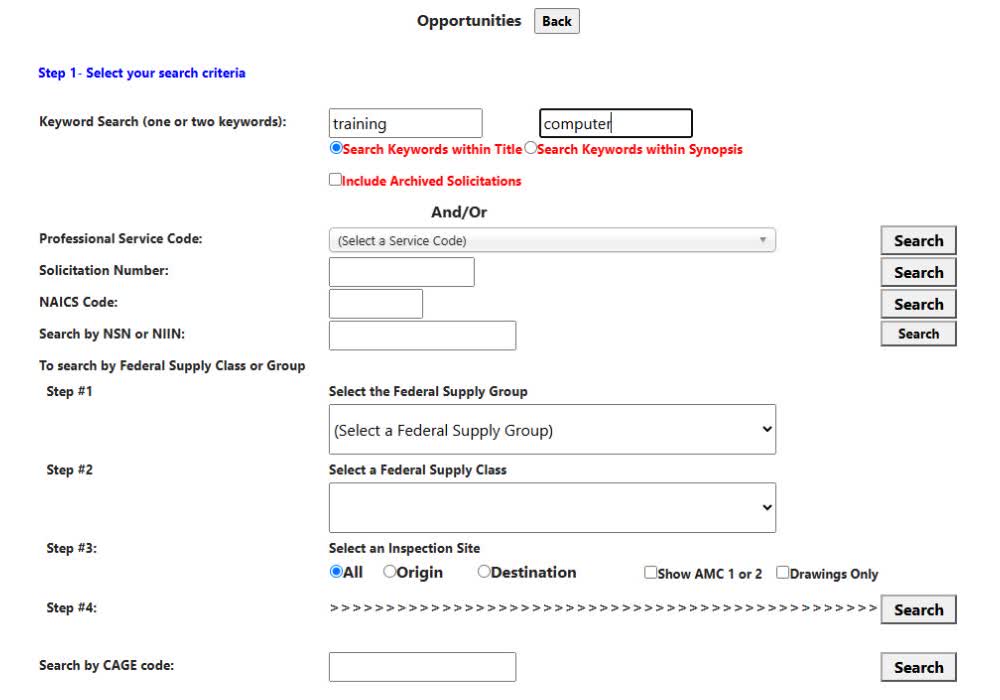
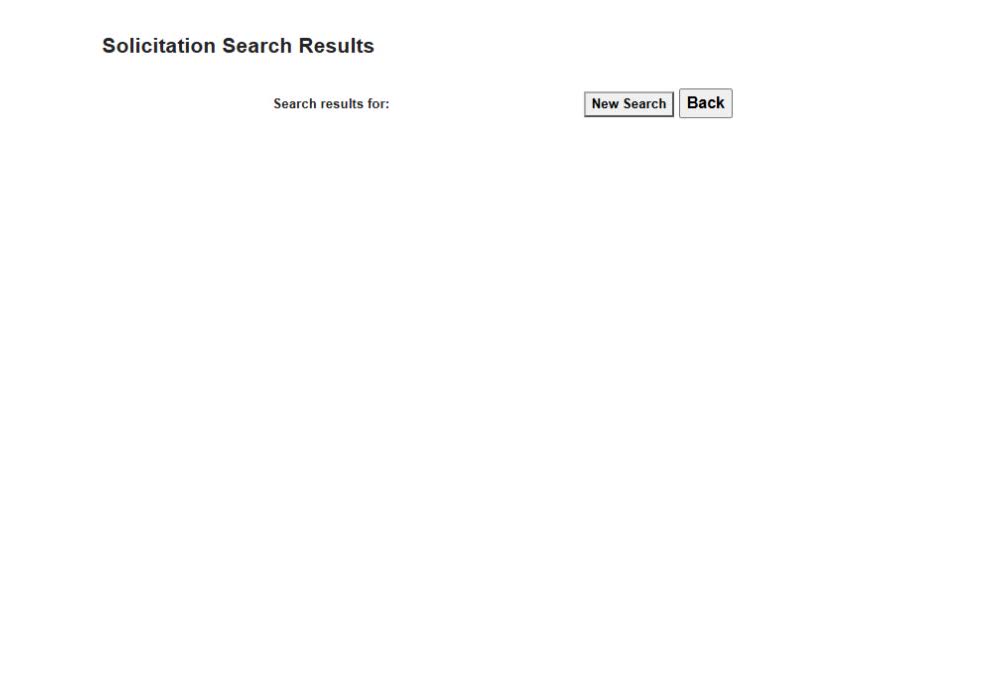
Choose New Search. Leave NAICS blank. Enter training in the first keyword box and computer in the second. Select Search Keywords within Title, leave Professional Service Code unselected and archives unchecked, then select the Search beside Professional Service Code.
An empty result is a reason to adjust the search
This title search returned no rows. It does not mean there are no relevant opportunities. Choose New Search to try a different search scope.
3. Search the synopsis
Enter the same two words again, select Search Keywords within Synopsis, leave NAICS blank and other filters at their defaults, and use the Search beside Professional Service Code.
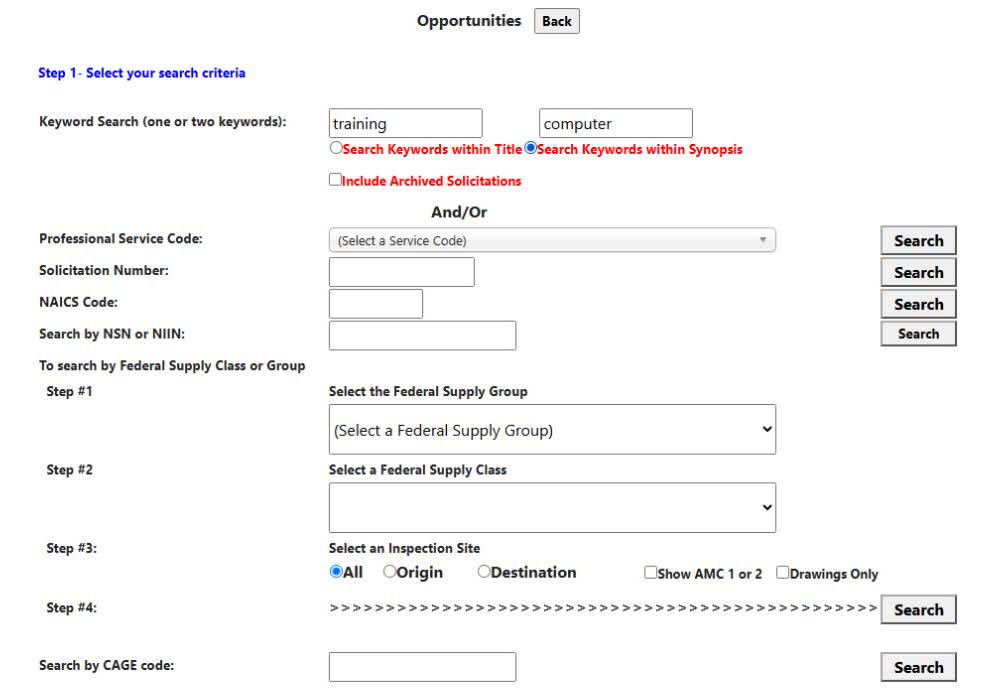
Review the broader result list
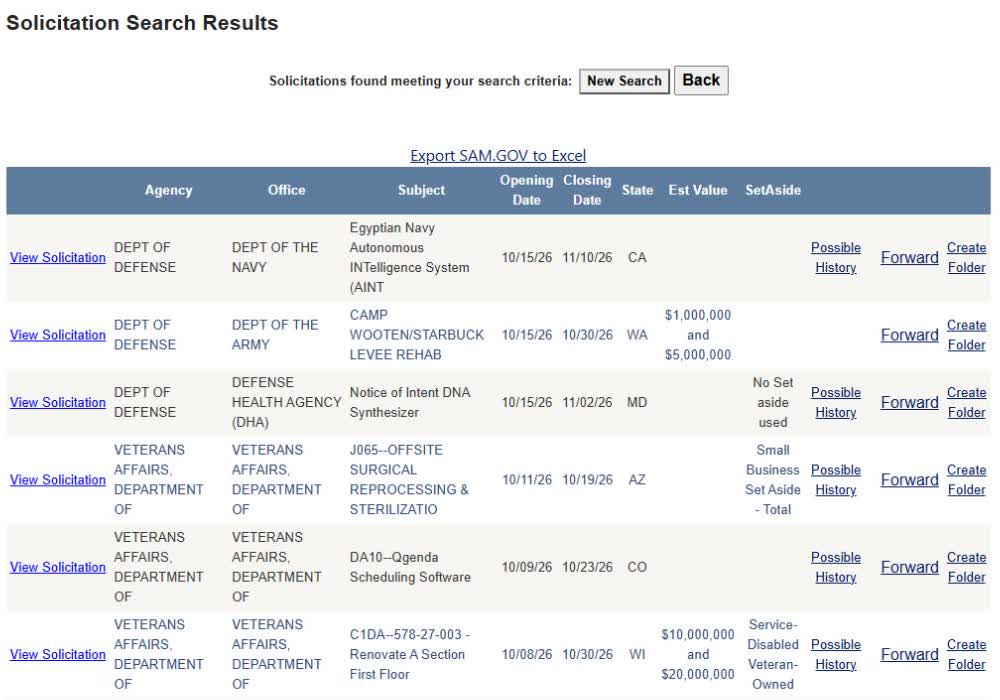
The synopsis search returned 74 rows. The first rows included an intelligence system, levee rehabilitation and a DNA synthesizer. These are search matches, not 74 confirmed computer-training contracts. Inspect the work description, location, deadline and eligibility before saving a lead. Use the result-row actions described in Read solicitation search results. The same solicitation export guide explains the worksheet; a new keyword choice does not create a different set of export columns.