Choose an NSN or supply class for DLA forecasting
Part of these button learning paths: NSN Forecasting
Application user guide
The NSN Forecasting menu offers two ways to explore forecasts: search one stock number for a monthly view, or choose a Federal Supply Class for a quarterly view. See read a forecast for the result fields.
How to get here and continue
- From Main Menu → Parts/Products, open NSN Forecasting. The form offers an NSN/NIIN route and an FSG/FSC route.
- For one item, enter a 13-character NSN or nine-character NIIN and press Search By NSN/NIIN to open its monthly forecast. For a class view, choose an FSG, then an FSC, and press Search By FSC to open the quarterly forecast.
- The result's NIIN link opens the item record when present. From an item record, use browser Back to return to forecast results, then Back again to return to the entry form. From either forecast page, one Back returns to the form.
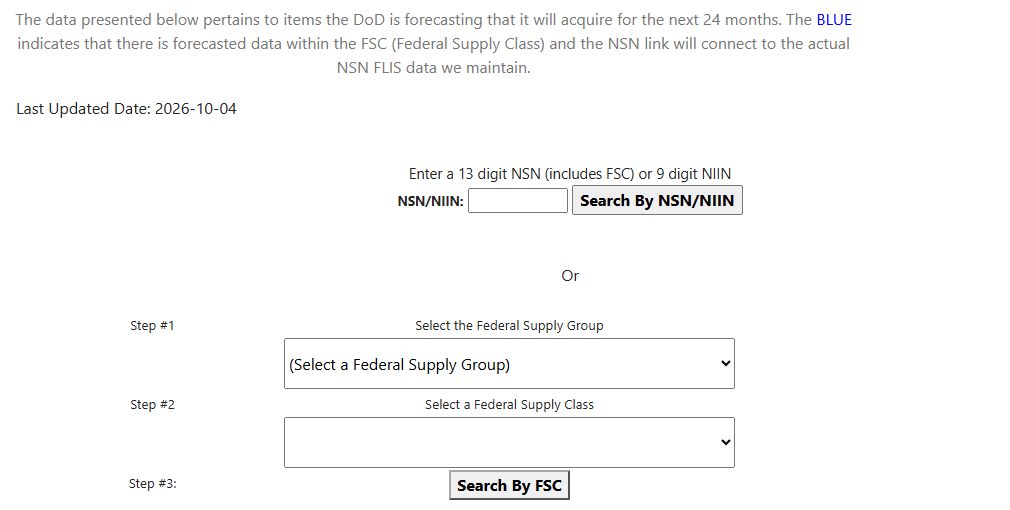
| Entry field or control | What it does and why you use it |
|---|---|
| Monthly forecast update date | Date shown near the form for the forecast data. |
| NSN/NIIN | Enter a 13-character NSN or nine-character NIIN. Hyphens may be included; keep leading zeros. |
| Search By NSN/NIIN | Opens the monthly forecast for the item. |
| Step #1: Federal Supply Group | Two-character broad supply group. Choosing it refreshes the FSC list. |
| Step #2: Federal Supply Class | Choose a four-character class for a broader view of items in that class. |
| Search By FSC | Opens the quarterly forecast for the selected class. Choose an FSC before searching. |
Performed searches: class, then one item
On October 12, 2026, the form showed Last Updated 2026-10-04 for the forecast data. From Main Menu → Parts/Products → NSN Forecasting, choose FSG 40 — Rope, Cable, Chain, and Fittings, then FSC 4010 — Chain and Wire Rope. Press Search By FSC. The quarterly results include NIIN 000582450, CHAIN ASSEMBLY, SINGLE LEG. Select that NIIN to view its FLIS item record. Browser Back returns to quarterly results; Back again returns to the form.
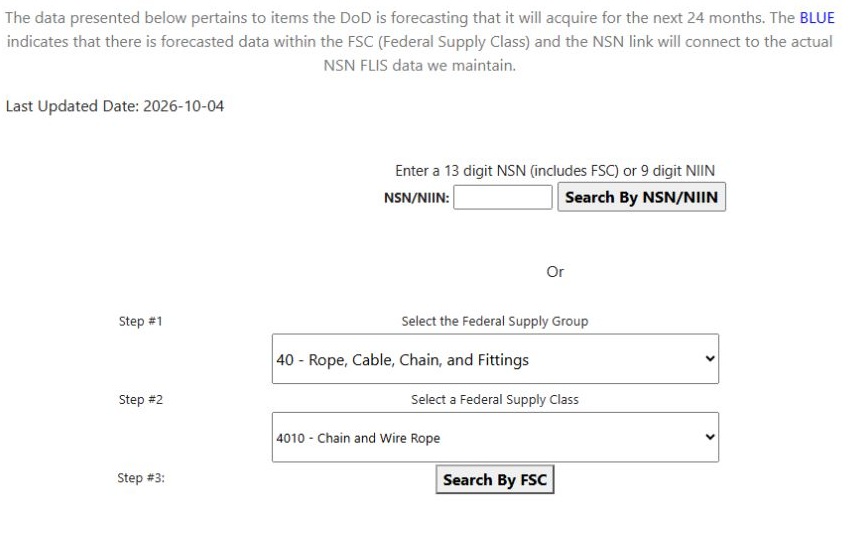
Open the FSC search form at full size. The forecast results guide reads the observed quarterly row and item link.
For the monthly route, enter the full NSN 4010000582450 in NSN/NIIN and press Search By NSN/NIIN. This opens the monthly forecast for the same item. One browser Back returns to the search form, where you can change the NSN or choose another class.
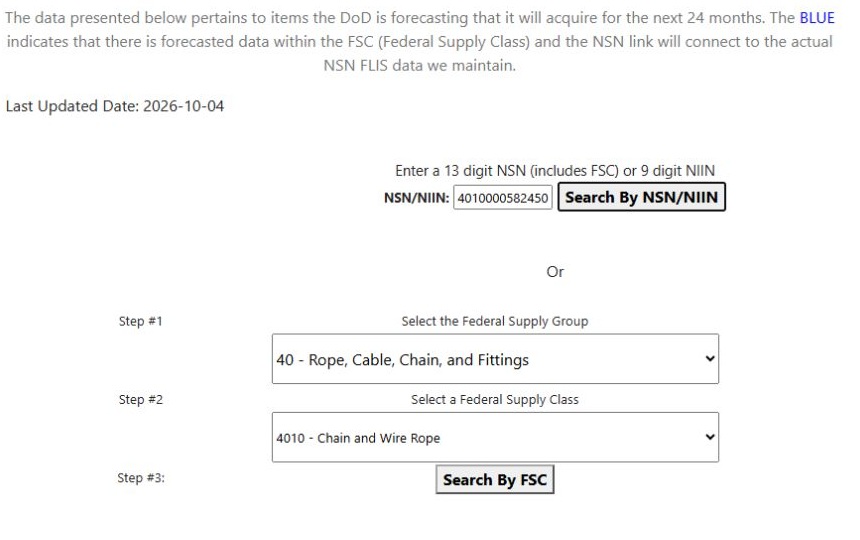
Open the NSN search form at full size. The monthly example reads its result.
A specific item search opens monthly values for that item. Choosing FSG and FSC opens quarterly values for the class. Compare forecasts with award history or a current solicitation when researching an item.
For an item with no forecast entry, the monthly view may show NO FORECAST DECLARED BY DLA. The entry form and forecast views do not provide an Excel export.
Download this article as Markdown