A custodial business researches a real market
Video sections for this page
- 0:00 — Set the decision question
- 0:12 — Search buyer wording
- 0:47 — Review matching notices
- 1:16 — Inspect a service notice
- 2:02 — Switch to a separate historical question
- 2:14 — Search recorded custodial actions
- 2:36 — Compare the action rows
- 3:19 — Open one recorded action
- 3:48 — Read the action detail
- 4:17 — Choose what to verify next
Application path: Main Menu → Primary Searches → Research All Open Solicitations. For historical purchases, return to Main Menu → Research → Award History.
This example separates two questions: which notice descriptions may fit a cleaning service, and what buyers have recorded in past awards. Search rows and dates change. Open the notice itself and confirm its current scope, location, amendments, eligibility and deadline before deciding to respond.
Search notice descriptions
In Search Solicitations, enter janitorial,custodial in the first Keyword Search box and services in the second. Choose Search Keywords within Title, leave Include Archived Solicitations unchecked, and select the Search button beside Professional Service Code. In the first box, the comma means either term can match; the second box adds a required term. The other Search buttons run their own searches, so filling a code field does not combine it with the keyword search.
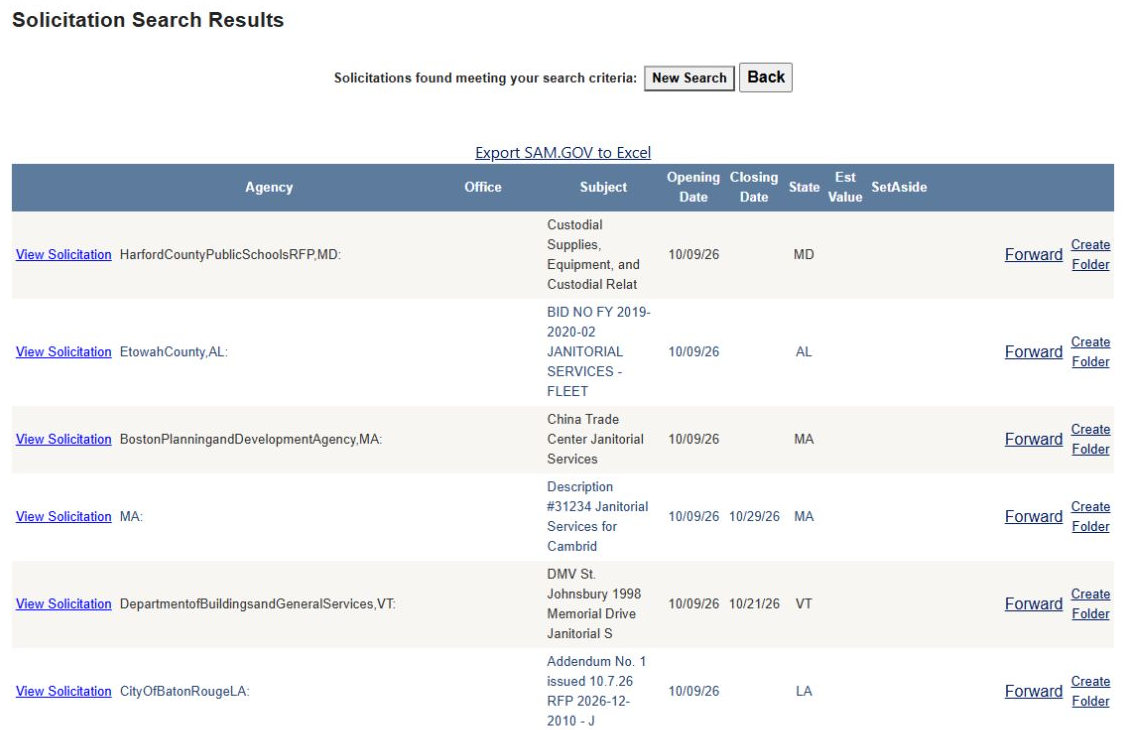
Read the results together: subject, agency, office, state, opening and closing dates, and set-aside. A word match is a lead, not a work-scope decision. Custodial products, mixed work and cleaning services can use similar words. Open View Solicitation on the row you want to assess, then compare the actual tasks and place of performance with the service you can provide. Use Back to return to the list or New Search to revise the criteria.
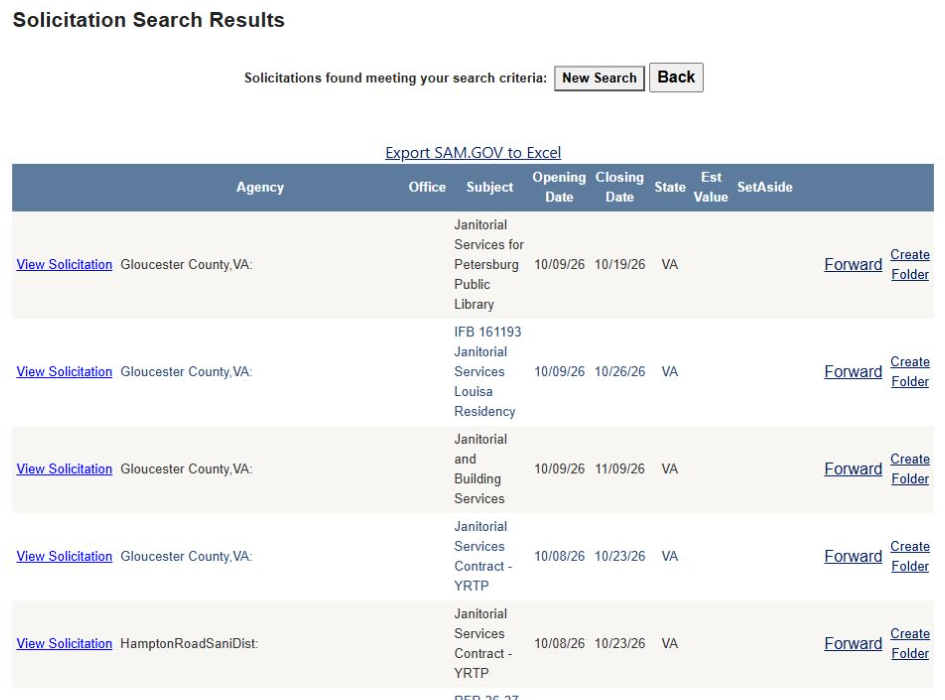
This results image is a dated example of the fields and row actions. Its displayed notices and dates can change; use the current result and its linked source for a live decision.
Review a separate award-history example
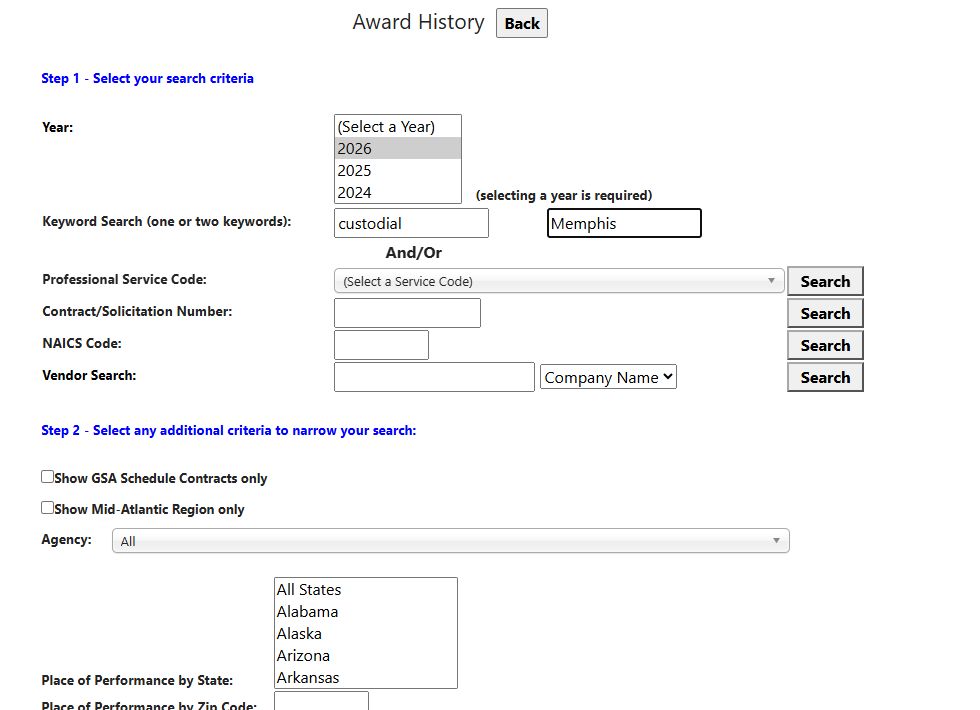
The next search is a separate past-buying question, not another view of the Virginia notices. In Award History, select year 2026, enter custodial in Keyword 1 and Memphis in Keyword 2, then select the Search button beside Professional Service Code. The keyword boxes do not have their own Search button.
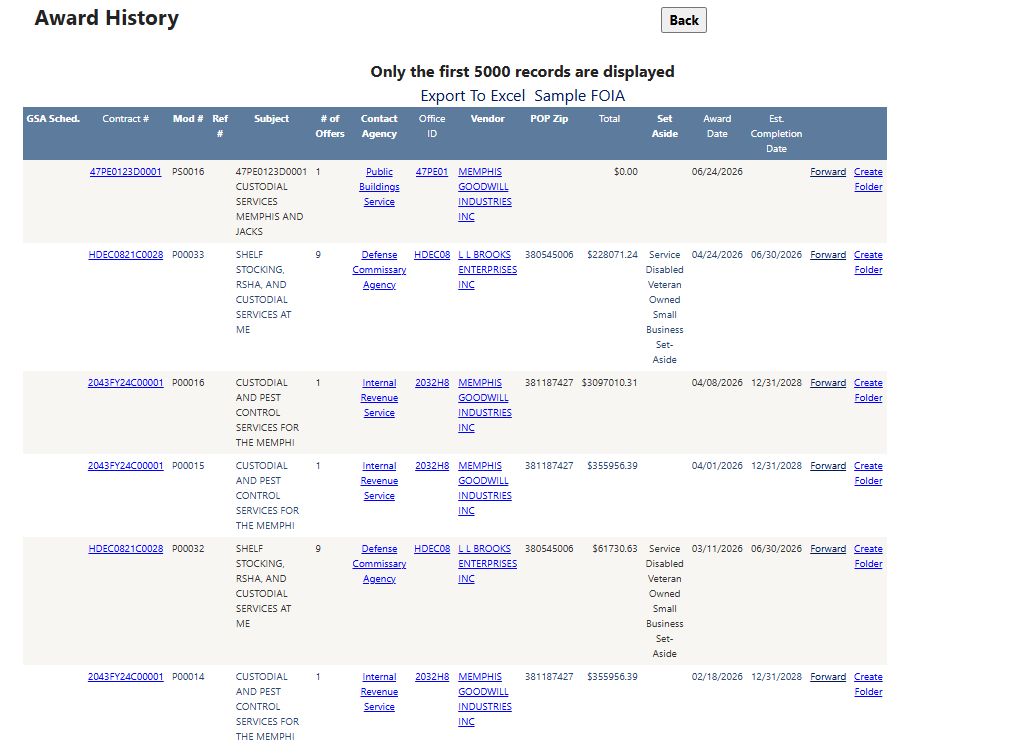
The recorded example returned six action rows. Read Contract Number, Modification, Reference Number when present, and Award Date together. One row is contract HDEC0821C0028, modification P00033, dated April 24, 2026, with a displayed action amount of $228,071.24. A modification is an action on a contract; it is not a new contract or proof of a new opportunity. Select the Contract Number link to inspect that action.
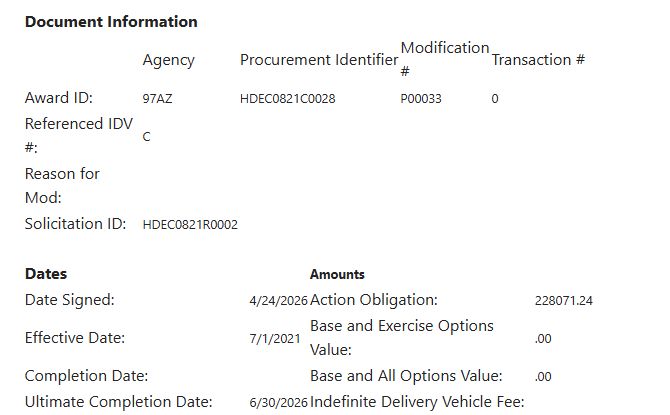
The detail shows a signed date of April 24, 2026, an effective date of July 1, 2021, an ultimate completion date of June 30, 2026, and an Action Obligation of $228,071.24. In this example, the obligation matches the amount shown for the selected action. Use Back to return to the result list, then back again to the search form.
Keep the evidence in context
The notice results and the Memphis award search are independent examples. Historical purchases can help you learn buyer vocabulary and compare recorded work, but they do not establish an open solicitation, a planned recompete or an incumbent relationship. Before responding, use the notice's current source to confirm the complete requirement, place of performance, amendments, eligibility and response deadline. Keep the contract number and modification with any award-history notes so you are comparing the same action.
Download this article as Markdown