Narrow candidate NSNs by technical characteristics
Part of these button learning paths: Search by NSN/NIIN
Use this search when a part description is known but several NSNs may fit. First find the item description, then narrow its NSNs with recorded characteristic replies. For a known NSN, open its individual characteristics instead.
Before you press Search: submitting any nonblank keyword search clears all technical-characteristic reply selections previously saved for your signed-in account, including selections for other item descriptions. A reply choice made with Select Replies also changes saved account state. Retain any choices you need before starting over. Back and New Search do not undo a saved change.
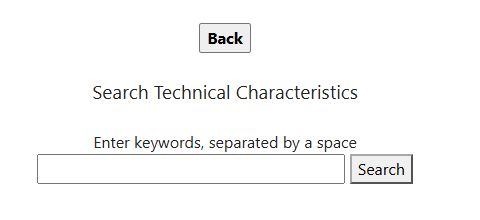
Find the item description
- From Search by NSN/NIIN, select Search Technical Characteristics. Enter brake shoe in Enter keywords, separated by a space and select Search. The result lists descriptions containing both entered words, including BRAKE SHOE, BRAKE SHOE SET, and BRAKE SHOE ASSEMBLY. Choose the description that matches the part you mean; the terms alone do not select an NSN.
- Select BRAKE SHOE. The requirement page opens for that description and initially showed Count of NSNs: 606 with ALL under Selected Replies. Each linked MRC code opens a particular requirement's replies. The example below uses AARN — FABRICATION METHOD, AYPK — DRUM DIAMETER FOR WHICH DESIGNED, and CSPR — DRUM WIDTH FOR WHICH DESIGNED.
- Before narrowing, select Show NSNS to inspect the broad list. It showed brake-shoe NSN links, including 2530006798378. Selecting that NSN opened the item result, which identified BRAKE SHOE and offered Tech. Characteristics. That detail showed AARN: MOLDED, AYPK: INCHES NOMINAL 15.000, and CSPR: INCHES NOMINAL 4.000 for this item. Select Back on the characteristics page, then Back on the item page, then Back on the NSN list to return to the requirements.
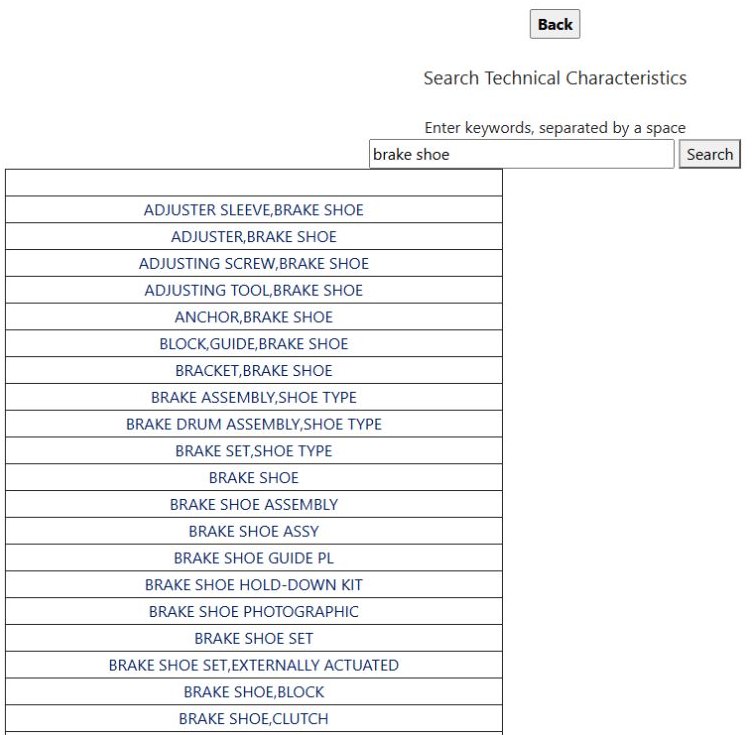
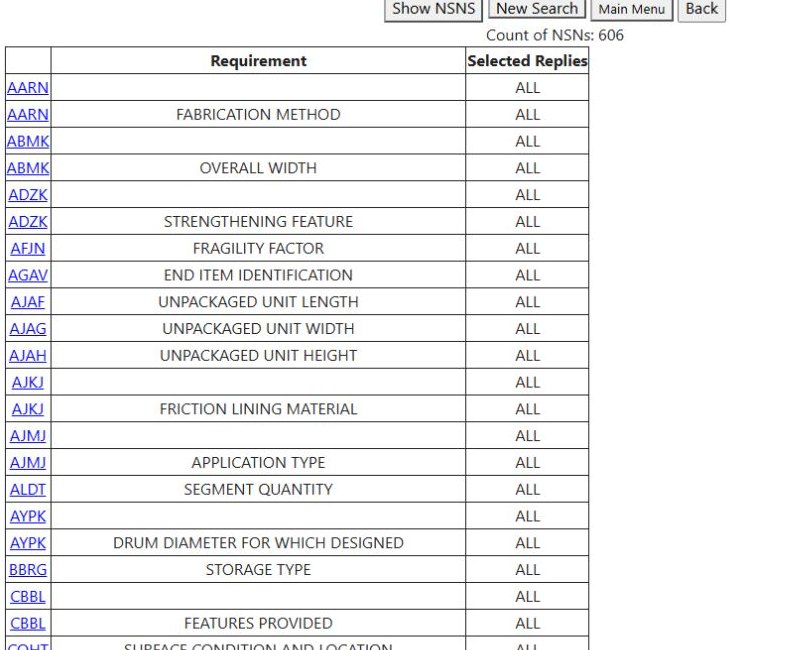
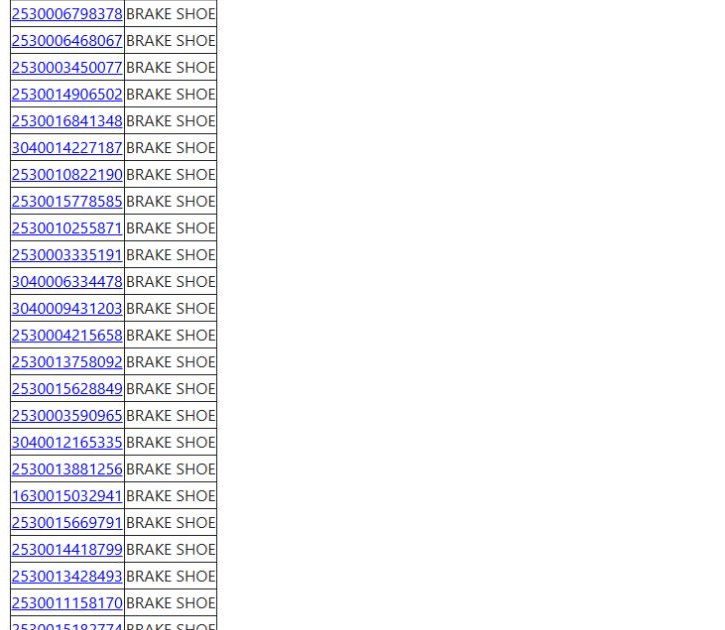
The keyword words combine as an AND search: both must be present in a matching description. A blank or spaces-only Search does not start a new result. BRAKE SHOE SET is a different description; in the same walkthrough it showed 297 NSNs, so check the description before comparing counts.
Narrow this example from 606 to 3 NSNs
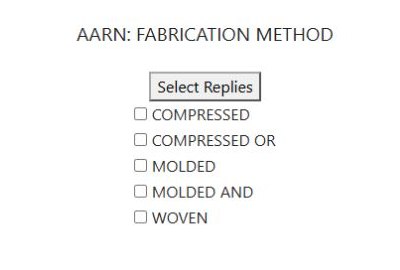
- From the BRAKE SHOE requirement list, select AARN beside FABRICATION METHOD. The reply page offers COMPRESSED, COMPRESSED OR, MOLDED, MOLDED AND, and WOVEN. Check MOLDED, then select Select Replies. Back on the requirements, AARN reads 1 selected, and the displayed NSN count falls from 606 to 137.
- Select AYPK beside DRUM DIAMETER FOR WHICH DESIGNED. Choose the exact reply 15.000 INCHES NOMINAL, then Select Replies. The count falls from 137 to 10. Compare the entire value and its unit; a nearby number or a minimum/maximum qualifier is a different reply.
- Select CSPR beside DRUM WIDTH FOR WHICH DESIGNED. Choose 4.000 INCHES NOMINAL, then Select Replies. The count falls from 10 to 3. The requirements page now shows 1 selected for AARN, AYPK and CSPR; the other visible requirements remain ALL.
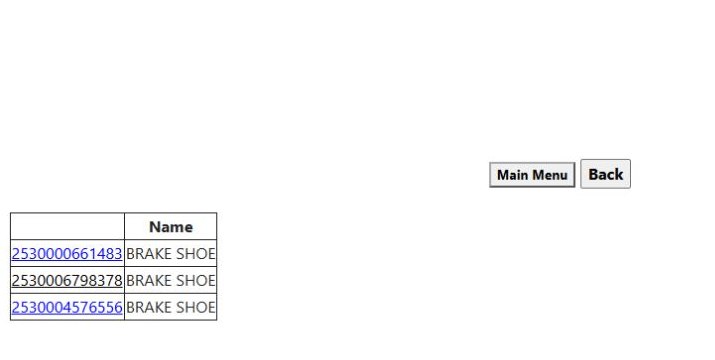
- Select Show NSNS. The result links are 2530000661483, 2530006798378, and 2530004576556, each named BRAKE SHOE. Select 2530006798378 to open its NSN result, then Tech. Characteristics to compare the item's recorded MOLDED, 15.000 nominal drum diameter and 4.000 nominal drum width. Use Back on that page, the item page, and the NSN list to return to the requirement choices.
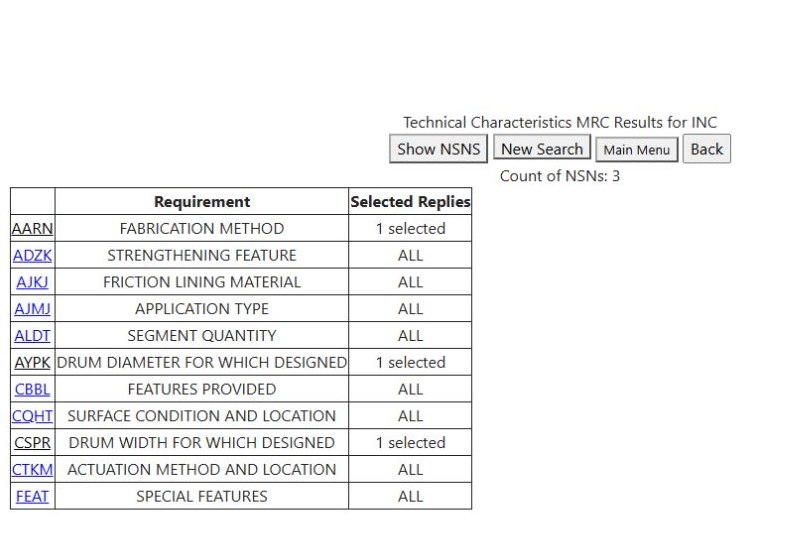
The Selected Replies number counts saved replies for that requirement. It is separate from Count of NSNs, which counts matching stock numbers. The requirement list can shorten as choices narrow the item set. After saving a reply, the heading in this live example showed only “Technical Characteristics MRC Results for INC”; use the preceding description and linked NSN detail to confirm your context.
Revise one requirement to allow alternatives
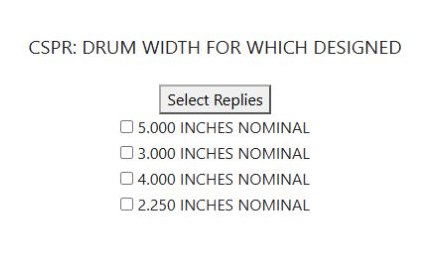
The saved CSPR page displayed only its checked 4.000 INCHES NOMINAL reply when reopened. To revise it in the observed session, we unchecked that reply and selected Select Replies; the CSPR restriction cleared and the count returned from 3 to 10. Reopening CSPR displayed the available widths again. Checking 4.000 INCHES NOMINAL and 5.000 INCHES NOMINAL together, then Select Replies, produced 2 selected for CSPR and 5 matching NSNs. Show NSNS displayed 2530006798378, 2530001394086, 2530004576556, 2530000661483, and 2530010462189. Multiple replies within one requirement allow alternatives; different requirements narrow the set together.
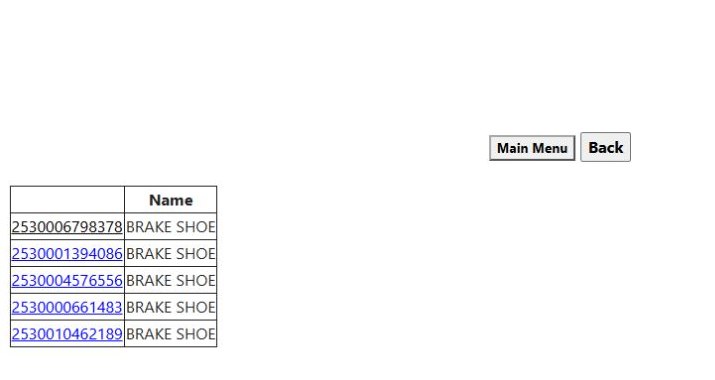
Clearing and replacing a reply changes the account's saved choices immediately after Select Replies. To start over, run a new keyword Search. Do this only when you are ready to clear your existing selections; it is not a temporary reset.
Read the controls and limits
| Control or value | What it means |
|---|---|
| Enter keywords, separated by a space / Search | Finds item descriptions containing all entered words. A nonblank Search also clears the account's saved characteristic replies. |
| Description link | Opens the requirement list for that item description. Similar names can lead to different NSN sets. |
| MRC link / Requirement | Opens the recorded replies for that specific characteristic. Read the requirement text as well as the code. |
| Selected Replies: ALL / n selected | ALL means no saved restriction for that requirement; the number counts saved replies, not NSNs. |
| Select Replies | Saves the checked replies for that requirement. Saving none removes that requirement's restriction. |
| Count of NSNs / Show NSNS | Shows the current match count, then opens the list of linked NSNs and names. |
| New Search / Main Menu / Back | Navigate to the keyword form, main menu, or previous page. None restores cleared or replaced saved choices. |
The NSN list has links and names; it has no Excel control. Check a returned item's individual characteristics, identification and references, and current requirements before deciding whether it fits a drawing or solicitation. This search finds recorded matches; it does not establish interchangeability or certify an offered part.