Read inventory and backorders
Part of these button learning paths: Research All Open Solicitations · Just My Opportunities · Machine Shops Opportunities · Unfulfilled NSN Opportunities · Search by NSN/NIIN · APL/AEL Historical · DLA Prime Contractors · Naics To FSC Cross · Commercial Part Number to NSN · Weapons System Designator Codes
Video sections for this page
Video sections for this page
Video sections for this page
From an NSN result, select Inventory for stock information or BackOrder for outstanding demand. Each view shows its newest Date_Stamp first.
How to get here and continue
- Search by NSN/NIIN and open the item's NSN result. Choose Inventory for the on-hand/reorder-point view or BackOrder for the backorder/demand view.
- The selected page shows dated rows for that NIIN when records are returned. Use the date and quantity labels together; no rows is different from a displayed zero.
- Back returns to the preceding item page. Use browser history if you need to switch between Inventory and BackOrder or return to the search form.
Fields on the two screens
| Field | Where shown | What it displays |
|---|---|---|
| Total_Stock | Inventory and BackOrder | The recorded total stock quantity. |
| ROP | Inventory | Reorder point: the stock-level planning figure shown for the item. |
| BO_Qty | BackOrder | The recorded backorder quantity. |
| ADQ | BackOrder | Annual demand quantity: the yearly demand planning figure shown for the item. |
| Security_Classification | Both | The classification code recorded for the row. |
| Condition_Code | Both | The stock condition code recorded for the row. |
| Date_Stamp | Both | The date and time recorded with the information. Use it to see how recent the row is. |
These views help you research stock and demand for an item. Quantity units and the meanings of specific condition/classification codes are not spelled out on the screen. The two views should be read with their own dates.
Back returns to the preceding page. Neither view has an export button.
When no rows appear
For NSN 4030-00-266-7415, the example below showed an OHandROP Data for: 002667415 heading on Inventory and OHandBO Data for: 002667415 on BackOrder, with no data rows. An empty view means no information was returned for that lookup; it is different from a displayed stock quantity of zero.


For related planning information, see forecast views and NSN award history.
Populated example: adapter inventory and backorders
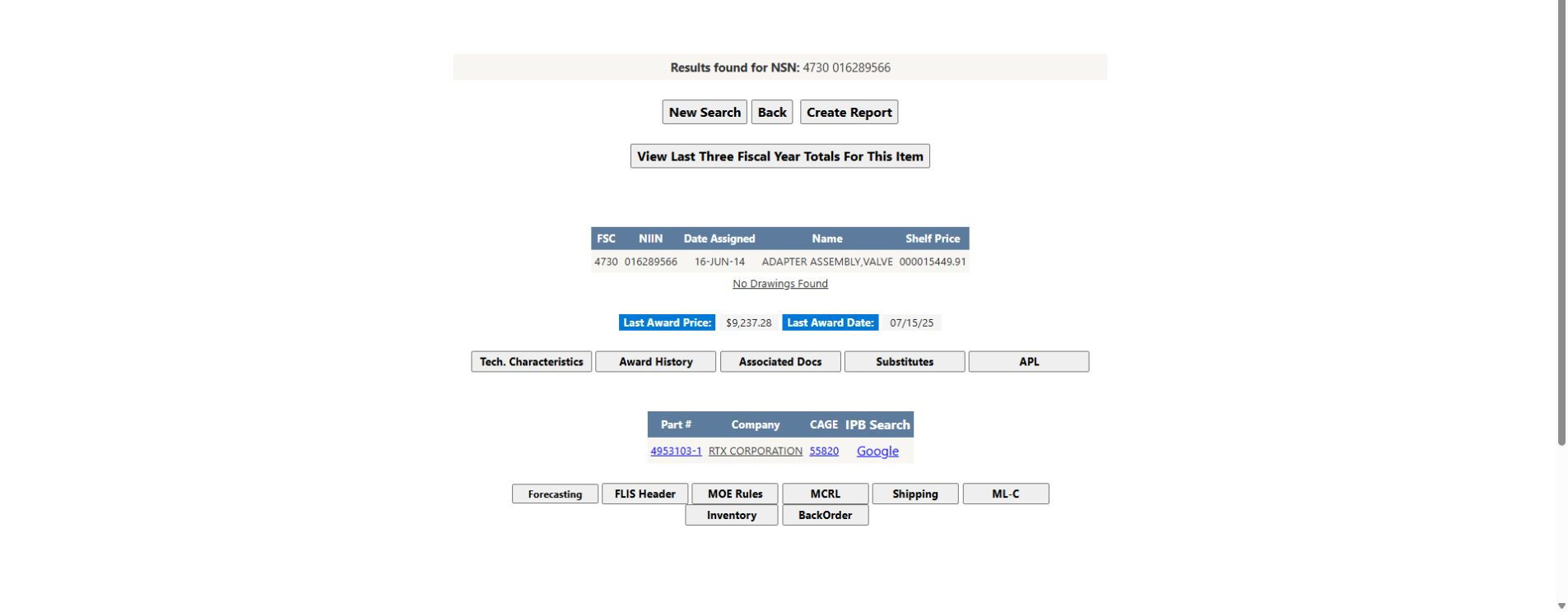
The following connected example uses NSN 4730-01-628-9566, NIIN 016289566, ADAPTER ASSEMBLY,VALVE. From Main Menu, choose Search by NSN/NIIN, enter 4730016289566, and confirm the item identity before opening Inventory or BackOrder. The item result provides both buttons; each detail view has its own Back control.
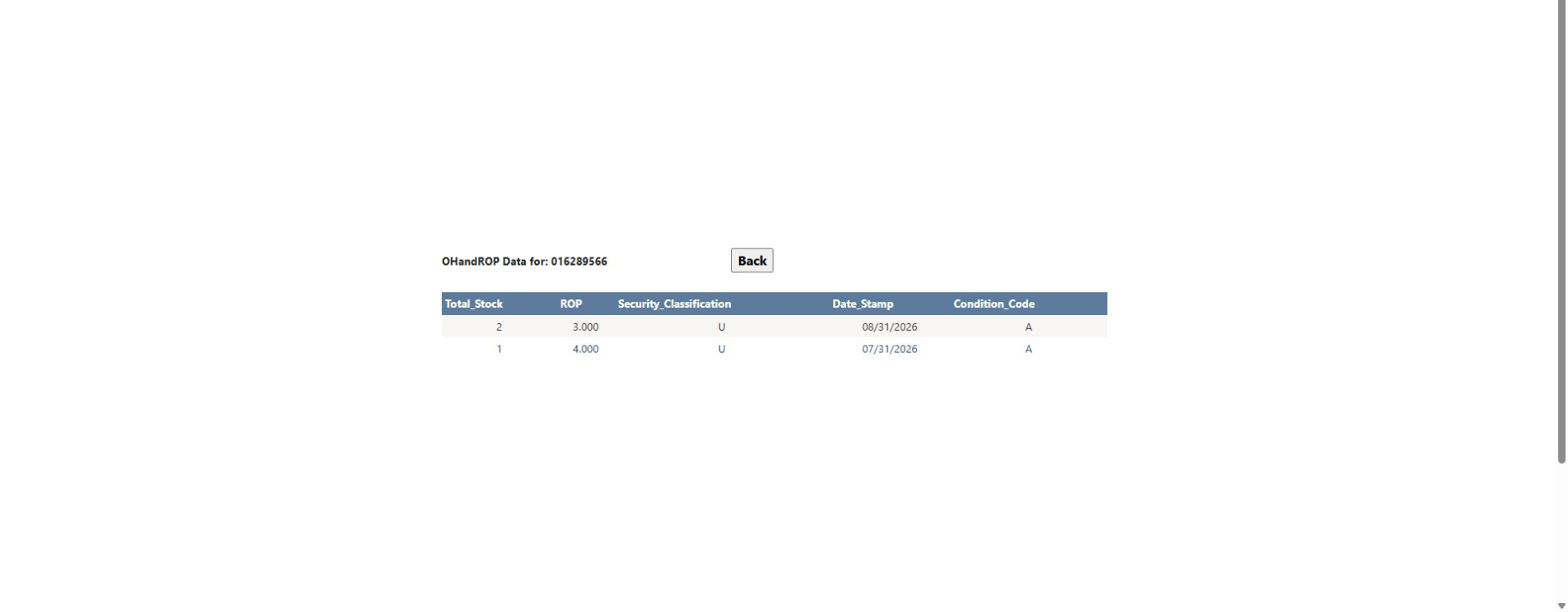
The Inventory view has two dated rows. On 08/31/2026, Total_Stock is 2, ROP is 3.000, Security_Classification is U, and Condition_Code is A. On 07/31/2026, those values are 1, 4.000, U, and A. Read each row with its date; the screen does not show a quantity unit.
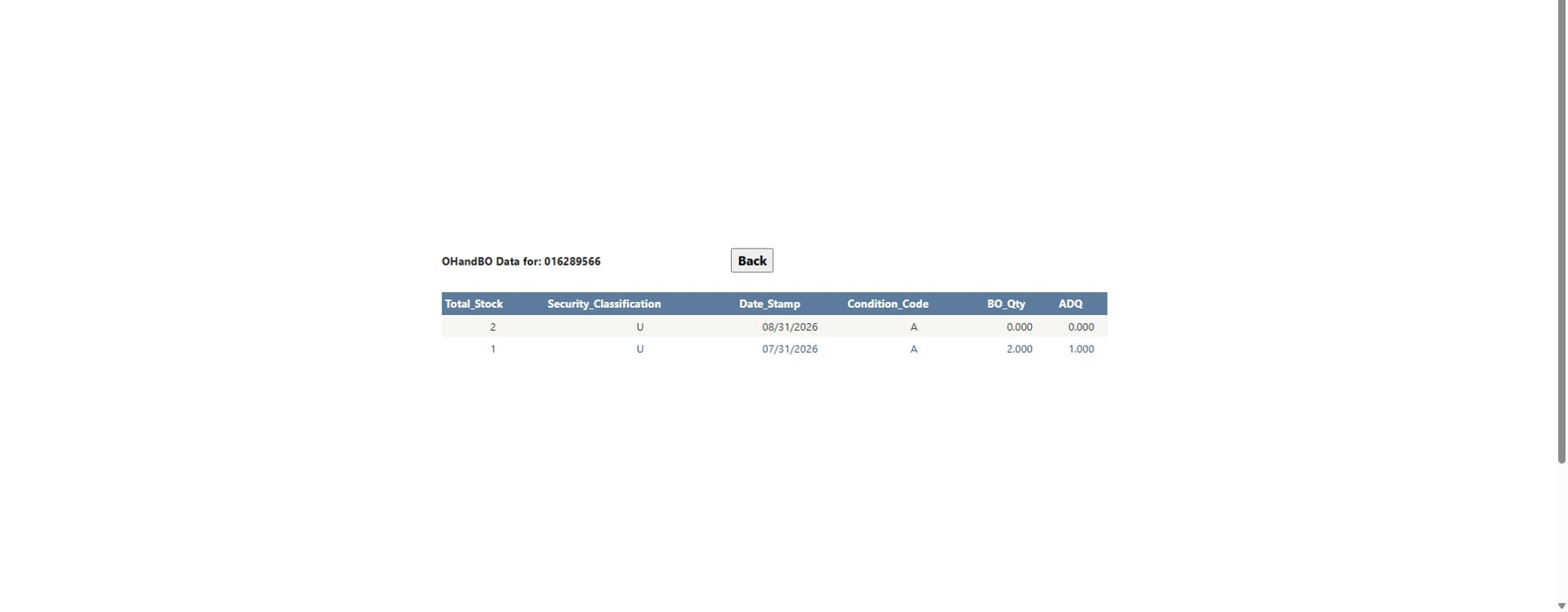
The BackOrder view has matching dates and item identity. On 08/31/2026, Total_Stock is 2, BO_Qty is 0.000, and ADQ is 0.000; on 07/31/2026, they are 1, 2.000, and 1.000. BO_Qty is the recorded backorder quantity and ADQ is the annual demand quantity. The screen does not state the quantity units or decode the U and A codes, so retain the displayed values without assigning those codes an unsupported meaning.