Discover NSNs by item name
Part of these button learning paths: Search by NSN/NIIN
Video sections for this page
Video sections for this page
From Search by NSN/NIIN, choose Search NSNs by Item Name when you know an item's description but not its stock number. This is a separate text-discovery route.
How to get here and continue
- From Main Menu > Parts/Products, open Search by NSN/NIIN, then select Search NSNs by Item Name. The next page is the item-name keyword form.
- Enter a short item description and choose Search. The results page lists matching item names and NSNs; follow an NSN to its catalog result, then confirm the full identifier.
- Main Menu returns to the seller menu and Back returns through browser history. Use the search form again to try a shorter or different phrase.
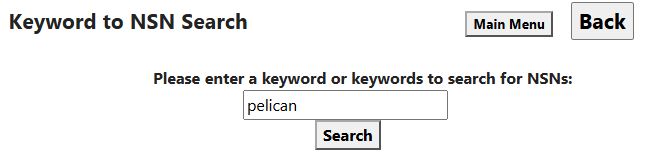
| Field or control | Meaning and action |
|---|---|
| Please enter a keyword or keywords to search for NSNs | Enter an item name or phrase. Word order can matter, so try a shorter name if a long phrase does not find the item. |
| Search | Displays matching item names and NSNs. Enter a name before choosing Search. |
| Main Menu | Opens the site's seller-menu route. |
| Back | Browser history. |
Read the result
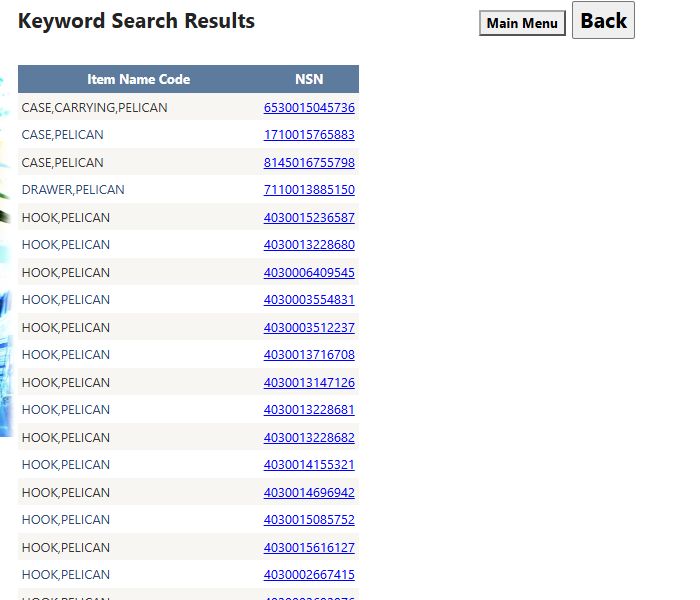
The pelican search shown here returns several kinds of items. Compare the full item-name text and NSN before selecting a result.
| Column or control | Meaning and use |
|---|---|
| Item Name Code | Despite this literal heading, the displayed value is item-name text, not a numeric Item Name Code. Read it as a description. Obtain the actual INC from the FLIS identification page after selecting an item. |
| NSN | Full stock number assembled from FSC and NIIN. The link opens the NSN result, where you should confirm identity and the required technical data. Keep leading zeroes. |
| Page numbers / next or previous page | Browse the results 100 rows at a time. |
| Main Menu and Back | Return through the respective seller-menu route or browser history. |
Broad searches can return up to 5,000 matches. Narrow the phrase when there are too many results. If no rows appear, try another item name or a shorter phrase. This results page has no Excel export. Start from the search form when entering a new search.
Performed example: pelican to a specific hook
On October 12, 2026, Main Menu → Parts/Products → Search by NSN/NIIN → Search NSNs by Item Name opened the keyword form. Enter pelican and press Search. The result included CASE,CARRYING,PELICAN — NSN 6530015045736, CASE,PELICAN — NSN 1710015765883, and many HOOK,PELICAN rows. A broad word can describe very different items, so compare both the item name and stock number with the requirement before opening a candidate.
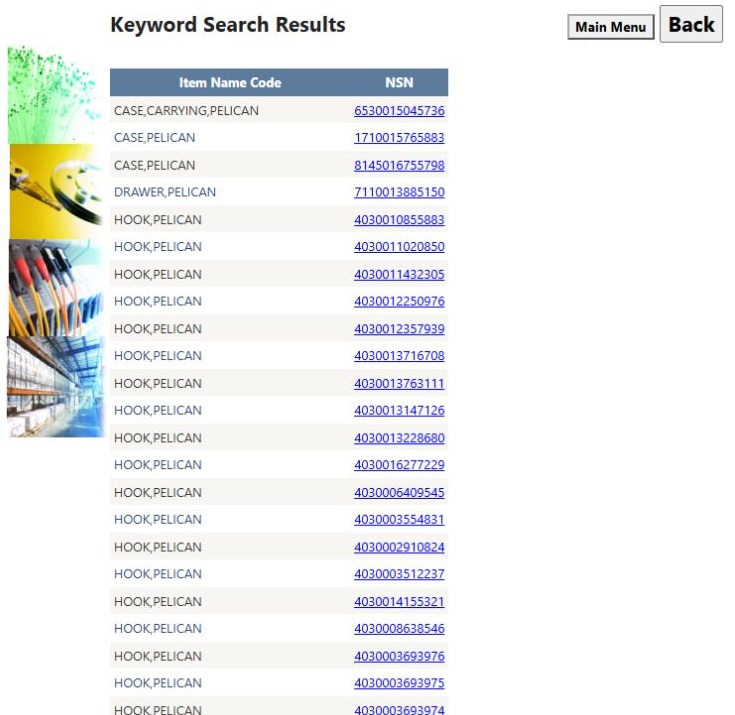
Open the pelican result list at full size.
Select NSN 4030002667415 in a HOOK,PELICAN row. The populated NSN result showed FSC 4030, NIIN 002667415, Date Assigned 01-JAN-63, and HOOK,PELICAN. Shelf Price appeared in a leading-zero display as 000006106.94 (6,106.94), while Last Award Price was $4,053.98 dated 06/25/26. These are different reference fields, not a quote for a current purchase. Its part table listed 804-860234 and 805-2580277PC18 for NAVAL SHIP SYSTEMS COMMAND, CAGE 80064.
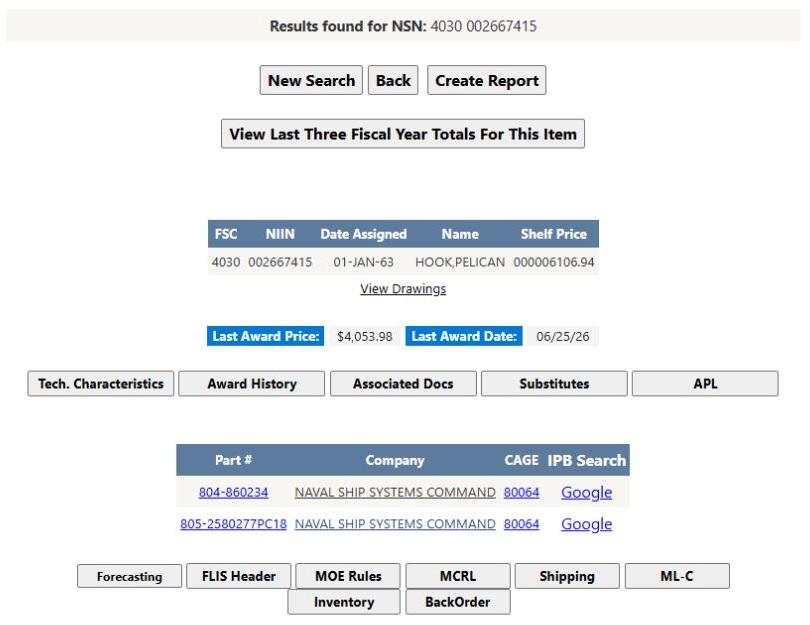
Open the HOOK,PELICAN item detail at full size.
The item page offers View Drawings and Tech. Characteristics to check the exact technical requirement; see the drawing guide and technical-characteristics guide. Browser Back returns to the pelican result list so you can compare another candidate.
Combine discovery with verification
Use the catalog wording supplied in a requirement to search, then inspect returned item names and full NSNs. If a phrase is too broad or misses the intended wording, use FSG/FSC and stored item terms as another discovery route. If physical attributes are needed to distinguish candidates, use the separate technical-characteristic selection guide, which explains the account changes its Search and Select actions make. Once a candidate NSN is chosen, read its actual characteristics and applicable drawing instead of inferring dimensions from the name.
Download this article as Markdown