Subcontract award results and export
Part of these button learning paths: SubContractor History
From Main Menu → Research → SubContractor History, enter one or more criteria and use the matching Search button to open this result grid. It has 100 rows per page, initially ordered by newest award date. Use the pager to examine more matches; Back returns to the search form and Main Menu returns to the feature menu. The page may show “Only the first 5000 records are displayed”; that banner is not a count of matches or exported rows. If no awards match, the page says so.
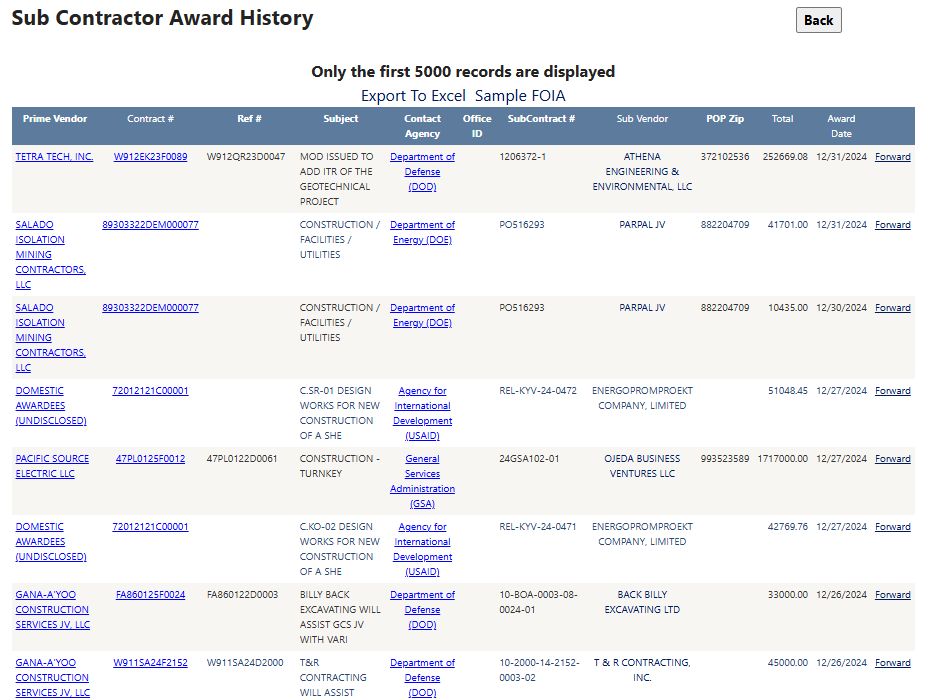
Example: Year 2024, Keyword 1 construction, Keyword 2 blank, Service Code unselected, and all other criteria at their defaults. The first rows included SALADO / contract 89303322DEM000077 / subcontract PO516293 / subcontractor PARPAL / POP ZIP 41701, followed by a TETRATECH result with contract W912EK23F0089. Captured October 11, 2026.
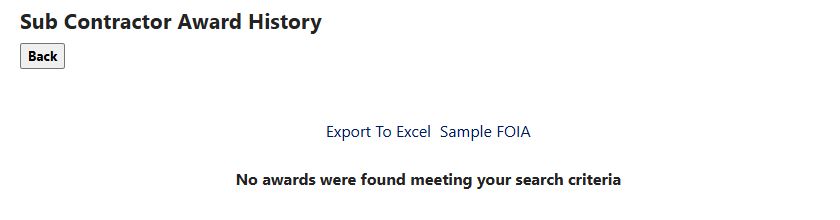
An empty result after a 2026 prime-company search. Change the search criteria or year to try another search.
| Grid column/action | Meaning and use |
|---|---|
| Prime Vendor | Name of the company that received the prime award. Its link opens the supplier detail for that company. |
| Contract # | Prime award identifier. Select it to open award details when available; access may require a subscriber sign-in. |
| Ref # | Reference number for the prime award or its delivery vehicle, when present. |
| Subject | Short description of the subcontract work. The award detail may show fuller wording. |
| Contact Agency | Name of the agency associated with the award. Select it to open the related contact information. |
| Office ID | Identifier for the listed prime-award office. Use it to distinguish offices, and confirm the office's role in the award details. |
| SubContract # | Identifier for the subcontract itself. Compare it with Contract # to keep the subcontract distinct from its prime award. |
| Sub Vendor | Name of the company that received the subcontract. When a CAGE is present, the name opens that supplier's detail. |
| POP Zip | ZIP code for the reported subcontract work location. Use it as a location clue and confirm the full location in the award record. |
| Total | Reported subcontract amount in dollars. It is not the total value of the prime award. |
| Award Date | Reported date of the subcontract award. |
| Forward | Opens a prepared email with award information for you to review. It does not send the message. |
Sample FOIA opens a sample information-request document; it does not submit a request.
Export To Excel saves matching results beyond the 100 rows on the current page. The downloaded example AwardHistory (27).xlsx has one AwardHistory sheet, 345 data rows and these 13 headings:
| Exact worksheet heading | Plain-English meaning |
|---|---|
| Prime Vendor | Company that received the prime award. |
| Contract # | Prime contract identifier. |
| Mod # | Modification or revision number for the prime award action; it may be blank. |
| Ref # | Related parent agreement or vehicle identifier, when supplied. |
| Subject | Short description of the reported work. |
| Contact Agency | Agency associated with the prime award. |
| SubContact # | Identifier for the subcontract itself. Keep it separate from the prime Contract #. |
| Vendor | Subcontractor that received the subcontract. |
| Pop Zip | ZIP code reported for the place of performance. |
| Total | Reported subcontract amount in dollars; it is not the prime award's total value. |
| Set Aside | Reserved-competition category recorded for the award, when supplied. |
| NAICS | Industry classification recorded for the work. |
| Award Date | Date recorded for the subcontract award. |
The worksheet's Vendor is the subawardee; the results grid labels the same party Sub Vendor. Blank cells or zero values may indicate that no value was supplied, so do not treat them as a substantive code. Open this export from the results page; a vendor-detail link opens supplier information instead.
The two views below show all 13 worksheet headings across the wide table. They are layout examples from the downloaded export; the workbook itself was not changed.
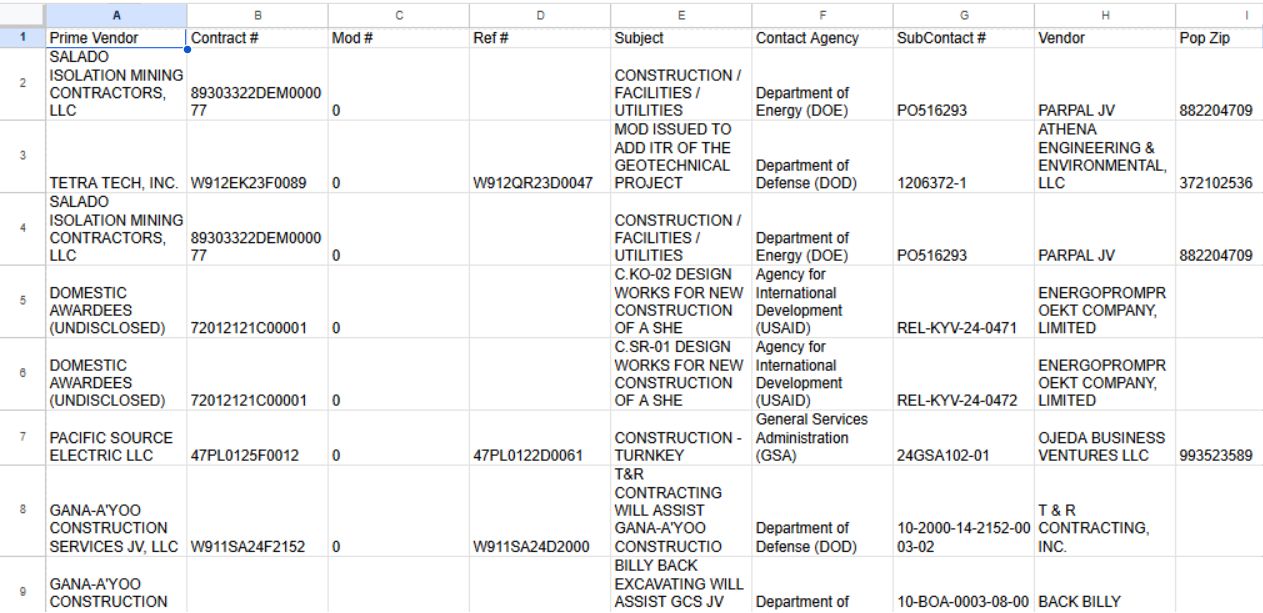
Open the left-side worksheet image at full size.
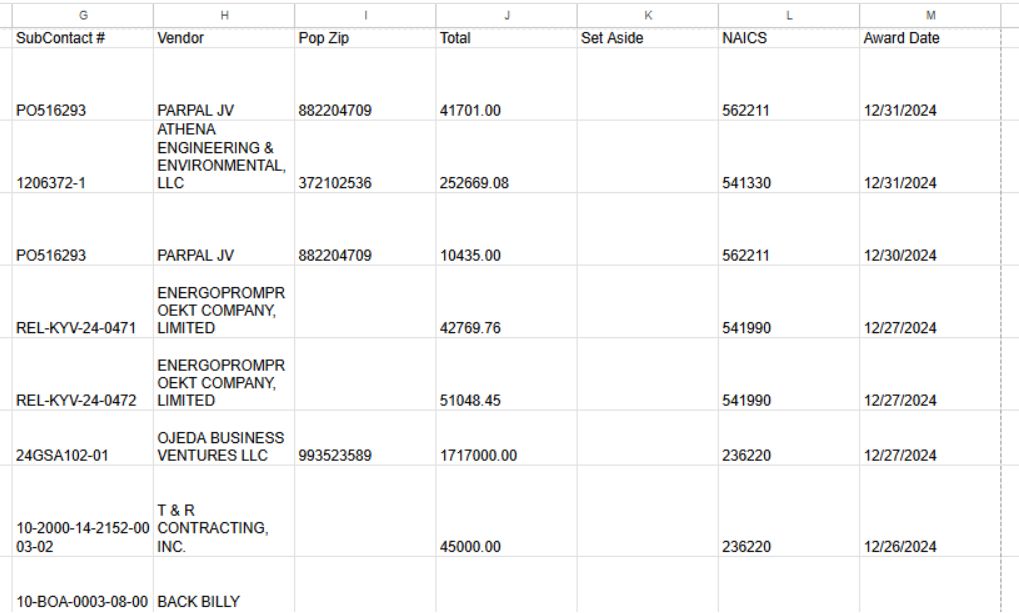
Open the right-side worksheet image at full size.
Use the two vendor names and two contract identifiers to distinguish a subcontract from its parent award. For example, sort a prime’s results by award date, export eligible rows, and shortlist repeat subawardees in the same NAICS and ZIP. Confirm each candidate’s current capabilities and contacts outside the historical award record.
Download this article as Markdown