Review a company's DLA part-award history
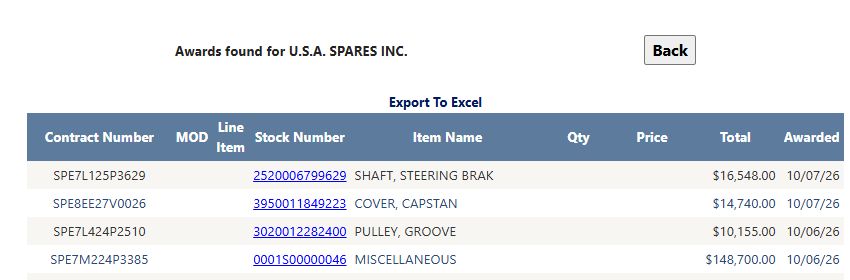
From Main Menu → All Government Contractors, search for the company, select View Details, then choose View NSN Award History on its CAGE profile. The award page opens the selected company's parts history. Choose First 5000 records or Complete History on the profile before opening the report; Back returns to the profile, where you can select another research link or return to search results. This helps research product experience and historical prices.
First 5000 records requests up to 5,000 recent rows. Complete History requests the broader list, currently up to 10,000 rows. Both show the newest award dates first. The heading identifies the selected company; No awards found means this lookup has no matching rows.
Follow a MAROTTA award to the stock item
From Main Menu → All Government Contractors, select CAGE, enter 99657, leave the other filters at their defaults, and choose Search Contractors. The single result was MAROTTA CONTROLS INC. Select View Details, keep First 5000 records selected, then choose View NSN Award History. The first displayed award row was contract SPE7L127P0448, stock number 5340016665862, BRACKET, MOUNTING, Total $12,305.00, awarded 10/08/26. Its Qty and Price cells were blank. A blank value in either cell is not zero; use the displayed Total as that row's recorded amount without calculating a unit price from it.
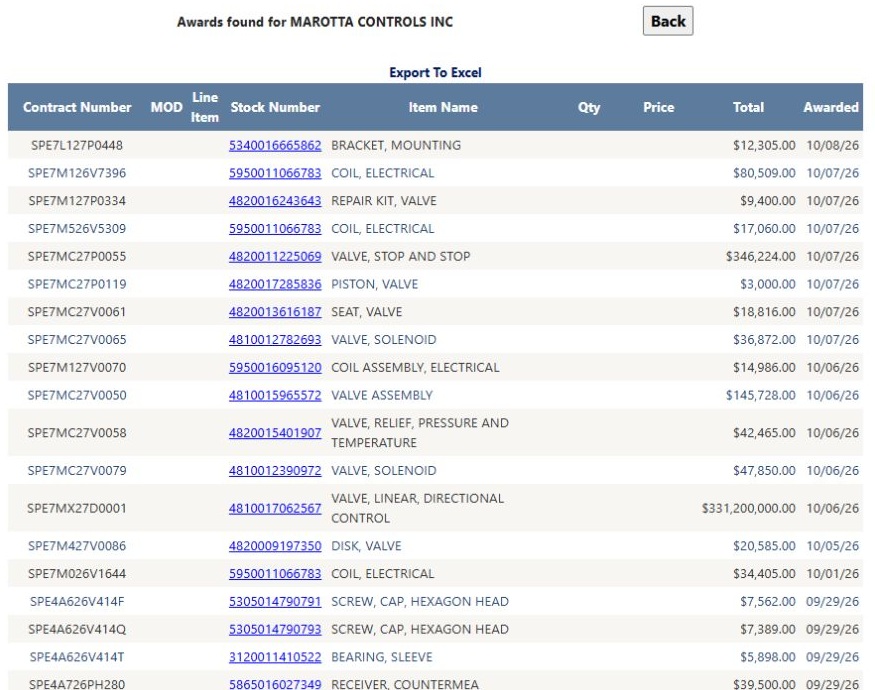
Open the MAROTTA award list at full size.
Select the linked Stock Number 5340016665862. The NSN result identified BRACKET, MOUNTING, with MAROTTA part references MV276G-000-8 and 102778-0011, CAGE 99657. It showed Last Award Price $715.00 dated 09/15/26. That item-level last-award value and date answer a different question from the selected company award row; read each as displayed. Back returned to MAROTTA's award list, and Back again returned to the company profile.
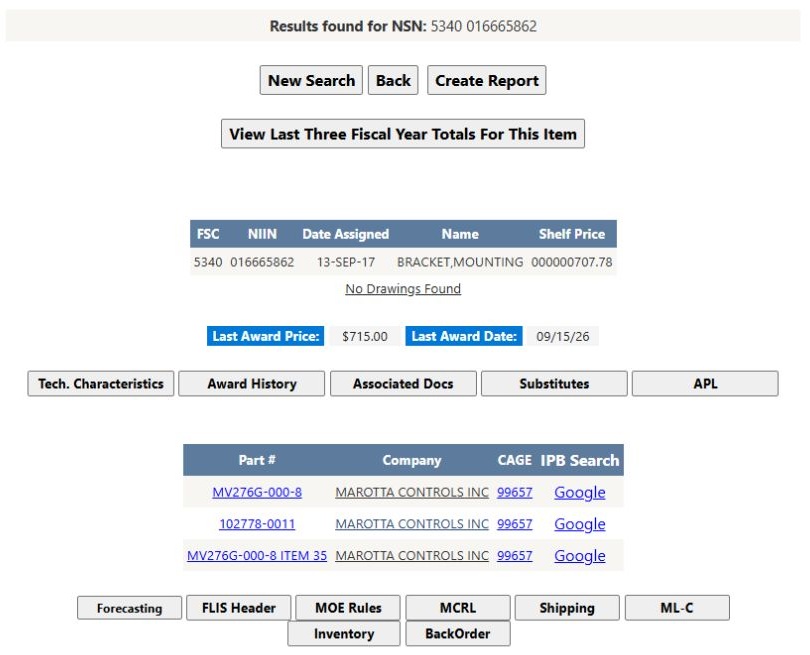
Open the bracket item result at full size.
Another award line in the same history showed contract SPE7MC26C0026, Line Item 0001, stock 4810016087034, VALVE, SOLENOID, Qty 60, Price $36,265, Total $2,175,900, awarded 09/28/26. Compare the line's own quantity, price and total before using it for historical pricing; do not transfer those values to the bracket row.
Read the awards
| Column | Meaning |
|---|---|
| Contract Number | The contract identifier. |
| MOD | The modification or revision associated with the row. |
| Line Item | The numbered item within the contract. A contract can include several items. |
| Stock Number | The item's stock identifier. Select it to open the NSN details. |
| Item Name | The description of the awarded item. |
| Qty | Quantity on the award line when supplied. A blank cell is not zero; read the award's unit information when comparing quantities. |
| Price | Displayed unit price when supplied. A blank cell does not determine a price. |
| Total | Recorded dollar value of the award line. It can be populated when Qty and Price are blank. Read the row's own values before making a comparison. |
| Awarded | Date of the award action, displayed as month/day/year. |
Buttons and export
Back returns to the previous page. Export To Excel exports the nine displayed columns for the selected history list, subject to its record limit. Stock numbers appear as text in the export.
In the MAROTTA example above, Export To Excel downloaded a nine-column worksheet with 5,000 award rows, matching the selected First 5000 records choice. Its first row was SPE7L127P0448 / 5340016665862 / BRACKET, MOUNTING / $12,305.00 / 10/08/26. MOD, Line Item, Qty and Price were blank in that row, just as in the on-screen list. The next rows included COIL, ELECTRICAL and REPAIR KIT, VALVE awards. The worksheet captures this selected history; it is not a promise that every company has 5,000 rows.
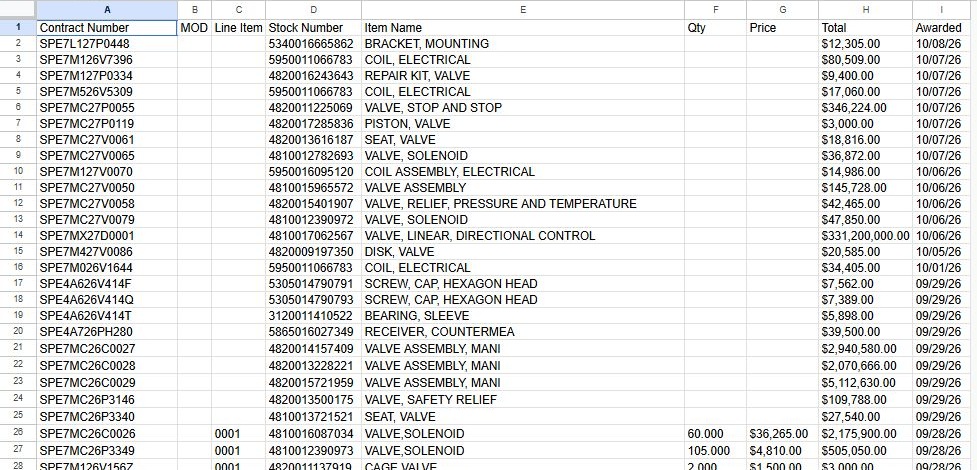
Open this worksheet view at full size.
To compare awarded products, keep each complete row together while sorting by Stock Number, Item Name or Awarded. Use Contract Number, MOD and Line Item to distinguish award actions, then compare Qty, Price and Total only where those cells are populated. Return to the on-screen history and select a stock-number link when you need the item's catalog details.
Why use this history?
A parts supplier can start with a manufacturer's CAGE, look for repeatedly awarded stock numbers, and open an NSN to compare its technical details. Use the dates, quantities and prices together when researching past purchasing activity. For broader service and government awards, use Award History.
Download this article as Markdown