Find documents associated with an NSN
Part of these button learning paths: Research All Open Solicitations · Just My Opportunities · Machine Shops Opportunities · Unfulfilled NSN Opportunities · Search by NSN/NIIN · APL/AEL Historical · DLA Prime Contractors · Naics To FSC Cross · Commercial Part Number to NSN · Weapons System Designator Codes
Video sections for this page
The NSN result opens Associated Docs for the item's NIIN. The page combines recorded document numbers with any matching title and status information. A listed document is a research lead, not an assertion that a PDF exists, is accessible or is the revision required by an active solicitation.
How to get here and continue
- From the NSN result, choose Associated Docs. The next page lists document numbers associated with that item's NIIN.
- Review the number, title and status together. A document-number link may open local details or an external search; compare any candidate with the exact document and revision required by the notice.
- New Search returns to the single-item parts search. Back returns through browser history to the page that opened this list.
| Field or control | Meaning and why it matters |
|---|---|
| Document No. | The associated document identifier recorded for the NIIN. Use it to locate the exact specification or drawing cited in the current notice. The link may open local document details or an external IHS search; compare the result with the document named in the current notice. |
| Status | Document status shown for the row. If blank, check the issuing source and revision before relying on the document. |
| Title | Descriptive title shown for the row. Use it to judge relevance, then confirm the edition or amendment required. |
| New Search | Returns to the single-item parts search. |
| Back | Returns through browser history. |
The page has no export control. The list appears when document rows are available.
Contract-response example
Start with the NSN in a notice. Compare the notice's document number, revision and amendment to the associated-document row. Open the linked document and read it before using dimensions, material, tests or packaging in a quote. If the row is missing or its status is blank, obtain the required revision from the solicitation or contracting office.
The combined item report uses a different associated-document source and fields, so its list may not be identical.
For NSN 4030-00-266-7415, the observed row showed Document No. MIL-STD-130N(1), Status A, and Title Identification Marking of U.S. Military Property. Use the notice to confirm the required document and revision.

Walk through a cap-screw opportunity to its specification
Path: Main Menu → Primary Searches → Research All Open Solicitations → Search by NSN or NIIN → Solicitation Search Results → Assoc. Docs → Document No.
- Enter 5305013218046 in Search by NSN or NIIN and press its adjacent Search.
- In the SCREW, CAP, SOCKET HEAD result, select Assoc. Docs.
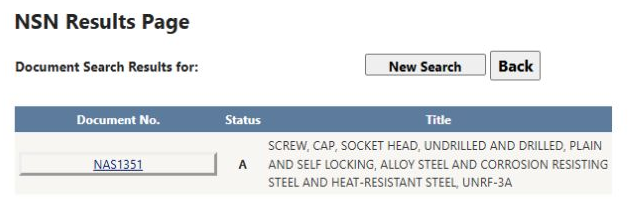
- The associated-document list shows NAS1351, status A, and the title beginning SCREW, CAP, SOCKET HEAD, UNDRILLED AND DRILLED, PLAIN AND SELF LOCKING.
- Select NAS1351. Document Information Search Results shows Document No. NAS1351, a Notice - Adoption, Tier 2 entry dated 5/20/1983, a View Document link and an Assoc. Docs. button.
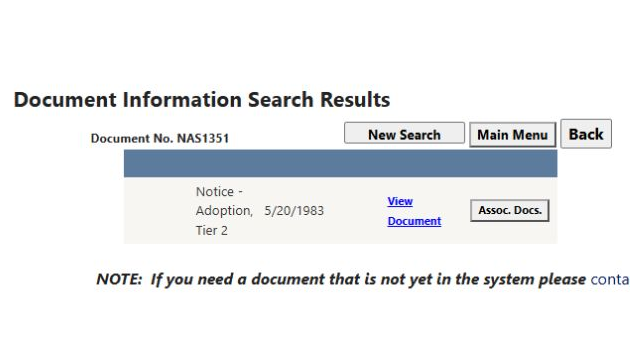
View Document opens the listed file. Read the type and date before using it: this entry is an adoption notice, so do not assume it is the full specification or a later revision required by your RFQ. Back returns to the associated-document list; use Back again to return to the opportunity. For document-version controls, see Military specifications and standards.
Open the specification for NSN 5305-01-480-4927
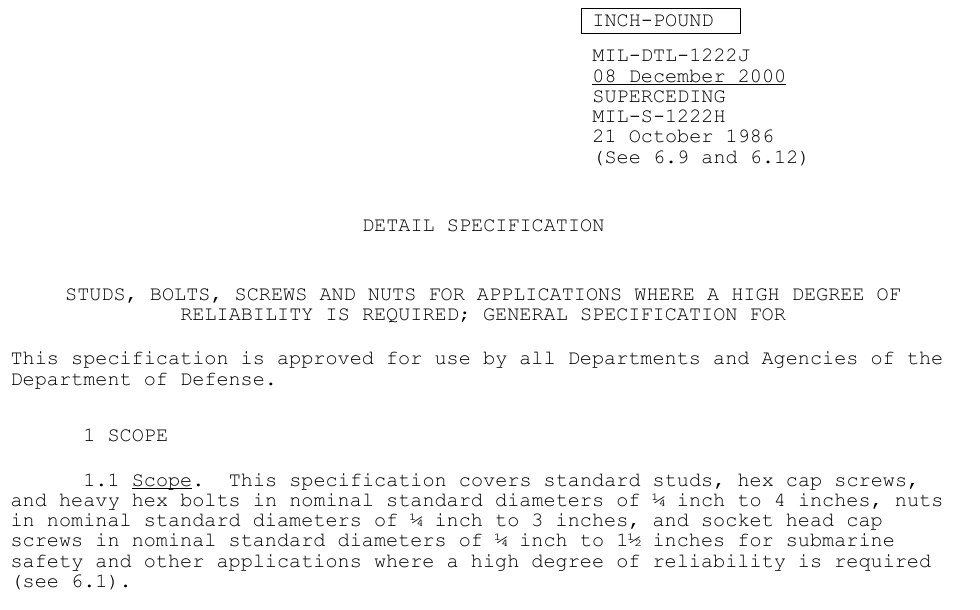
On the SCREW,CAP,SOCKET HEAD item result, choose Associated Docs. Its list includes MIL-DTL-1222 and MIL-DTL-1222J. Select MIL-DTL-1222J to see its document-information rows, including Base and later revisions. The View Document link on the Base row opens a 51-page PDF. Page one identifies MIL-DTL-1222J, dated 8 December 2000, says it supersedes MIL-S-1222H, and describes studs, bolts, screws and nuts for high-reliability applications. Its scope expressly includes socket-head cap screws. Read the applicable revision alongside the solicitation before using its dimensions or other requirements.
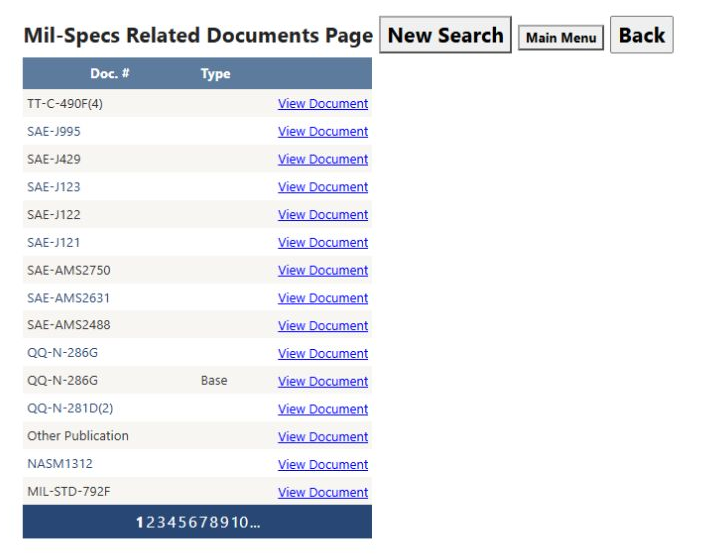
Back on the document-information page, choose Assoc. Docs. on the Base row to open Mil-Specs Related Documents. Each row has a Doc. #, an optional Type, and View Document. For example, the first page lists TT-C-490F(4) and SAE-J995; it also shows QQ-N-286G twice, with one row marked Base. Use the numbered links below the table for more results. Back returns to the MIL-DTL-1222J document-information page.