Use the state, county and city purchasing directory
Part of these button learning paths: State, City, and County RoadMap
Application path: Main Menu → Research → State, City, and County RoadMap → choose a state and directory category → Submit.
From Main Menu → Research, choose State, City, and County RoadMap. Select a state and directory category, then press Submit to open grouped state, county and city links. Choose a name to open its outside website; browser Back returns to the directory. Use the agency's current purchasing page to confirm instructions. For example, Florida CIOs/IT includes a Pinellas County CIO/IT link to the county's Business Technology Services page.
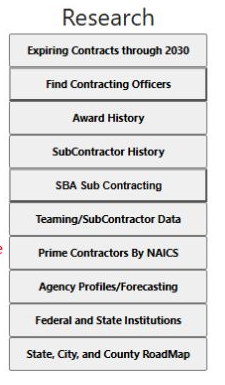
The actual Main Menu Research column shows State, City, and County RoadMap as a directory route.
| Selection or control | Meaning and action |
|---|---|
| Select State | Choose the state whose directory entries you want to inspect. |
| Directory category | Choose All (the default), Directory of State Agencies, Awards, CIOs/IT, Public Works, Purchasing Contacts, EMA, Police, Fire, Trans or HR. These choices classify directory links. Awards does not run an internal award search. |
| Submit | Opens the selected state's directory results for the selected category. |
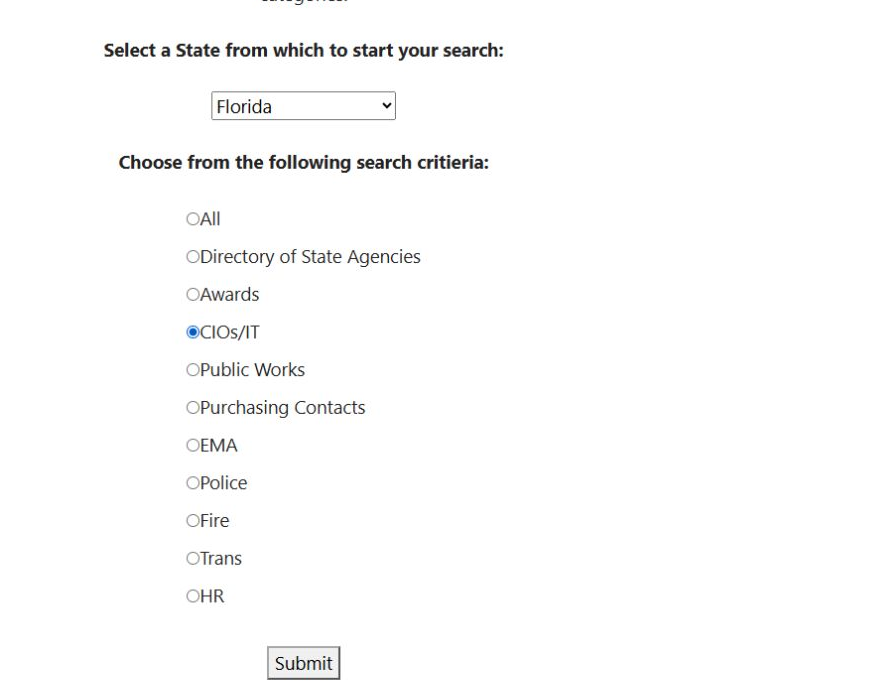
The saved form shows Florida and CIOs/IT selected. Choose a different directory category when you want another resource group; the category selection determines the link directory, not an internal award search.
Results are grouped under State, County and City. The Florida CIOs/IT result displayed 2, 11 and 26 entries in those groups. Each name opens an outside website. Check the destination before relying on it: for example, the displayed Lee County CIOs/IT entry points to a polk-county.net address. An unavailable entry may show a “No [entry]” message. This directory has no Excel export.
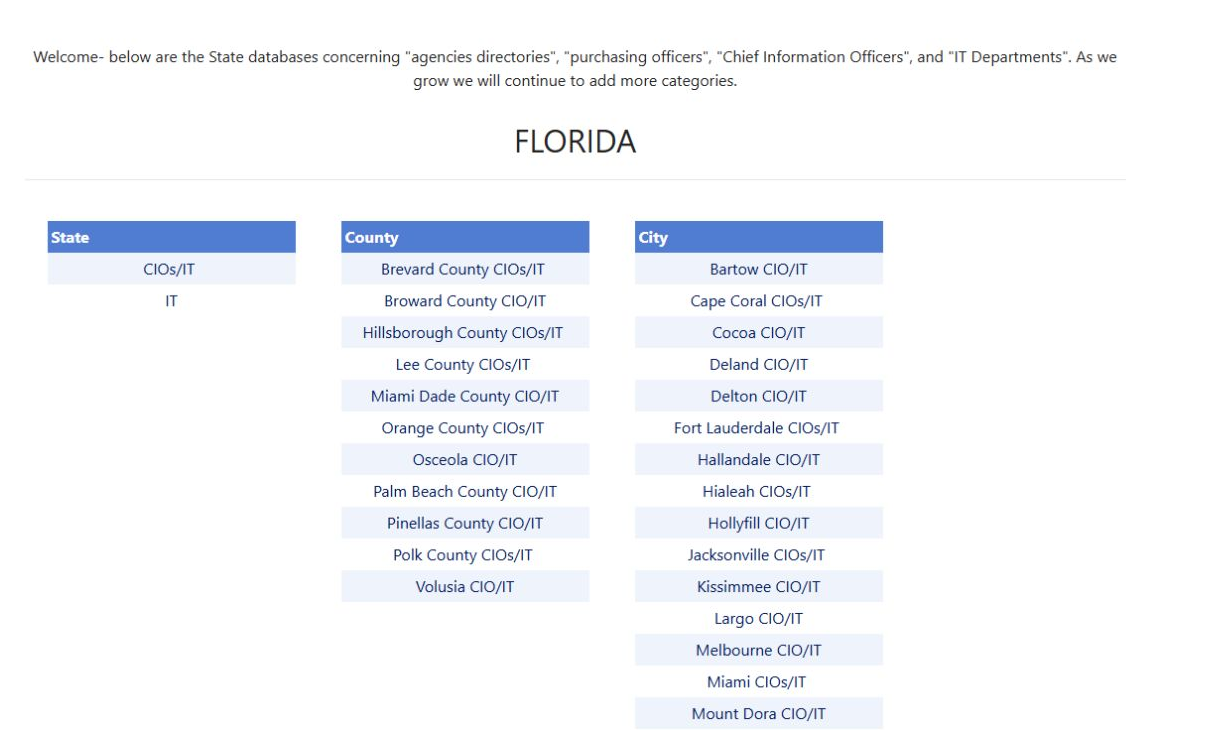
Open the Florida directory image at full size.
For an IT seller, select the state and CIOs/IT, then browse the three groups separately. Follow the appropriate agency link for current plans, purchasing instructions and notices. Share the agency's own notice URL when discussing an opportunity.
Download this article as Markdown