Review opportunities related to a contractor
Part of these button learning paths: Just My Opportunities · All Government Contractors · Search by NSN/NIIN · NSN Market Analysis 3 years · DLA Prime Contractors · Construction Menu · Expiring Contracts through 2030 · Award History · SubContractor History · Teaming/SubContractor Data · Prime Contractors By NAICS
Application path: Main Menu → All Government Contractors → Find a Contractor → Search Contractors → View Details beside a company.
The Vendor / CAGE Detail View brings the selected company's identity, contact information and research buttons together. CAGE is the company's Commercial and Government Entity code. Check the name and code before following a button: the next screen concerns that selected company. Other searches, including Commercial Prospecting and Teaming, can also lead to this profile.
Example: find opportunities related to a company
- Return to the 6L9J2 company profile and select Opportunities.
- Allow the opportunity list to finish preparing.
- Select Click here to see your results when it appears.
- Review the My Solicitations table.
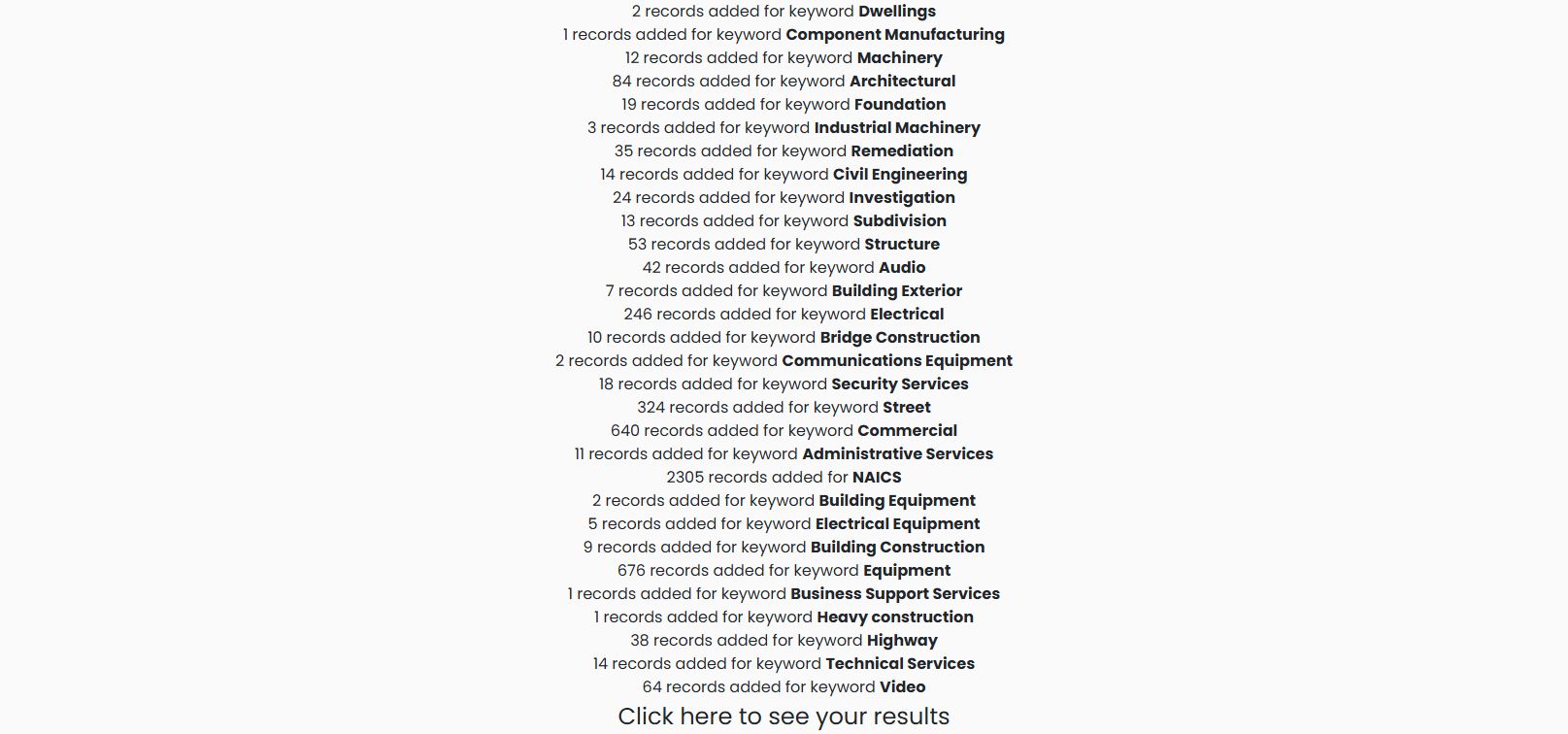
The preparation screen lists matching keywords and NAICS activity. Use the Click here to see your results link at the bottom to open the list; this intermediate screen is not the solicitation table.
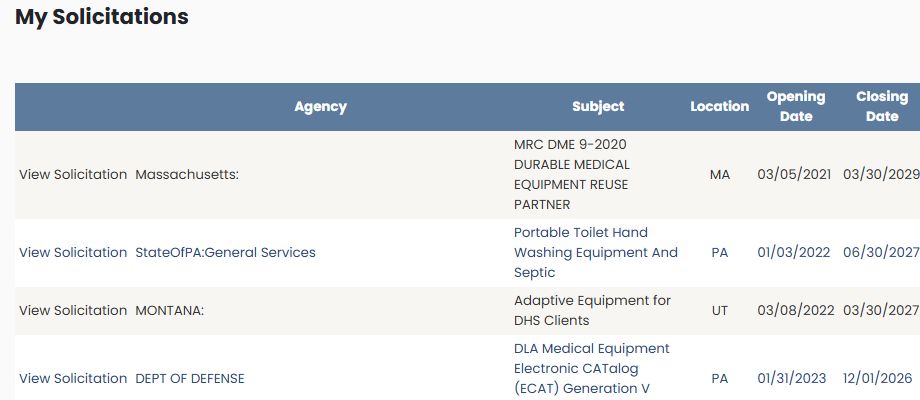
The page describes these as suggested opportunities based on the company's recorded industries and related keywords. Review the notices to decide which are relevant; appearing on the list does not establish that the company can or should bid.
The table shows Agency, Subject, Location, Opening Date and Closing Date. Use View Solicitation to read a particular notice. The October 21, 2026 example includes MRC DME 9-2020 DURABLE MEDICAL EQUIPMENT REUSE PARTNER, showing Massachusetts and a closing date of March 30, 2029. Read the dates supplied on each row rather than assuming every notice was recently opened.
The table displays numbered page links below it and column headings across the top. This example shows the first 100 rows. This company-specific list is reached through a company profile; the separate Just My Opportunities button opens your account's opportunity list.