Find Florida electrical contractors with award history
Application path: Main Menu → All Government Contractors → Find a Contractor.
Use this search to identify companies working in an area you serve, then inspect their profiles and awards. This example uses electrical work in Florida so you can compare a meaningful list of businesses rather than search for one known record.
Enter the search
- Choose NAICS from the product/service search list.
- Enter 238210.
- Choose Florida under State.
- Check Show Vendors with Award History Only.
- Leave the other filters unchanged and click Search Contractors.
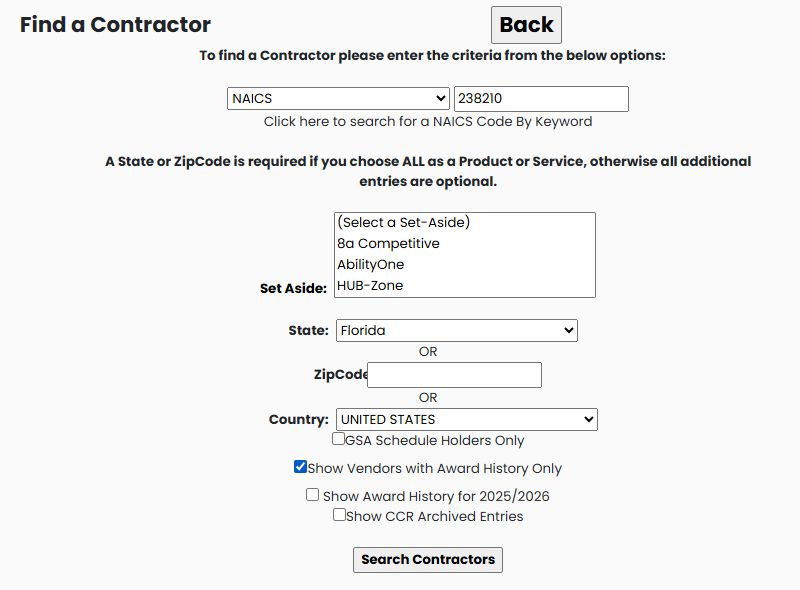
On October 21, 2026, this returned 712 items, with 20 on the first page. The result screen is titled Find A SubContractor. You reached it from All Government Contractors; the different heading does not require starting another search.
Read the company list
Each row gives a company name, CAGE identifier, contact email, contact's first and last names, phone, fax and mailing address. City, State and Zip help you locate the business. The grid shows 20 results per page and displays page controls beneath it. Column headings and filter icons appear above the rows. Set the criteria you need in the search form before running a search.
Choose View Details beside a company to research it. In this example, select 15 LIGHTYEARS, INC, CAGE 866K6. The profile identifies the company and its contact information. Its research buttons give you routes into awards, parts and other information about that company.
See the company's federal awards
From the company profile, click View FBO/FPDS Award History. The example lists four award rows. The first is 80NSSC26P1093, described as REPLACE 5KW OFF-GRID SOLAR PHOTOVOLTAIC (PV) ARRAY, with $70,871.43 displayed.
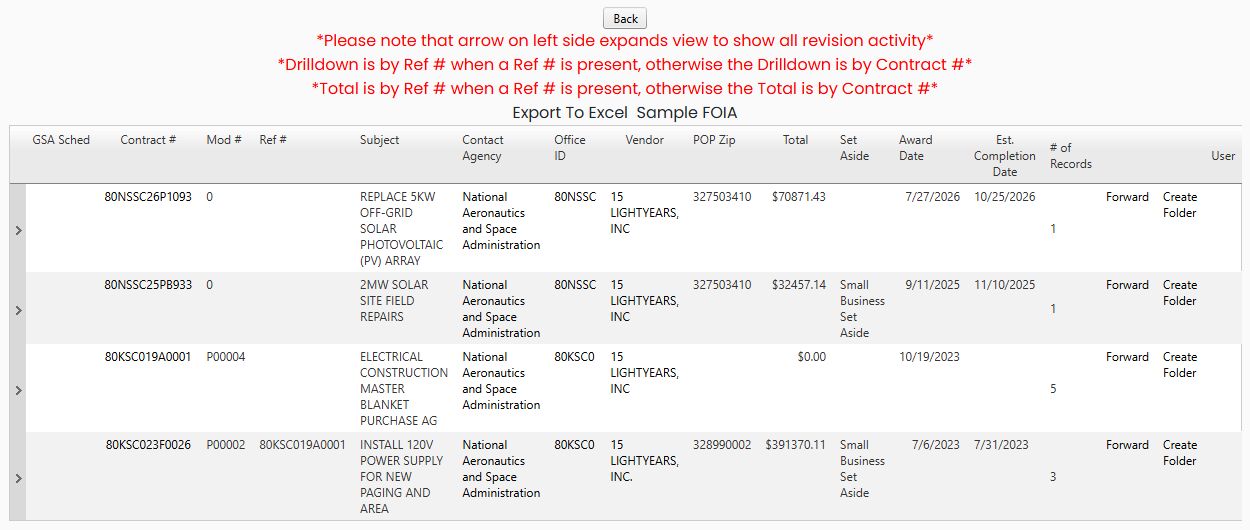
Click that contract number to open Award Details. For this record, the page shows July 27, 2026 as Date Signed and $70,871.43 as Action Obligation. This lets you move from finding a company to reading a concrete example of its work for a government buyer. See Read Award Details for the other visible fields on that screen.
The small arrow beside an award expands its revision activity. This result page explains that when a Ref # is present, its drilldown and Total use that reference; otherwise they use Contract #. Read those labels as you compare rows. Use Back to retrace the route.
For a related video, watch the All Government Contractors lesson sequence. It demonstrates the same search and company-profile controls with a different example: a Florida 238210 search limited to GSA schedule holders, followed by CAGE 6L9J2. The video does not depict this article's award-history-only 866K6 example.