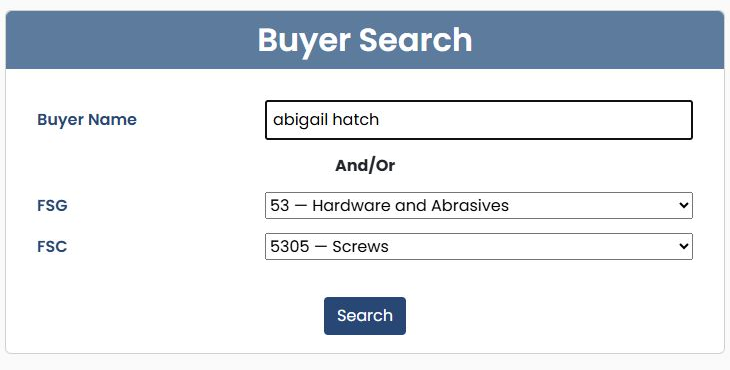
Find DLA buyers by supply class
Application path: Main Menu → DLA Buyers → Buyer Search → Search.
Use this screen to find buyer records associated with a supply category or a buyer name you already know.
Find buyers for screws
- Leave Buyer Name blank.
- Choose 53 — Hardware and Abrasives under FSG.
- Choose 5305 — Screws under FSC.
- Select Search.
FSG means Federal Supply Group: the broad two-digit category. Selecting it fills the FSC list with its more specific four-digit supply classes.
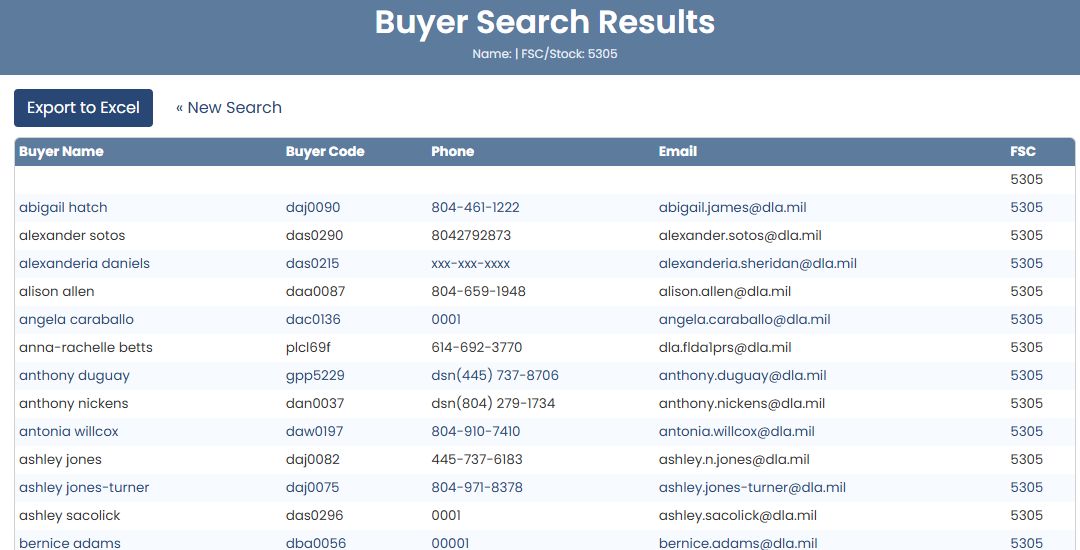
The result heading repeats the search criteria. In this example, FSC/Stock: 5305 identifies the selected class. The list includes buyer names and their recorded contact details.
| Column | Meaning |
|---|---|
| Buyer Name | The name recorded for the buyer. |
| Buyer Code | The identifier shown for that buyer record. |
| Phone | The recorded telephone number. |
| The recorded email address. | |
| FSC | The supply class associated with the row. |
Select « New Search to return to the form and change the criteria. Export to Excel is the result screen's download control.
Find the supply classes listed for a named buyer
Return with « New Search, enter abigail hatch under Buyer Name, leave the supply selections blank, and select Search. The example returns two rows: one for 5305 and one for 5310. Read the FSC column to distinguish the supply classes even when the buyer and contact information repeat.
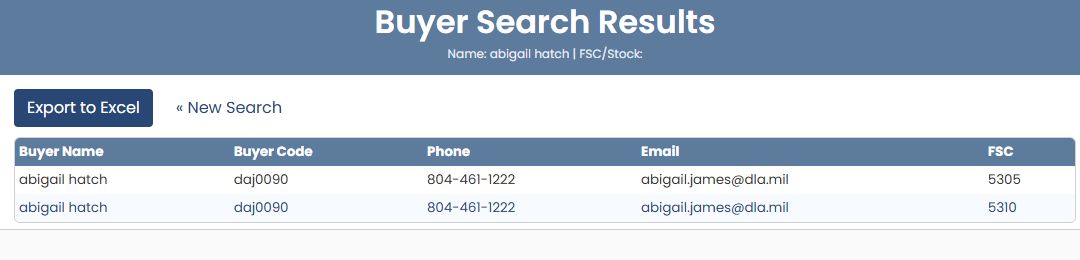
To take this list into a worksheet, select Export to Excel on the results page. The downloaded buyer-name example has the same five fields as the results: Buyer Name identifies the listed person, Buyer Code is the displayed buyer identifier, Phone and Email give the recorded contact details, and FSC identifies the supply class for that row. Here the worksheet contains two rows for abigail hatch, with FSC 5305 and 5310. Keep both rows when reviewing which class a contact is listed under.
The export uses those same five columns for a supply-class search or a combined buyer-name and supply-class search. It includes all matching rows, rather than only the currently displayed page. The search criteria change which rows are exported, not the column layout.

Combine a buyer name with a supply class
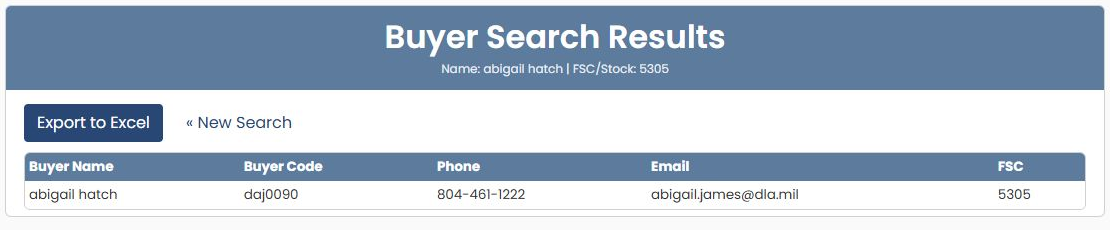
On Buyer Search, enter abigail hatch under Buyer Name, select 53 — Hardware and Abrasives under FSG, then 5305 — Screws under FSC. Select Search.
The result heading repeats Name: abigail hatch | FSC/Stock: 5305. This example returns one row: buyer code daj0090, phone 804-461-1222, email abigail.james@dla.mil, and FSC 5305. Read the row's contact fields directly; the row itself has no further detail link. Select « New Search to change either criterion.