Read forecast quantities for an NSN
Application path: Main Menu → NSN Forecasting → enter an NSN or NIIN → Search By NSN/NIIN.
The forecasting screen shows anticipated quantities by month. Use it to understand the displayed demand pattern for an item. Read the update date and the month headings each time you use the report.
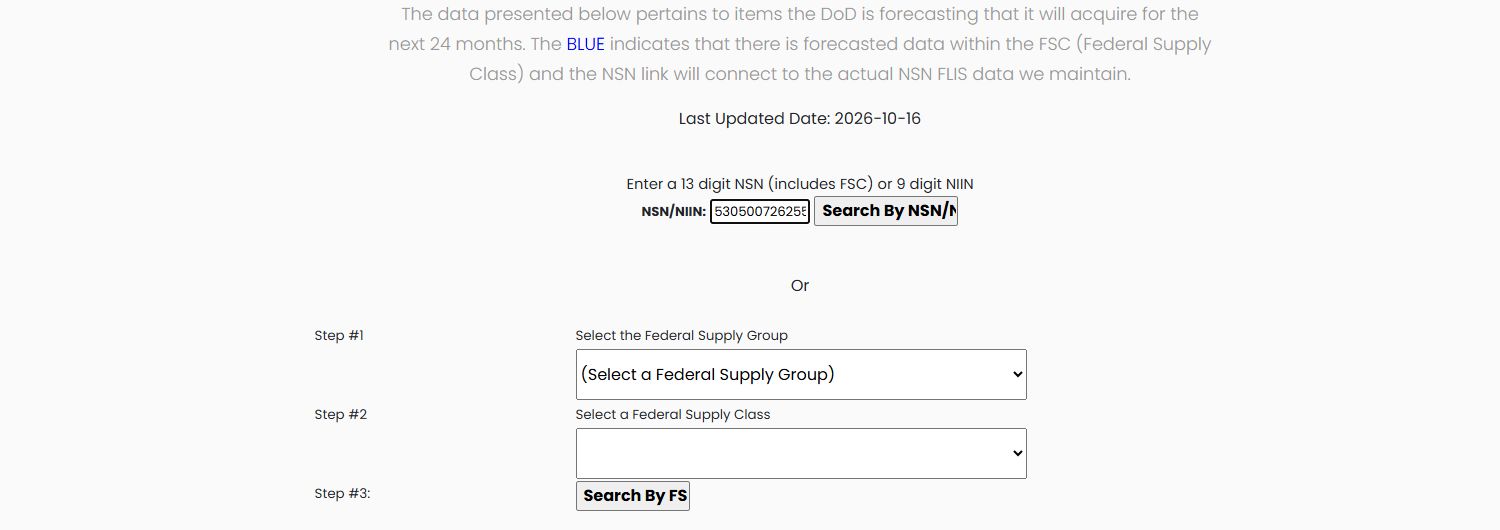
The form displays Last Updated Date and says that blue indicates forecast data within an FSC. It offers two different starting points: enter a known NSN/NIIN, or choose a Federal Supply Group and Federal Supply Class to open a class-level report.
Search a known stock item
Enter 5305007262550 in NSN/NIIN and select Search By NSN/NIIN. The form's instruction accepts either a 13-digit NSN, which includes its supply class, or a 9-digit NIIN. The input is not wide enough to display the entire number in the saved screenshot; check the resulting row's FSC and NIIN to confirm the item.
The example's update label is 2026-10-16. Its result is SCREW,CAP,HEXAGON HEAD, with months headed 10/26 through 10/28. The first displayed month has 40,002 pieces, the next has 440, and Total is 49,925 pieces across the displayed month columns.

Read the forecast row
| Field | Meaning |
|---|---|
| FSC | The four-digit Federal Supply Class. |
| NIIN | The nine-digit item identifier. |
| Description | The item's catalog name. |
| UOM | Unit of measure; EA means each in this example. |
| LastPrice | The price reference displayed beside the item; this example shows $.96. It is separate from the forecast quantities. |
| AMC | Acquisition Method Code. The example displays 1; see the code explanation below. |
| AMSC | Acquisition Method Suffix Code. The example displays G; read it with AMC as explained below. |
| Month columns | Forecast quantities for the month/year printed in each heading. |
| Total | The sum of the displayed quantity columns, not a dollar total. |
Back returns to the search screen. To research a supply category instead of one known item, the form offers Federal Supply Group, then Federal Supply Class, followed by Search By FSC.
Read AMC and AMSC together
These codes help you assess the recorded sourcing conditions. AMC 1 identifies a part suitable for another competitive purchase. AMSC G indicates that the government has the rights to a complete technical-data package, without the listed technical-data, engineering, tooling or manufacturing restrictions. Together, they identify a candidate for full and open competition. They do not promise an order or establish your company’s eligibility; read the actual solicitation requirements. These are the same code meanings used in item research. Official acquisition-code definitions.
Search by supply class
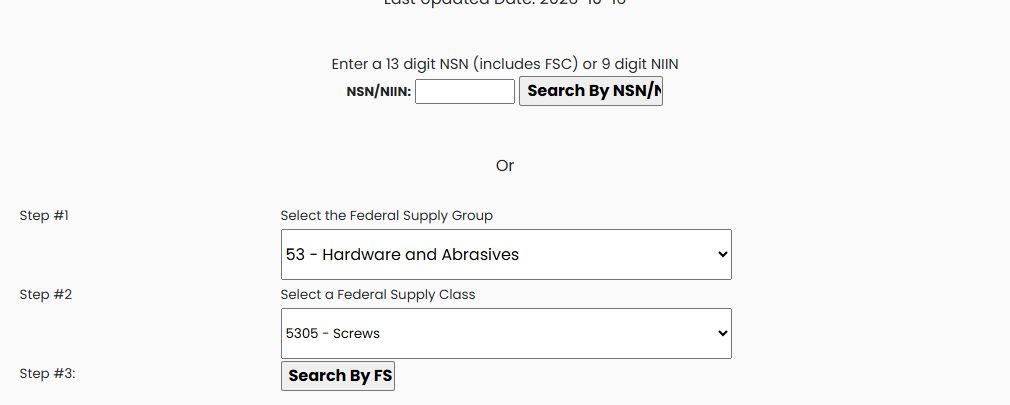
From Main Menu → NSN Forecasting, use Back to return to the form if needed. Choose 53 — Hardware and Abrasives under Federal Supply Group, then 5305 — Screws under Federal Supply Class, and select Search By FSC. This opens a separate quarterly report for the selected class; it is not the monthly view for the single NSN.
The observed report is titled DLA Forecasting Quarterly. It uses quarter headings (4th QTR FY2026, then 1st–4th QTR FY2027 and 1st–4th QTR FY2028) and a Total column, rather than the monthly headings in the NSN search. The first displayed row is NIIN 000014781, SCREW,CAP,SOCKET HEAD, UOM PG, and LastPrice $.01. It displays quantity 1,834 for 4th QTR FY2026, zero in the remaining displayed quarters, and Total 1,834. Its code fields show AMC 1 and AMSC G; read those values as shown without inferring availability or a purchase outcome.
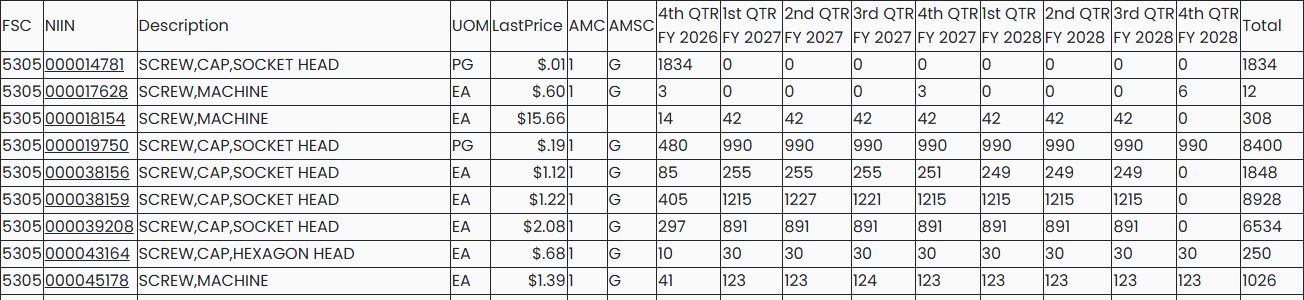
The next row is NIIN 000017628, SCREW,MACHINE, UOM EA, with $0.60 shown under LastPrice. It displays 3 for 4th QTR FY2026; 0, 0, 0, 3 across FY2027; and 0, 0, 0, 6 across FY2028, for Total 12. Keep each quantity under its quarter heading when comparing rows.
Use the month headings on an NSN report and the fiscal-quarter headings on an FSC report to understand which period each quantity belongs to.
Continue from a forecast row
Use the linked NIIN to continue to catalog and item research. Confirm the selected item before reviewing its characteristics, awards or reference parts. The walkthrough below shows that continuation.