Create a local industry contact list
Video sections for this page
Application path: Main Menu → Create Email Lists → Marketing Email Blast.
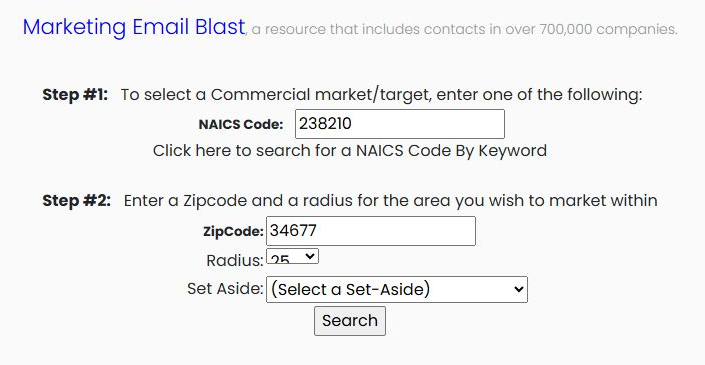
Enter a NAICS Code, or use Click here to search for a NAICS Code By Keyword to find an industry. Enter the starting ZipCode, select a Radius, and optionally select a Set Aside category. Search creates a downloadable contact list; it does not send email.
Example: electrical-industry contacts near ZIP 34677
The October 24, 2026 example uses NAICS 238210, ZIP 34677, radius 25 and the default unselected set-aside. The resulting MarketingEmails (6).xls has 849 data rows in its MarketingEmails worksheet. Counts describe this example, not a guaranteed future result.
Read the ten worksheet columns
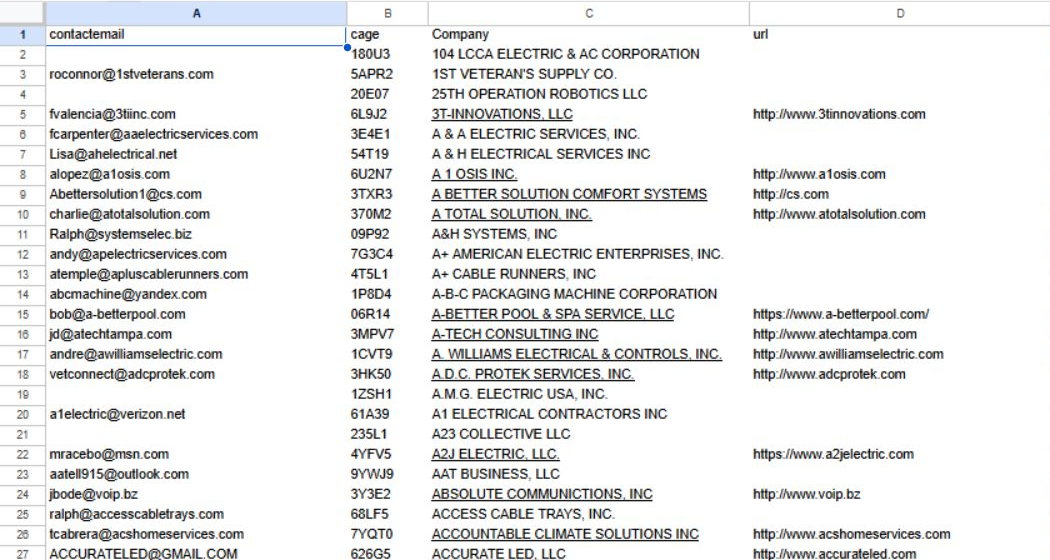
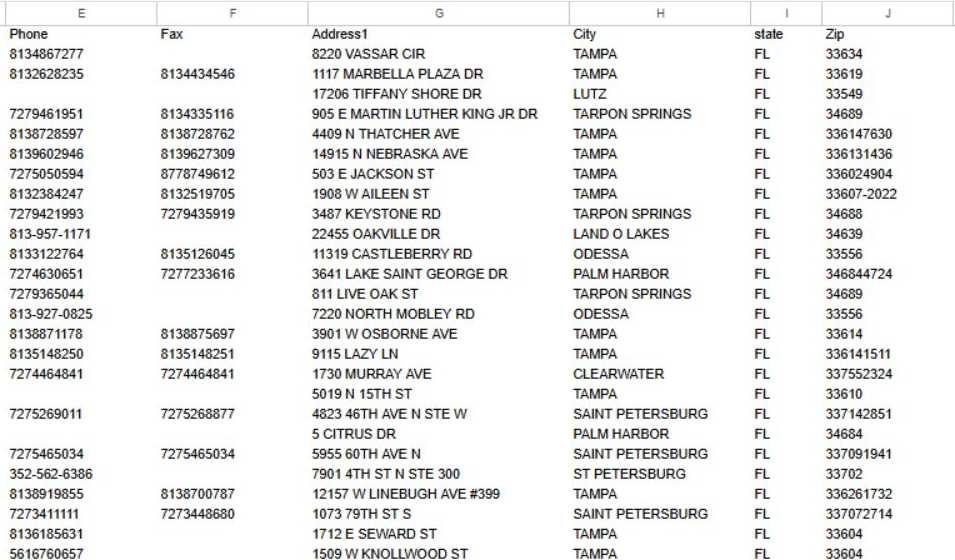
The actual exported worksheet is shown below, opened in Google Sheets with columns widened for reading. Row 1 contains the headings; each following row keeps one company's recorded contact and location values together. Blank cells contain no value in this export.
| Column | Meaning and use |
|---|---|
| contactemail | Recorded contact email address. |
| cage | Company CAGE identifier. |
| Company | Company name. |
| url | Recorded company website. |
| Phone | Business telephone number. |
| Fax | Recorded fax number. |
| Address1 | Street address. |
| City | Company city. |
| state | Company state. |
| Zip | Postal ZIP code. |
Keep a company's contact and location columns together when sorting. Check the company website and contact details before outreach. This export does not include the separate contact-name column found in the older shared Guide example.
Continue to the full contact-list field and worksheet reference.