Check an NSN's technical characteristics
Video sections for this page
Video sections for this page
Application path: Main Menu → NSN Opportunities → an NSN → the NSN in the solicitation results → Tech. Characteristics.
Use this screen to compare an item's recorded dimensions, material and other characteristics with the part you make or supply. The NSN in the heading identifies the item being described.
Example: inspect a hexagon-head cap screw
- Open NSN Opportunities and select 5305007262550, described as SCREW,CAP,HEXAGON HEAD.
- In the solicitation results, select 5305007262550 again to open the item page.
- Choose Tech. Characteristics.
- Read the Requirement and Reply together. The example shows a nominal fastener length of 1.750 inches, nominal thread diameter of 0.625 inches, 18 threads per inch and UNF thread series.
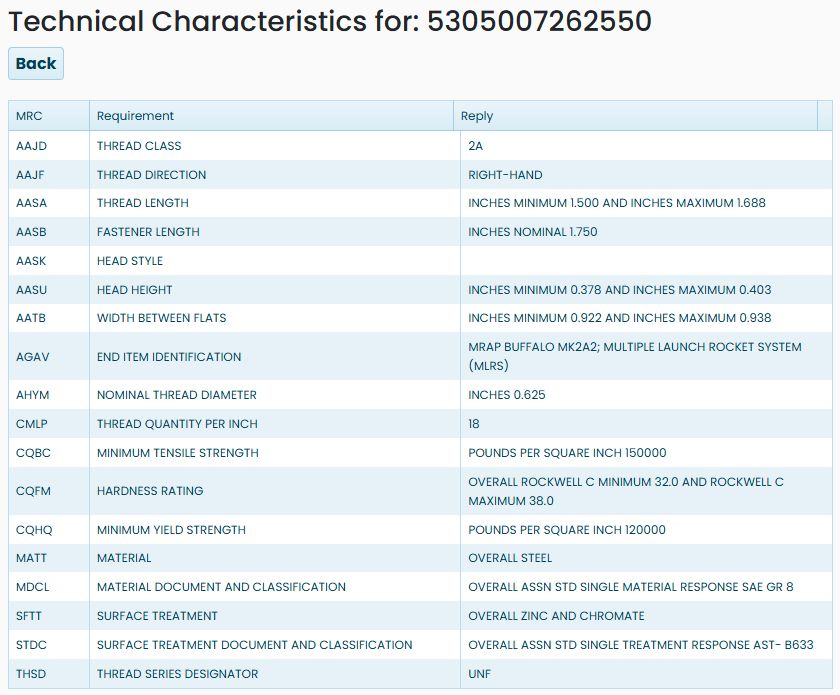
This example was viewed October 21, 2026. It also lists steel as the material, zinc and chromate as the surface treatment, and a minimum tensile strength of 150,000 pounds per square inch. These are characteristics of the selected stock number, not a description of every cap screw.
Read the three columns
| Column | Meaning and use |
|---|---|
| MRC | The code identifying the characteristic being described. Use the adjacent plain-English Requirement to understand the row. |
| Requirement | The name of the characteristic, such as THREAD LENGTH, MATERIAL or SURFACE TREATMENT. |
| Reply | The recorded value for that characteristic, including its unit and any minimum, maximum or nominal designation. |
For THREAD LENGTH, the reply gives a minimum of 1.500 inches and a maximum of 1.688 inches. Read both limits rather than treating either number as the only permitted length. FASTENER LENGTH is a different row: it describes the overall fastener length, not just the threaded portion.
Some replies may be blank; HEAD STYLE is blank in this example. A blank is not a technical description. Use the item's drawing and the current solicitation when you need information that is not supplied here.
Search for candidate NSNs by description and requirement
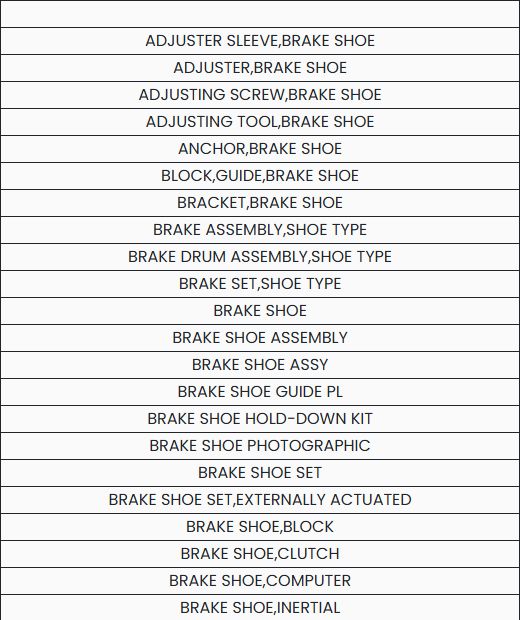
If you do not yet know the stock number, start at Main Menu → Search by NSN/NIIN → Search Technical Characteristics. In Enter keywords, separated by a space, enter brake shoe and choose Search. The description list includes BRAKE SHOE, BRAKE SHOE ASSEMBLY, and BRAKE SHOE SET. Choose the exact description that matches the item you are researching; similar descriptions open separate requirement lists.

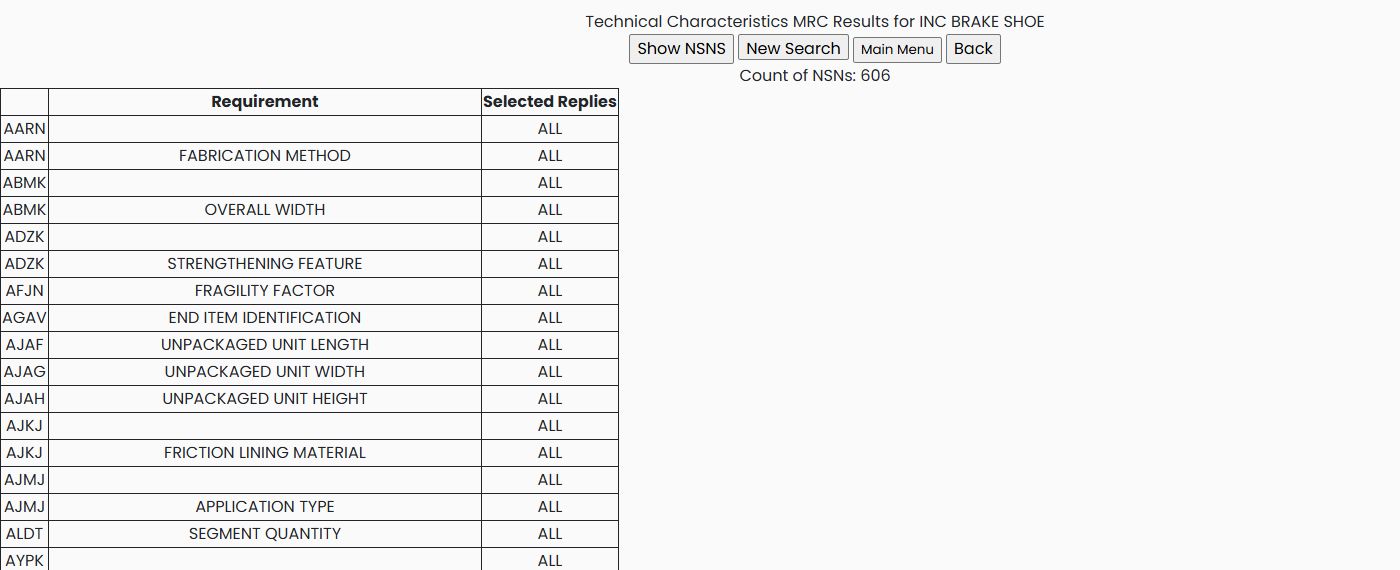
For BRAKE SHOE, the requirement page showed Count of NSNs: 606. Its table has Requirement and Selected Replies columns. The MRC code links to the replies for that requirement; the adjacent Requirement text explains what the code describes. ALL under Selected Replies means no reply has been selected for that requirement. The count above the table is the number of matching NSNs, not the number of selected replies.
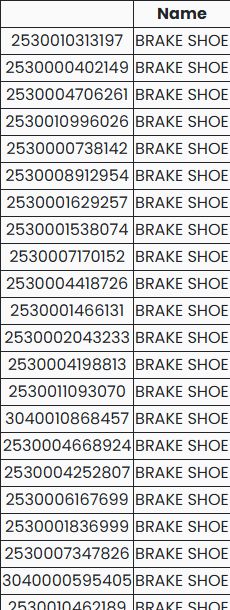
In this example, choose the AARN link on the FABRICATION METHOD row. The reply page offers COMPRESSED, COMPRESSED OR, MOLDED, MOLDED AND, and WOVEN. Select MOLDED, then choose Select Replies to apply it. The requirement page then shows 1 selected for AARN and Count of NSNs: 137. Choose Show NSNS to open the matching list; each row pairs an NSN link with its name. The first displayed entry is 2530010313197 — BRAKE SHOE. This example narrows candidates by one recorded characteristic; use the item's full details and current requirement to decide whether a candidate fits.


Combine requirements to narrow the list
Keep AARN — FABRICATION METHOD: MOLDED selected. On the requirements page, choose AYPK — DRUM DIAMETER FOR WHICH DESIGNED, select 15.000 INCHES NOMINAL, and apply Select Replies. With both requirements applied, the count falls from 137 to 10.
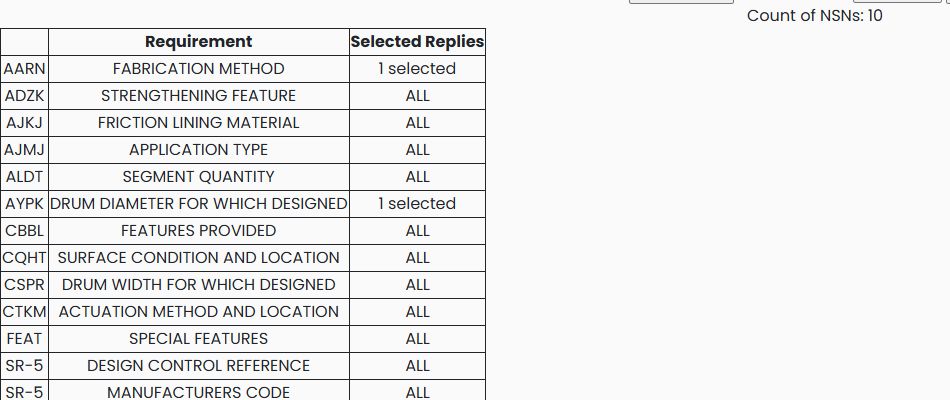
Next choose CSPR — DRUM WIDTH FOR WHICH DESIGNED, select 4.000 INCHES NOMINAL, and apply Select Replies. Keeping the previous two requirements selected narrows the count to 3.
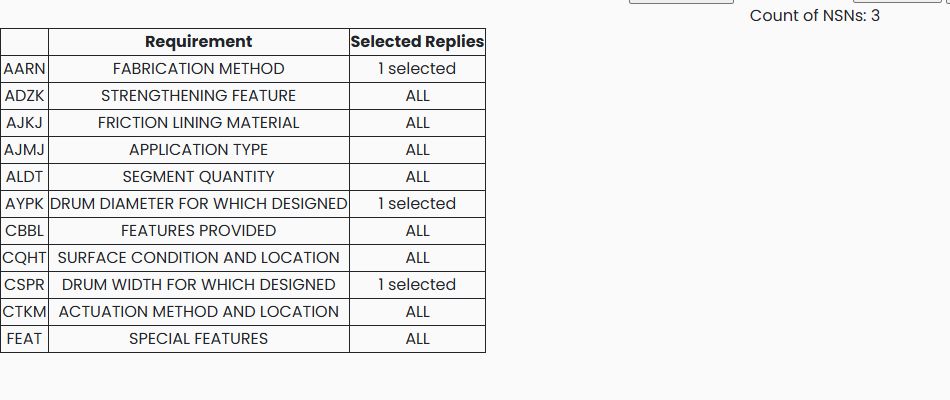
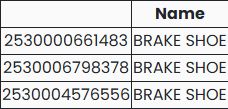
Choose Show NSNS to see the three matching stock numbers: 2530000661483, 2530006798378, and 2530004576556. This is useful when you know several physical characteristics but do not know the stock number.
To remove a requirement, reopen its reply list, clear the selected reply and apply Select Replies. Clearing all three example selections returns each requirement to ALL and the count to 606. The example was viewed October 22, 2026; counts and matching rows can change as the catalog changes.
Return to the item
Choose Back to return to the item page. From there, Award History shows past purchases, while MCRL lists part-number and company references for the same item. These answer different questions: characteristics describe the item; award history shows its buying history; references help identify associated part numbers.