Find contracting officers and review their recent buying activity
Video sections for this page
- 0:00 — Open Find Contracting Officers
- 0:13 — Read the search controls
- 0:38 — Understand literal searches
- 0:49 — Run the Florida NAICS example
- 1:00 — Read the officer result and View links
- 1:31 — Identify Charles Cowart and the office result
- 1:55 — Compare primary and secondary contacts
- 2:13 — Review Charles Cowart’s recent RFQs
- 2:44 — Read RFQ dates and return
- 3:02 — Start a new search and clear entered text
- 3:23 — Distinguish the state purchasing route
- 3:26 — Open Florida purchasing contacts
- 3:42 — Continue with the shared RoadMap list
Video sections for this page
Video sections for this page
Application path: Main Menu → Find Contracting Officers → enter criteria → use the Search button beside that criterion.
Use this search to find contacts associated with the products or services you supply. Results pair contact information with offices and solicitation activity. Recent RFQs → View opens up to five matching solicitation records for the contact and current search filters, sorted by opening date. The list can include older notices; it is a research aid, not a list of currently open bids. Read the contact and office details with the listed activity, then check the source notice for current status and instructions.
Example: electrical work in Florida
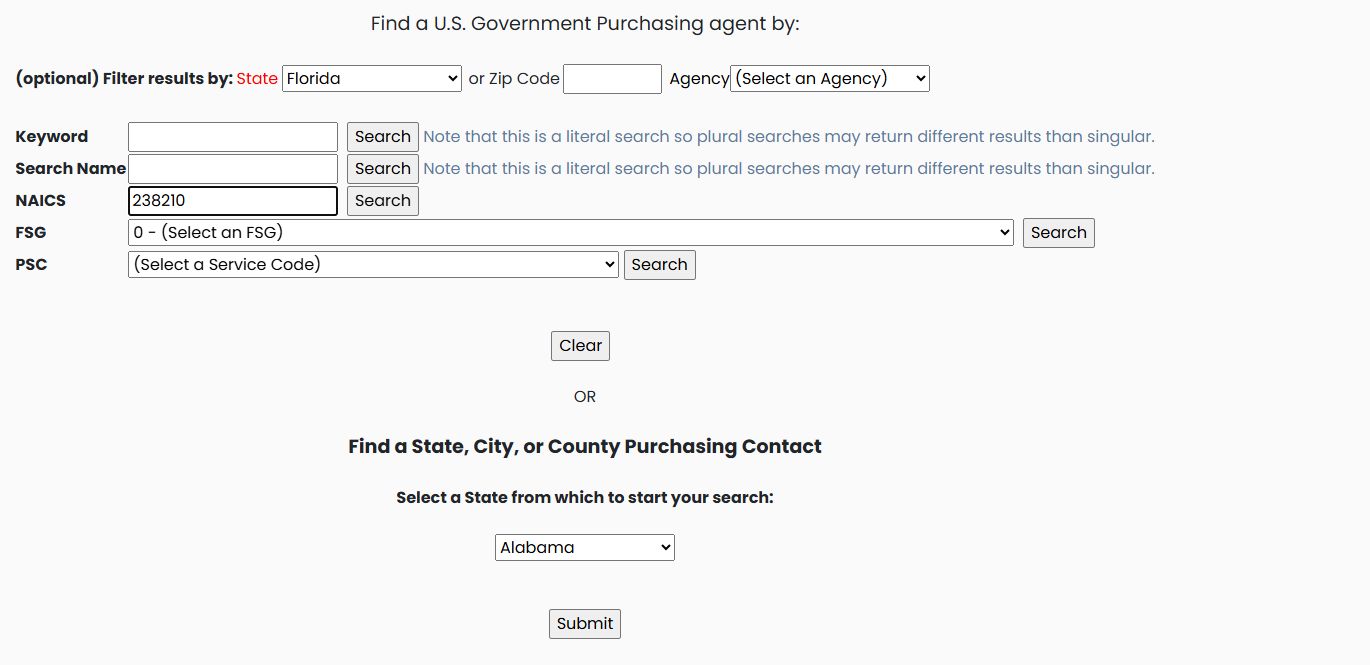
Select Florida in the optional State filter. Enter 238210 under NAICS and choose the Search button on that row. Leave Agency and ZIP blank.
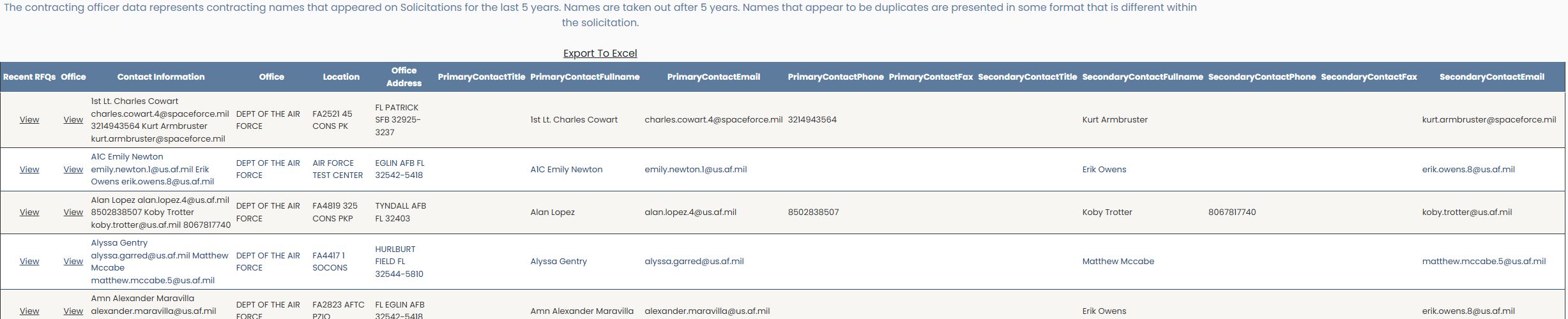
The October 21, 2026 example includes 1st Lt. Charles Cowart, office/location FA2521 45 CONS PK, PATRICK SFB, FL 32925-3237. The October 22 capture shows the same first row. That row also supplies a secondary contact. The two View links at the beginning of a row serve different purposes: one opens recent RFQs, and the next opens office information.
Choose a search route
| Field or control | Meaning and use |
|---|---|
| State or Zip Code | Optional geographic restriction. |
| Agency | Optional restriction to a buying organization. |
| Keyword | Search words describing the purchasing activity. The form notes that this is a literal search and singular/plural wording can produce different results. |
| Search Name | Look for a contact by name. This field also carries the literal-search note. |
| NAICS | Search by industry classification. |
| FSG | Search by Federal Supply Group, the broad classification of goods. |
| PSC | Search by the service category shown in the list. |
| Clear | Empty entered search text before starting another search. In the observed form, it cleared NAICS 238210 while leaving the default selectors in place. |
Each main criterion has its own Search button. Use the button on the row you intend to search, after setting any optional geographic or agency restrictions.
Example: a known contact name
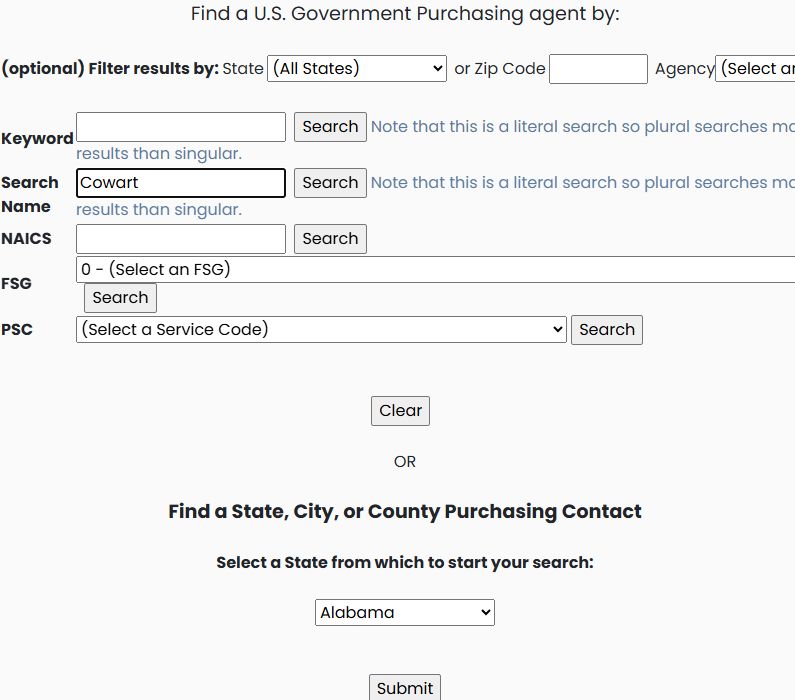
Leave State at All States and Agency unselected. Enter Cowart in Search Name, leave keyword, ZIP and NAICS blank, and choose Search on the Search Name row.
The October 23, 2026 example returned two rows. One names Charles Cowart and Kurt Armbruster; another includes Frank Gillen and Charles Cowart. Read the complete contact and office information: a matching surname can occur in a record containing more than one person.

Example: purchasing activity and state
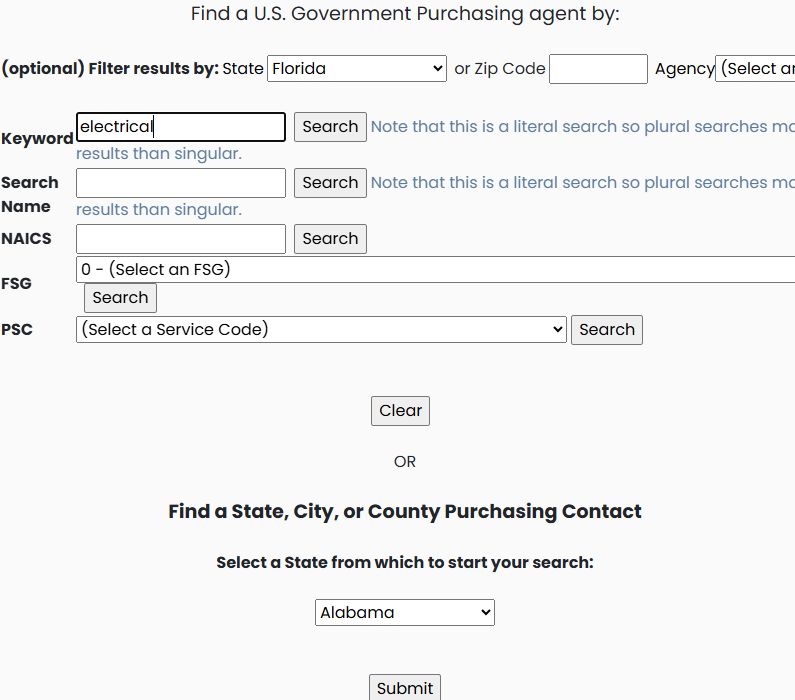
Choose New Search, then check and clear any previous Search Name value: the Cowart value remained in the observed transition. Select Florida, enter electrical in Keyword, leave other search fields blank, and choose Search beside Keyword.
The first illustrated contact record includes Lois Faye Ritter and Ryan Coney, with office FA6648 482 LSS LGC at Homestead Air Force Base. Use the same result fields explained below; Recent RFQs → View provides the associated buying activity.

Example: a product supply group
Start a new search with All States, no agency restriction and unrelated name, ZIP, keyword and NAICS values cleared. Select 48 — Valves in FSG and choose Search beside FSG.
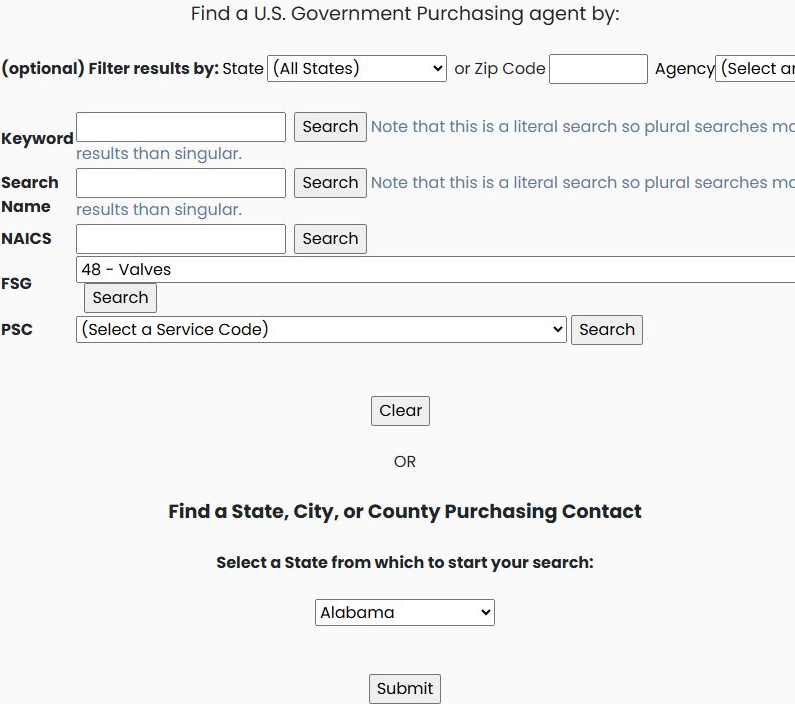
The first displayed contact is 421 SCMS Requirements, with Defense Logistics Agency shown in the Office column. The image shows the left-hand contact and research-link columns; the remaining columns follow the full result-field explanation below. Read each record before choosing Recent RFQs or Office — View.
Example: an information-technology service category
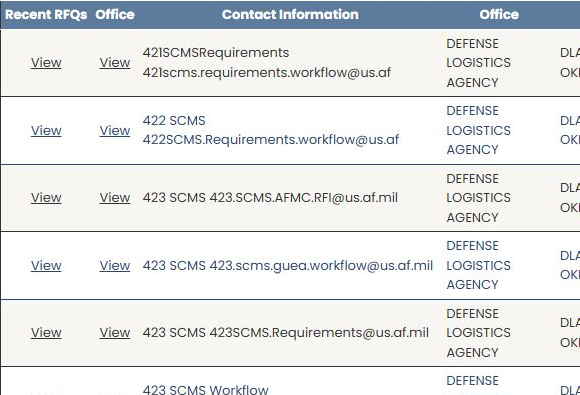
Choose New Search, select D — Information Technology including telecom in PSC, keep All States, leave Agency unselected and text fields blank, and choose Search beside PSC.
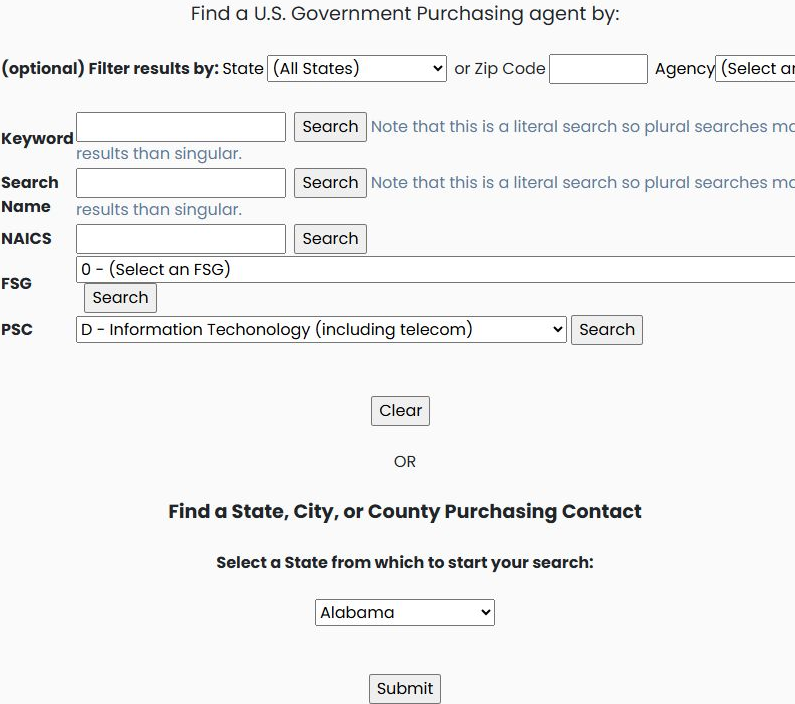
The recorded example returned one row, naming Contract Specialist Marianito J. Rosal, Department of the Navy, NIWC Pacific in San Diego. Available records can change. Continue with the same contact-field and recent-RFQ workflow described below; no separate result-reading method is needed for this criterion.

Read the contact results
| Column | Meaning |
|---|---|
| Recent RFQs | View opens recent bid-request records for the contact. RFQ means request for quotation. |
| Office — View link | Opens the office-information route for that contact. |
| Contact Information | The combined contact information supplied with the solicitation. |
| Office — text column | The buying organization shown on the record. |
| Location | The office designation shown on the record. |
| Office Address | The displayed address or city/state/ZIP information. |
| PrimaryContactTitle / SecondaryContactTitle | The respective contact's title, when supplied. |
| PrimaryContactFullname / SecondaryContactFullname | The respective contact's name. |
| PrimaryContactEmail / SecondaryContactEmail | The respective email address. |
| PrimaryContactPhone / SecondaryContactPhone | The respective telephone number. |
| PrimaryContactFax / SecondaryContactFax | The respective fax number. |
Some fields are blank. The page explains that similar-looking contact rows can reflect different formats supplied in solicitations. It also notes that contacts in the fs.gov and fws.gov domains may appear regardless of the chosen state because they belong to nationwide organizations.
Export To Excel is above the table. Back and New Search are below it. New Search returned from the Florida results to the default form: All States, no selected Agency, FSG or PSC, and Alabama in the separate state/local purchasing-contact selector. Set your desired criteria again before another search.
Open recent RFQs
On the Charles Cowart row, choose the first View, under Recent RFQs. Most Recent Contact Bid Requests shows five entries in this example. Its columns are Agency, Subject, Opening Date and Closing Date.
One entry is SLD 45 Simplified Acquisition for Base Engineering Requirements (SABER), with opening date 08/26/26 and closing date 09/09/26. Other rows have the same subject with different dates. Opening Date is the recorded opening date; Closing Date is the recorded closing date. Read each row as displayed; do not assume similar titles are interchangeable. Check the source notice for current status, response deadline and amendments before treating a date as actionable.
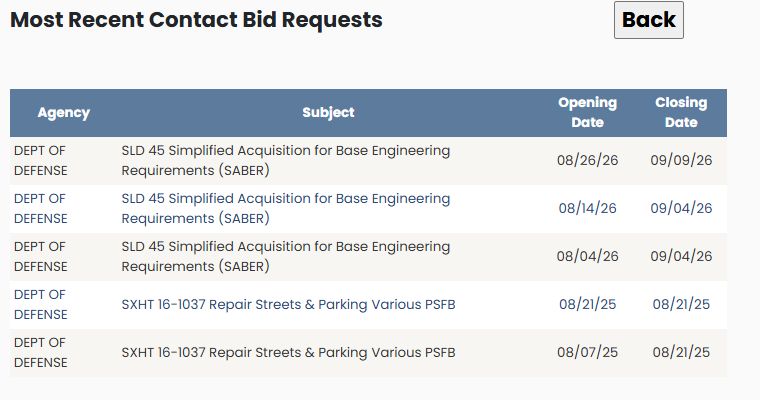
Use Back to return to the contact list. This review helps you understand the type of requirements associated with a contact before researching an individual opportunity further.
State and local purchasing contacts
The bottom of the search form offers a separate Find a State, City, or County Purchasing Contact choice. Select Florida there and choose Submit to open a page of State, County and City purchasing-contact links. This is a different route from the Florida filter used for the federal contracting-officer search above. The state and local roadmap guide explains that shared result layout and its purchasing-resource links.
Read the contracting officer worksheet
Choose Export To Excel above the contact results. The saved October 11, 2026 workbook example has 258 contact rows and the fifteen columns below. It is an earlier example of the same worksheet layout; its row count is not the count for every search. The Recent RFQs and Office View actions belong to the application and are not worksheet columns.
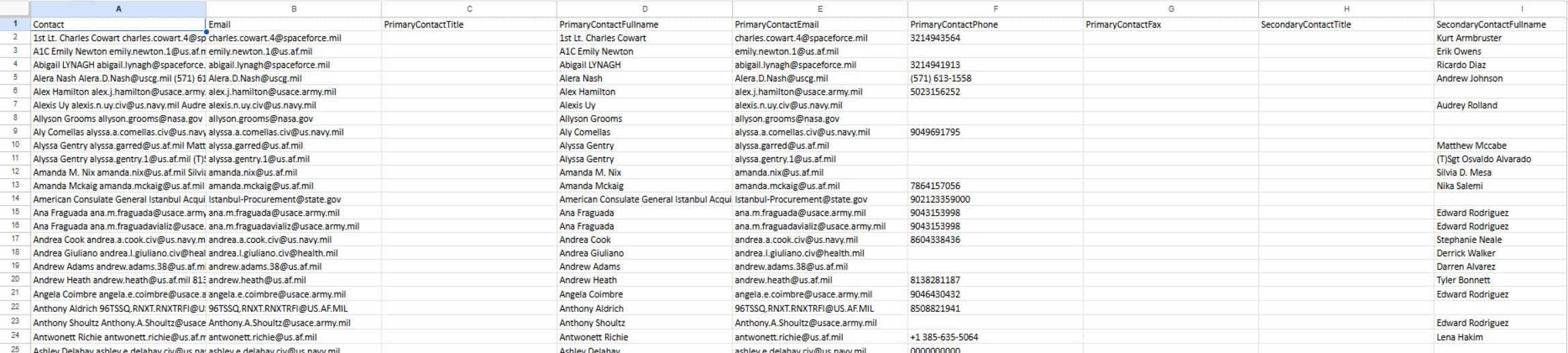
| Worksheet column | Meaning and use |
|---|---|
| Contact | The combined contact information listed for the record; it may name more than one person. |
| The email address associated with the contact record. | |
| PrimaryContactTitle | The primary contact's listed title. |
| PrimaryContactFullname | The primary contact's full name. |
| PrimaryContactEmail | The primary contact's email address. |
| PrimaryContactPhone | The primary contact's telephone number. |
| PrimaryContactFax | The primary contact's fax number, when supplied. |
| SecondaryContactTitle | The secondary contact's listed title. |
| SecondaryContactFullname | The secondary contact's full name. |
| SecondaryContactEmail | The secondary contact's email address. |
| SecondaryContactPhone | The secondary contact's telephone number. |
| SecondaryContactFax | The secondary contact's fax number, when supplied. |
| office | The listed buying organization or office. |
| location | The recorded office designation or location label. |
| offadd | The office address information. |
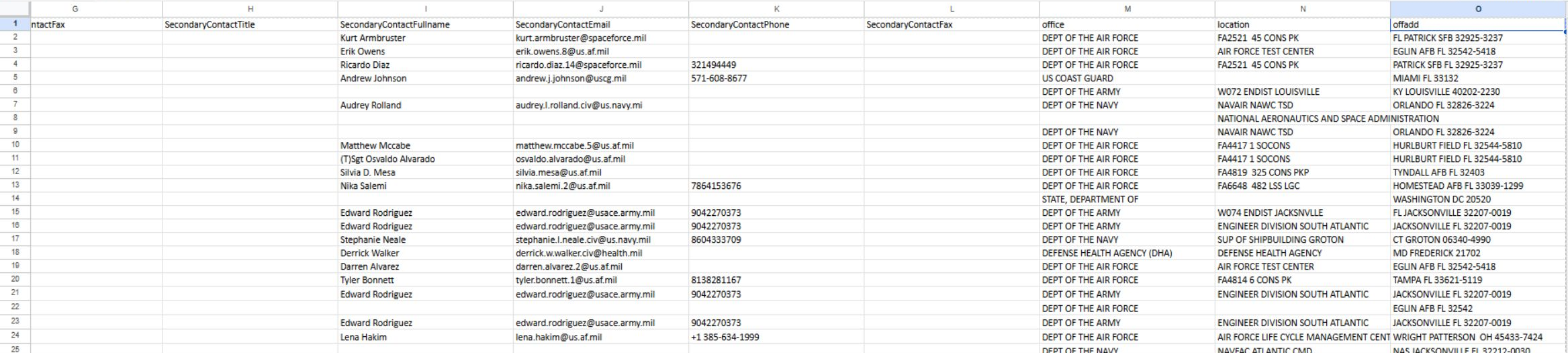
A blank cell means that value is not supplied. Keep the contact, office and location fields together when sorting or filtering the worksheet. A contact record is a research lead; check current responsibilities and the original notice before relying on it for an opportunity. Return to the application to use Recent RFQs or Office View for the matching row.