Find a stock number from a commercial part number
Video sections for this page
Application path: Main Menu → Commercial Part Number to NSN → enter a part number → Search.
Use this search when you know a supplier's part number and want to find its listed item name, stock-number reference and company. Compare all of those fields before choosing a match.
Search a complete part number
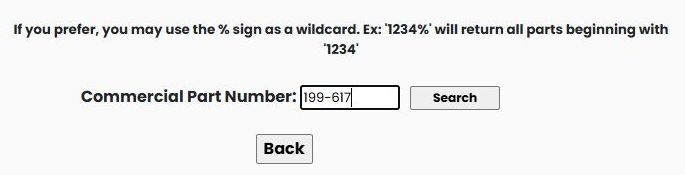
Enter 199-617 in Commercial Part Number, then select Search. In the October 21, 2026 example, the results show a cap screw, FSC 5305, NIIN 007262550, and DORMAN PRODUCTS, INC., CAGE 72741.
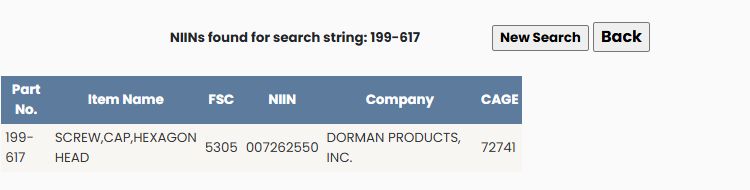
| Column | What it means |
|---|---|
| Part No. | The commercial part reference listed for this item and company. |
| Item Name | The catalog description. Check this along with the part number. |
| FSC | The four-digit Federal Supply Class, which identifies a broad category of supply items. |
| NIIN | The nine-digit National Item Identification Number. Together with the FSC it forms the 13-digit NSN. Preserve any leading zeros. |
| Company | The company listed alongside the part reference. |
| CAGE | The company or organization's five-character identification code. |
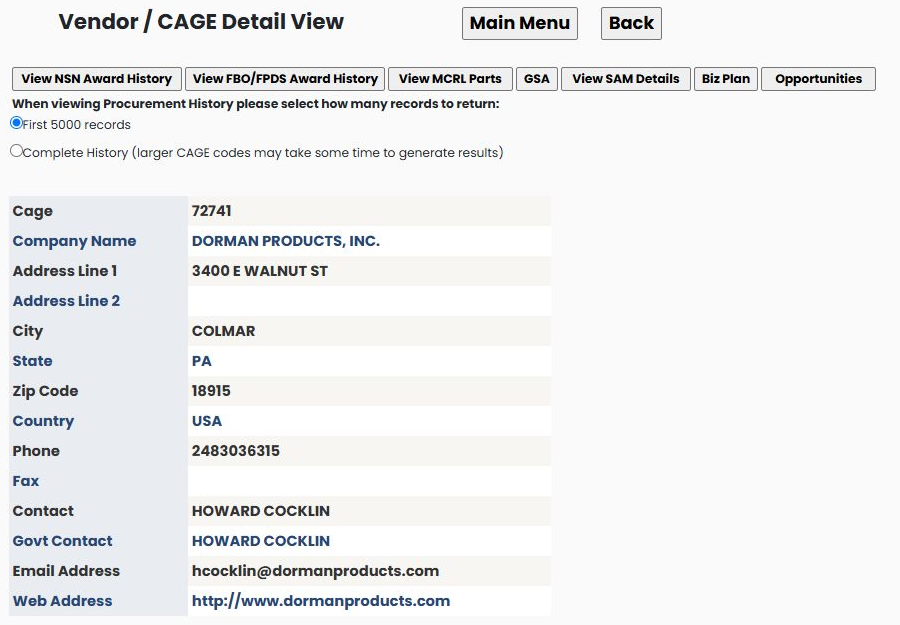
The matching company row lists DORMAN PRODUCTS, INC., CAGE 72741. The corresponding Vendor / CAGE Detail View shows that company in Colmar, Pennsylvania 18915, along with contact fields and company-research buttons. Use the company profile guide to read those shared fields and continue company research.
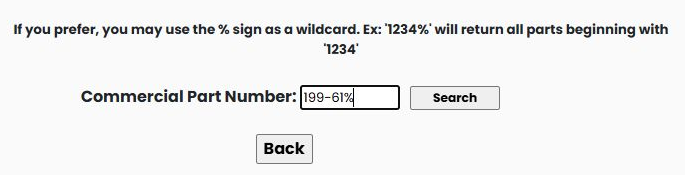
Search when you know only the beginning
Select New Search and enter 199-61%. A trailing % searches for references beginning with the characters before it. The example produces several kinds of items and three pages of results, so compare the full part number, item name and company when choosing the intended reference. On the first page, 1996103 appears with CATERPILLAR INC, while the similar 199-6103 reference appears with WESTRAC EQUIPMENT PTY LTD. The different punctuation and company names are a reminder to compare the complete Part No., Company and CAGE fields together.
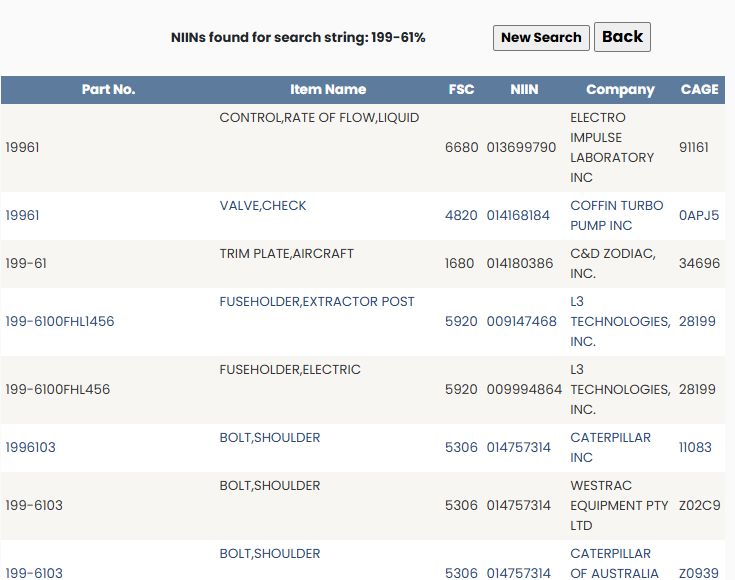
Use the numbered links at the bottom to move between result pages. Selecting 2 displays the next group of rows. New Search returns to the entry form; Back returns to the preceding screen.
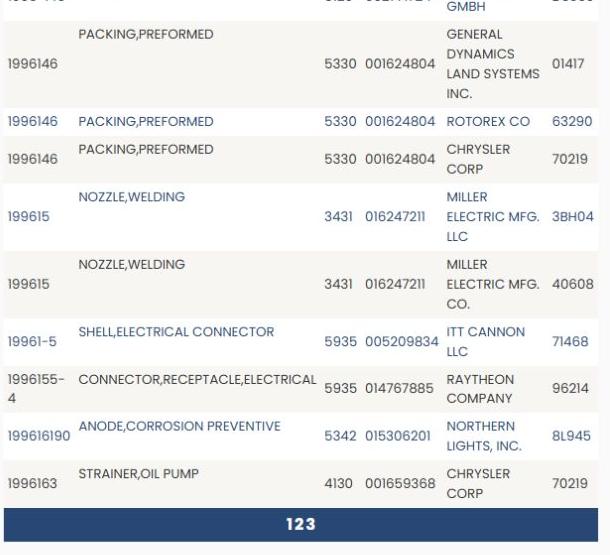
The page-two excerpt above shows the numbered navigation beneath the rows. It also illustrates why the company matters: the same part reference 1996146 appears alongside different companies and CAGE codes.
For an item whose NSN you already know, use the NSN/NIIN search guide.
Continue from the matching NIIN
Select the NIIN beside the matching part reference to continue to the item record. Confirm its name, then use MCRL, technical characteristics and other research buttons. The walkthrough below shows the complete continuation with its recorded part example.