Find construction trades and their prime contractors
Video sections for this page
Application path: Main Menu → Construction Menu.
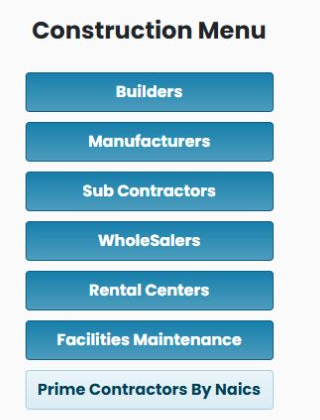
Use the Construction Menu when you know the kind of work or supply you offer but need to choose an industry code before researching prime contractors. Each trade button opens a list of NAICS codes and descriptions. NAICS identifies a line of business; read the description before choosing a code.
Choose a trade group
| Button | What the list contains | Example from the list |
|---|---|---|
| Builders | Building and infrastructure construction categories | 236220 — Commercial and Institutional Building Construction |
| Manufacturers | Manufacturing categories for products used in this market | 335122 — Commercial, Industrial, and Institutional Electric Lighting Fixture Manufacturing |
| Sub Contractors | Construction specialties | 238210 — Electrical Contractors and Other Wiring Installation Contractors |
| WholeSalers | Wholesale supply categories and related product descriptions | 423610 — Electrical Apparatus and Equipment, Wiring Supplies, and Related Equipment Merchant Wholesalers |
| Rental Centers | Equipment rental and leasing categories | 532412 — Construction, Mining, and Forestry Machinery and Equipment Rental and Leasing |
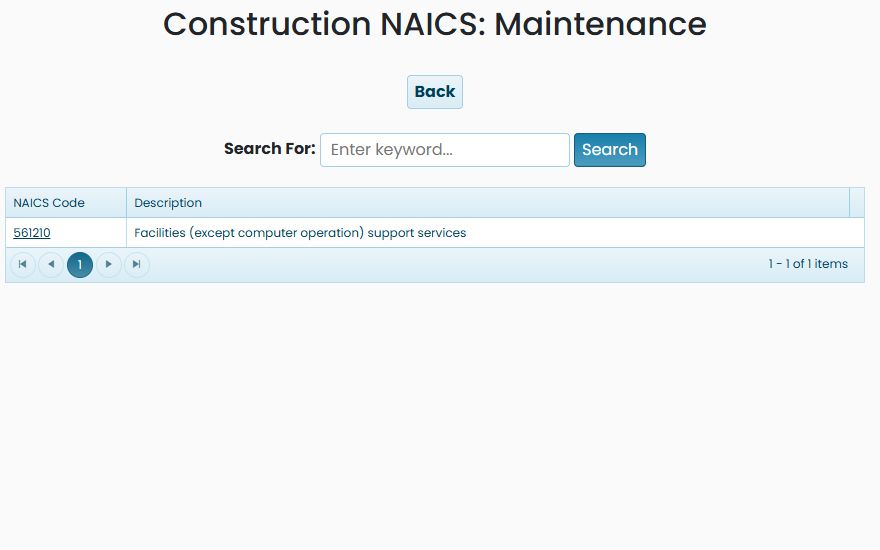
| Facilities Maintenance | Facilities support services | 561210 — Facilities (except computer operation) support services |
| Prime Contractors By Naics | A direct prime-contractor search | Opens a classic form with the category preselected; choose the NAICS code, contractor set, and state. |
For example, a lighting manufacturer can start under Manufacturers, while an electrical installer can start under Sub Contractors. These choices help you select the relevant business activity before looking for companies.
Example: find lighting manufacturing categories
- Choose Manufacturers.
- Enter lighting in Search For.
- Select Search.
The October 21, 2026 example narrowed 127 entries to three: 335121 residential lighting fixtures, 335122 commercial/industrial/institutional lighting fixtures, and 335129 other lighting equipment. Compare the descriptions to your product before selecting a code.
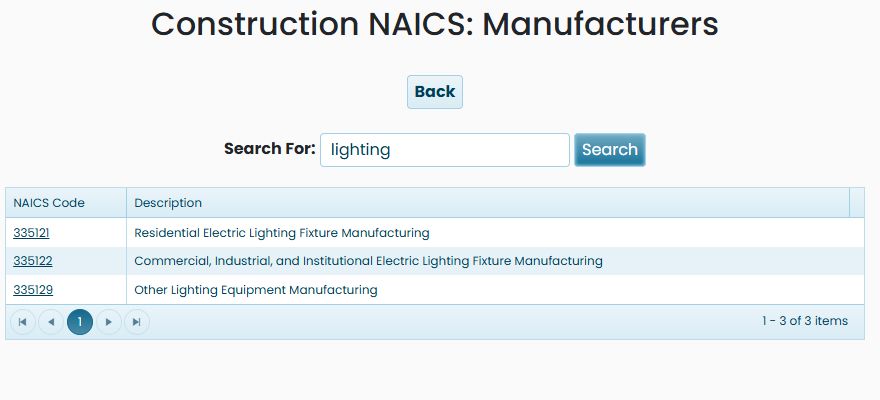
The results have two columns:
| Field or control | Meaning and use |
|---|---|
| NAICS Code | The industry identifier. Select its link to continue to prime-contractor research. |
| Description | The activity represented by that entry. |
| Search For / Search | Enter a word describing the trade or product, then search within the selected list. |
| Page controls | Move through longer lists. The item range beneath the table tells you how many entries are shown. |
| Back | Return to the Construction Menu to choose another trade group. |
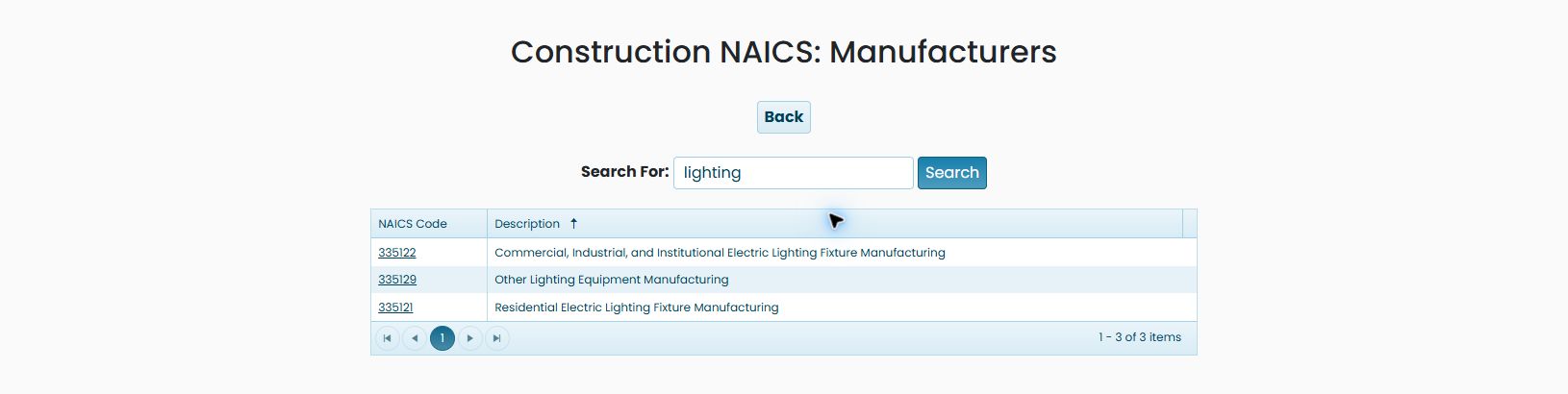
Select the Description column heading to sort the current list alphabetically. In the three-row lighting example, the first click orders the descriptions Commercial… (335122), Other… (335129), then Residential… (335121). Select the same heading again to reverse that order. The count remains 3: sorting changes the order, not which categories match your search. Select a column heading to sort; selecting an underlined NAICS code opens prime-contractor research.
Example: electrical contractors in Florida

- From Construction Menu, choose Sub Contractors.
- Enter electrical and select Search. The example narrows 32 categories to 238210.
- Select 238210 to open the prime-contractor form.
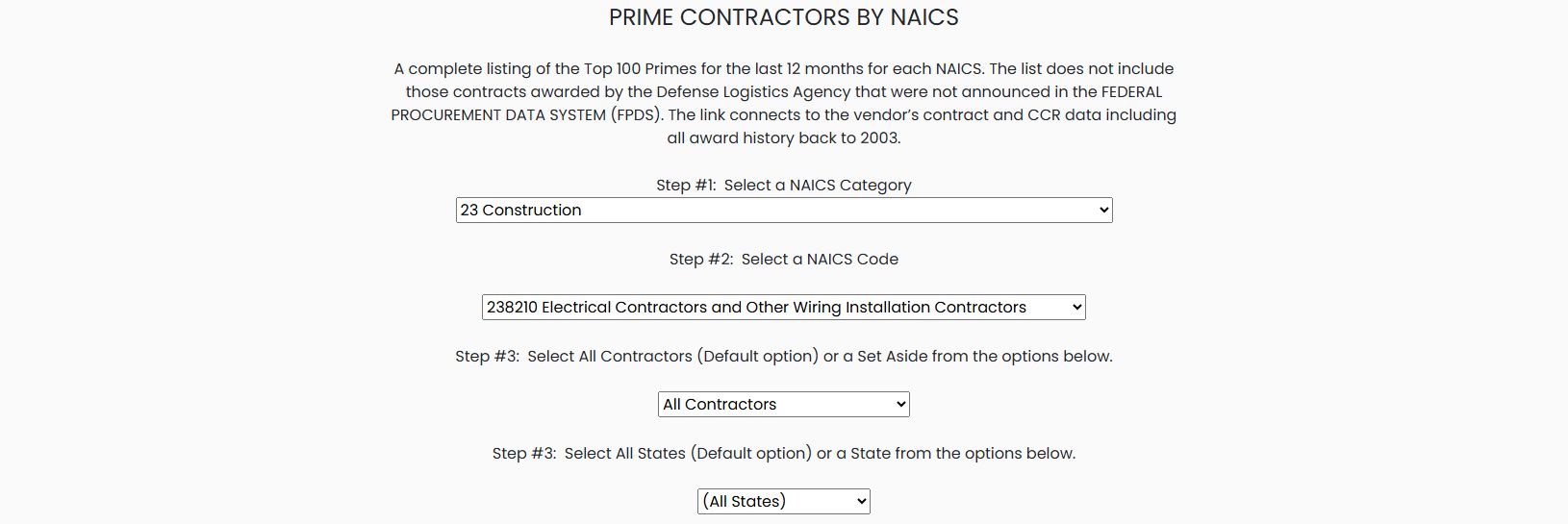
- On that form, select 23 Construction, then 238210 Electrical Contractors and Other Wiring Installation Contractors.
- Retain All Contractors and choose Florida.
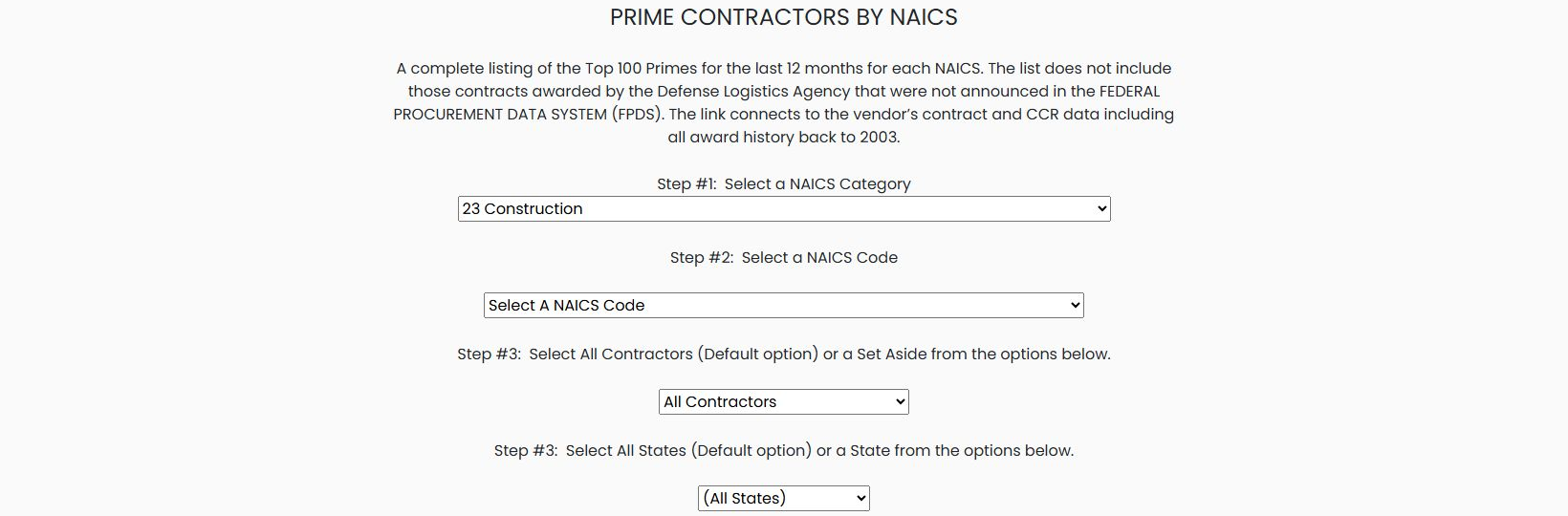
The category link opens the classic prime-contractor form. Select the category and code on that form; do not assume the linked code has already filled them in. The screenshot below shows those selections before choosing a state.
The example returned 74 contractor rows. The first was MILTON J. WOOD FIRE PROTECTION, INC., CAGE 0SXZ4, with $11,130,640. Select the CAGE to research the company or the award amount to examine its buying-organization breakdown.
Open Prime Contractors By Naics directly
From the Construction Menu, Prime Contractors By Naics opens a classic prime-search page with 23 Construction already selected. This is a separate route from the Kendo-based Prime Contractors By NAICS entry described in the linked prime-contractor guide.
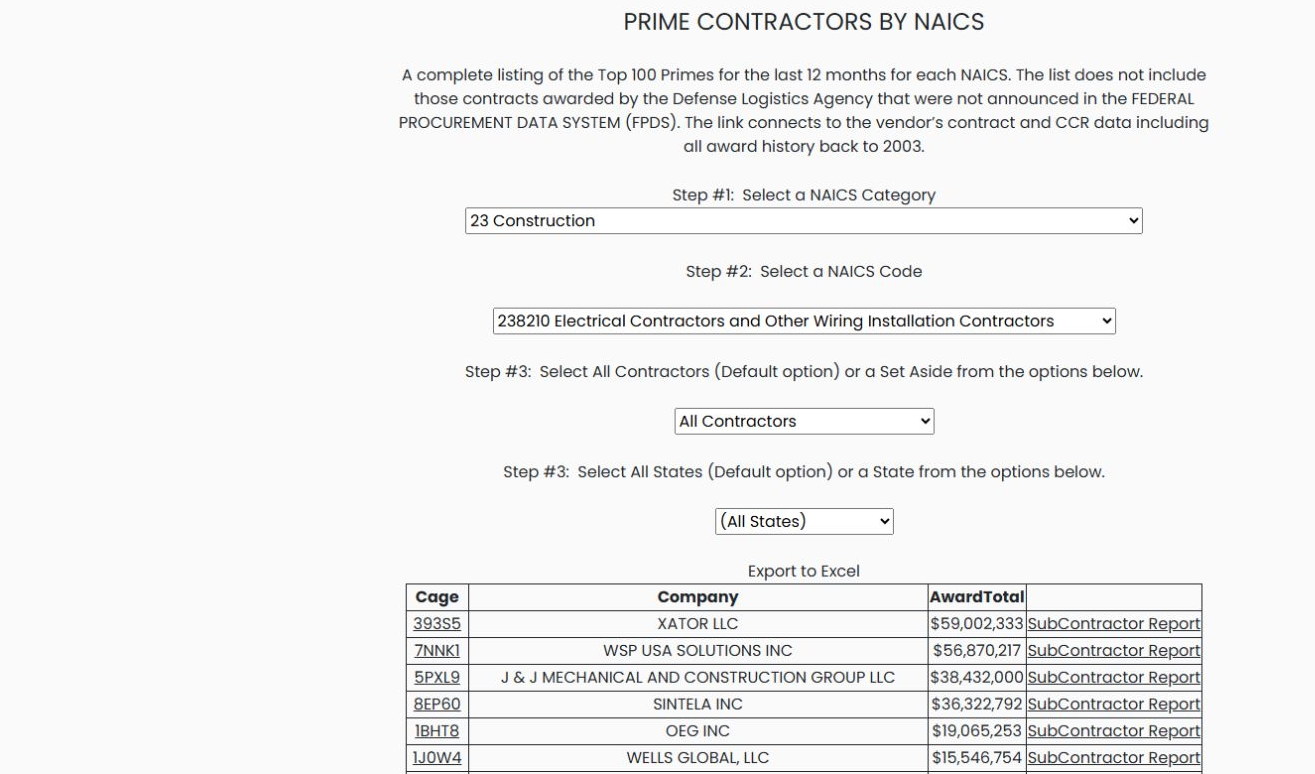
For a direct example, keep 23 Construction, choose 238210 Electrical Contractors and Other Wiring Installation Contractors, leave All Contractors, and keep (All States). The results show Cage, Company, AwardTotal, and, for some rows, SubContractor Report. Export to Excel is also shown above the grid. In this observed result, XATOR LLC, CAGE 393S5, appears first at $59,002,333.
Export and read the contractor worksheet
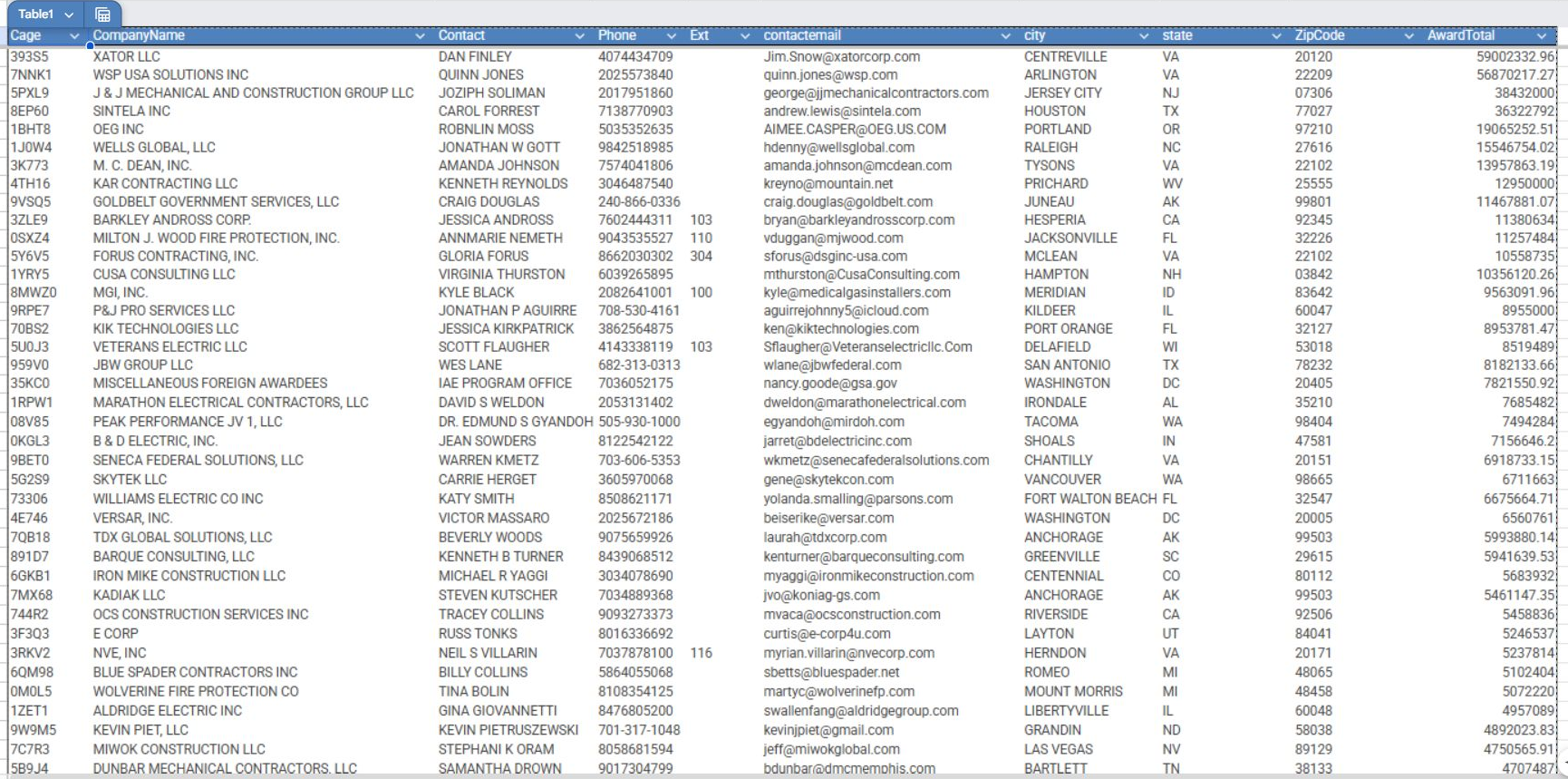
Choose Export to Excel above the classic results grid to download the contractor list. The inspected workbook has an Awards sheet with 1,328 contractor rows and ten columns:
| Worksheet column | What it shows |
|---|---|
| Cage | The contractor’s CAGE identifier. |
| CompanyName | The contractor’s company name. |
| Contact | The listed contact person. |
| Phone | The listed phone number. |
| Ext | A phone extension when one is provided; blank cells mean no extension is listed. |
| contactemail | The listed contact email address. |
| city, state, ZipCode | The contractor’s listed location. |
| AwardTotal | The award total shown for the contractor in this worksheet. |
The first worksheet row is XATOR LLC, CAGE 393S5, with $59,002,332.96. The page shows $59,002,333 for this same first row; the worksheet retains cents.
Select CAGE 393S5 to open XATOR's Vendor / CAGE Detail View. The company-profile guide covers the shared profile fields. Use Back to return to the classic search page; the observed return kept 23 Construction selected.
Continue with Research prime contractors in an industry for the separate Kendo search, its result columns, and agency breakdown. Use Read contractor registration details when you reach a company profile.