Find items associated with a weapon system
Video sections for this page
Application path: Main Menu → Weapons System Designator Codes → choose Search by → enter a name or code → Search.
This screen connects a weapon-system description to its listed stock items. Use WS Name when you know the equipment name, or WSDC when you already know its Weapon System Designator Code.
Find a system by name, then use its code
Selecting WS Name and searching for helicopter returned 38 system rows across two pages in the October 21, 2026 example. Each row shows WSDC, WS Name and # of NIINs.
To focus on one of those systems, choose WSDC, enter 5ZA, and select Search. The result is AH64A HELICOPTER, with 16 listed NIINs. Select the arrow at the left of its row to expand the items.
You can also choose WS Name and enter AH64A. That search returns the same 5ZA — AH64A HELICOPTER row, with 16 NIINs.

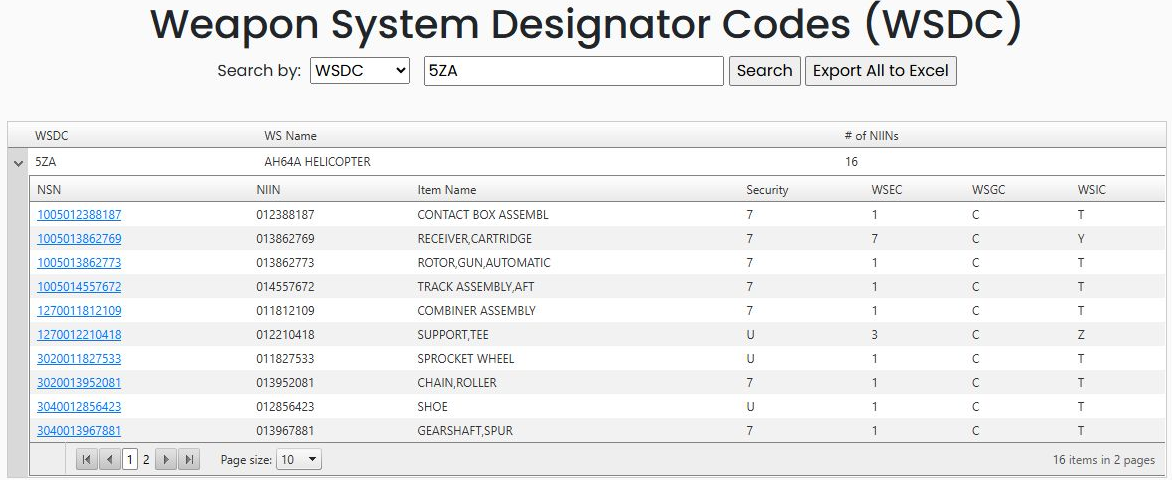
Read the expanded item list
| Column | Meaning |
|---|---|
| NSN | The full 13-digit National Stock Number. Select it to open the item research screen. |
| NIIN | The nine-digit item-identification portion of the NSN. |
| Item Name | The catalog name displayed for the item. Some names are shortened in the source record. |
| Security | The security code recorded with the item. |
| WSEC | Weapon System Essentiality Code: describes the item's importance to the system's mission. |
| WSGC | Weapon System Group Code: identifies the system's criticality group. |
| WSIC | Weapon System Indicator Code recorded for the item. |
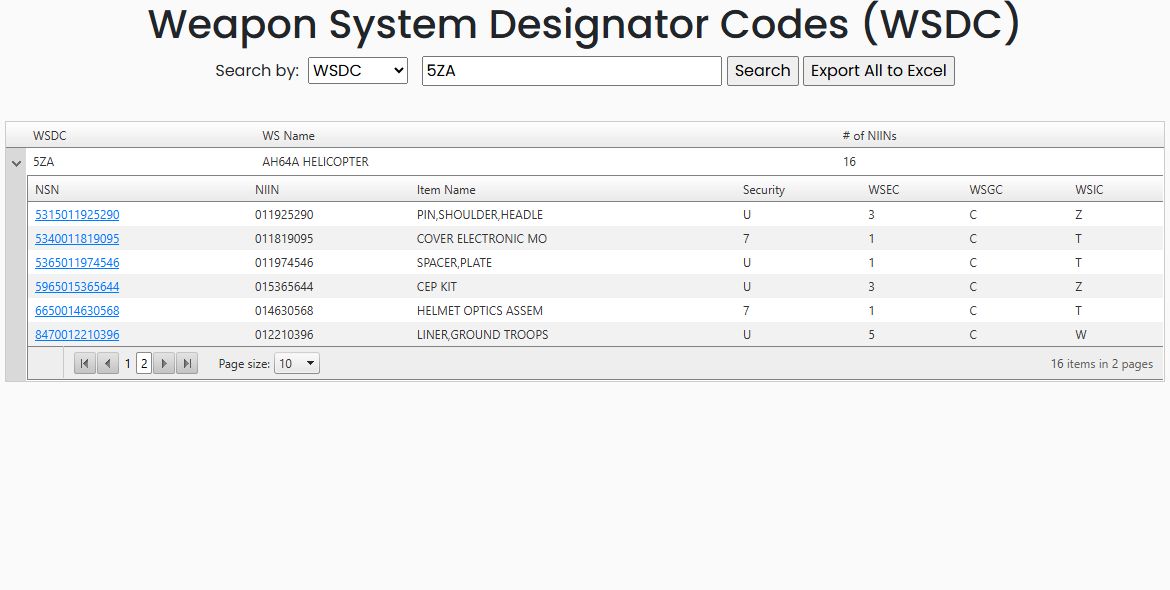
The expanded table has its own page controls. With page size 10, the example shows ten items on page 1 and six on page 2; the parent row's 16 is the total. Use the child table's numbered pages to reach the remaining items. Selecting page size 20 showed all 16 child rows together in the observed example.
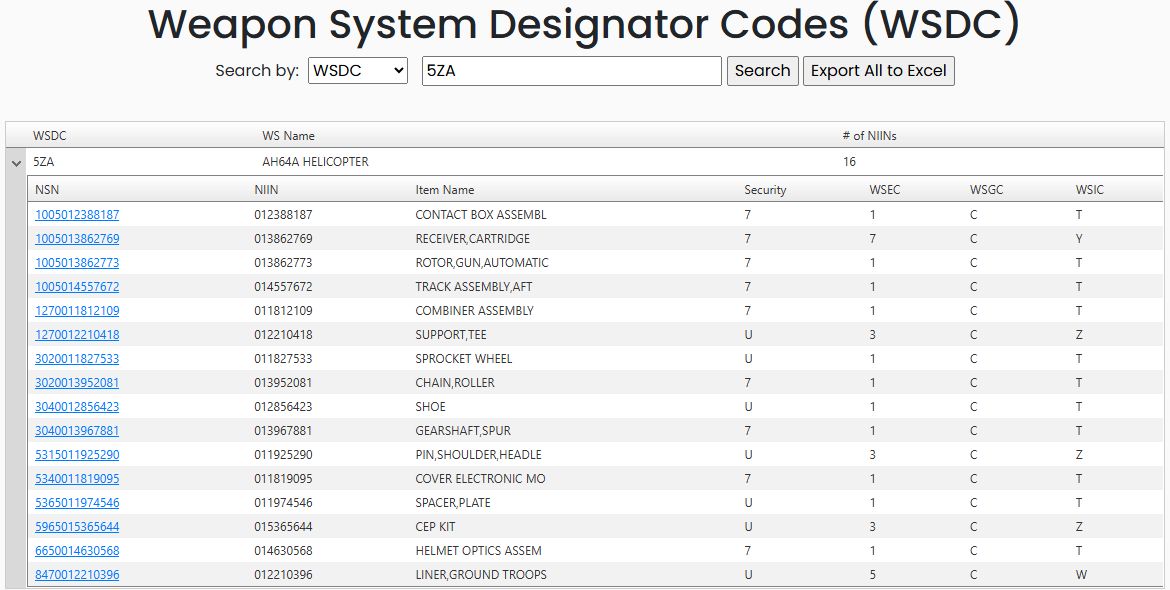
The arrow beside the system row collapses the child list, leaving the 5ZA — AH64A HELICOPTER parent row visible.
Open an item and continue research
On page 2, select 5365011974546 — SPACER,PLATE. Its item research screen opens in another tab.
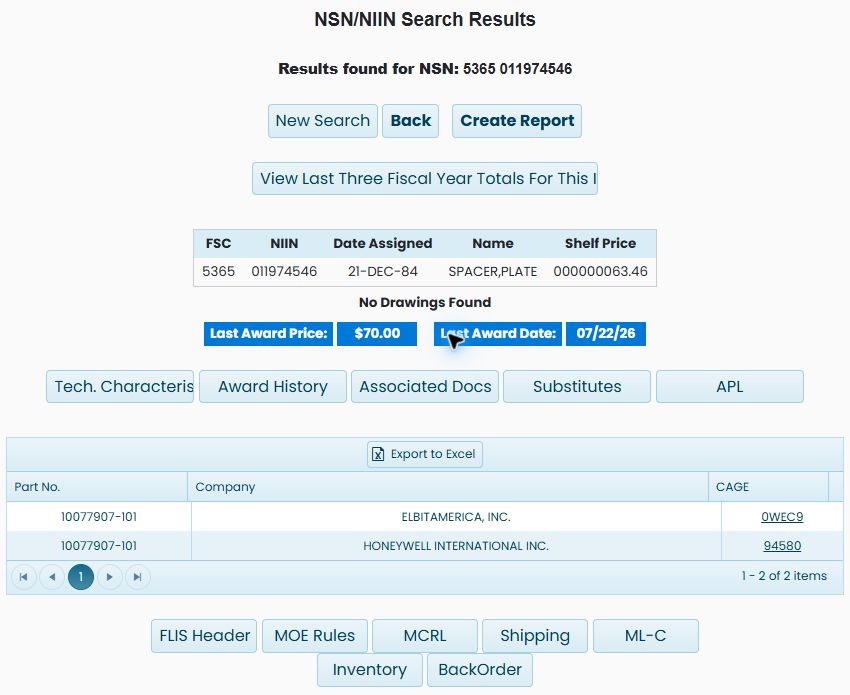
The item screen shows FSC 5365, NIIN 011974546, its assigned date and shelf price, the last award price/date, and the listed commercial part/company references. Use the research buttons for characteristics, awards, documents and catalog information. The NSN item guide explains this shared screen and links to the detailed research tables. Return to the weapon-system tab to continue choosing items.
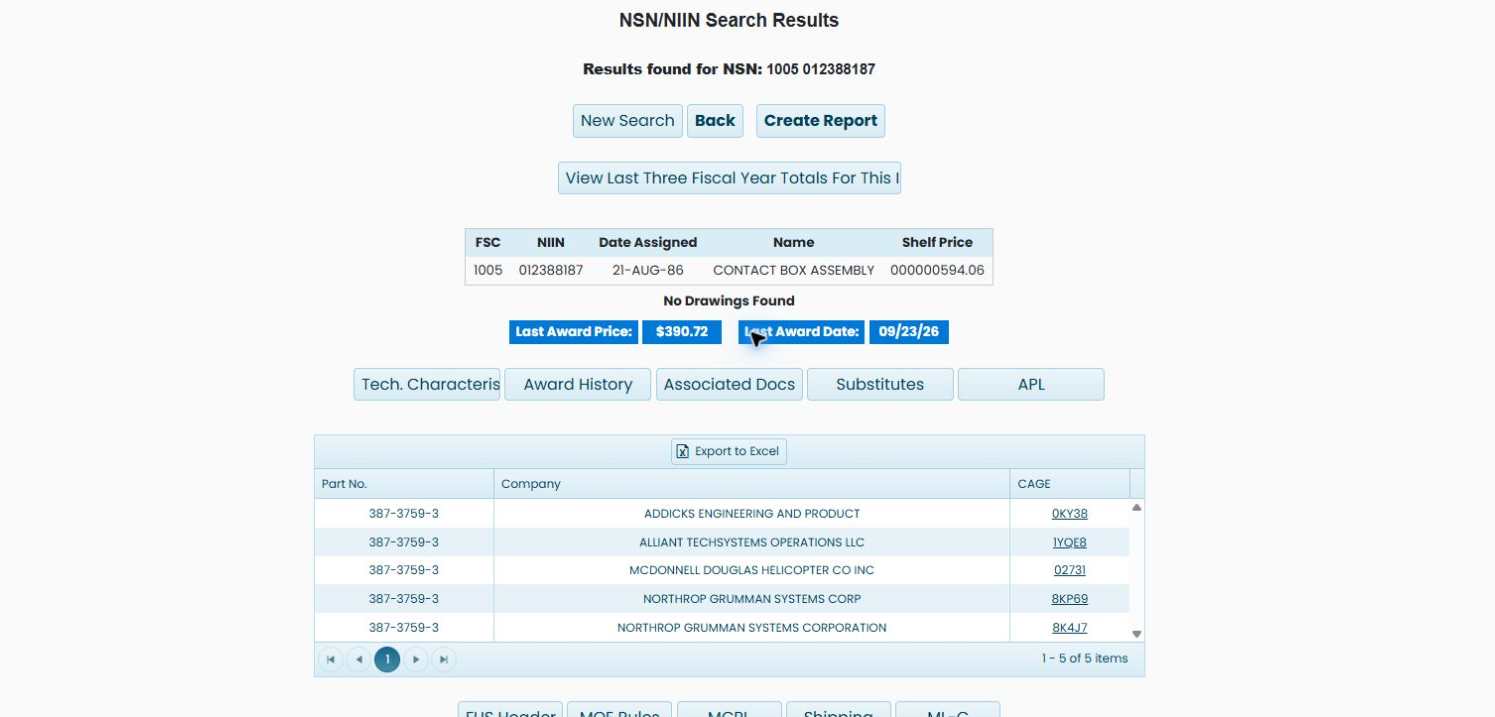
The current 5ZA list also links 1005012388187 — CONTACT BOX ASSEMBL to a new item-research tab. There the full item name is CONTACT BOX ASSEMBLY; the summary shows FSC 1005, NIIN 012388187, five part/company references, and the familiar research buttons. Use the NSN item guide for those shared controls, then return to the weapon-system tab.
Export the item list
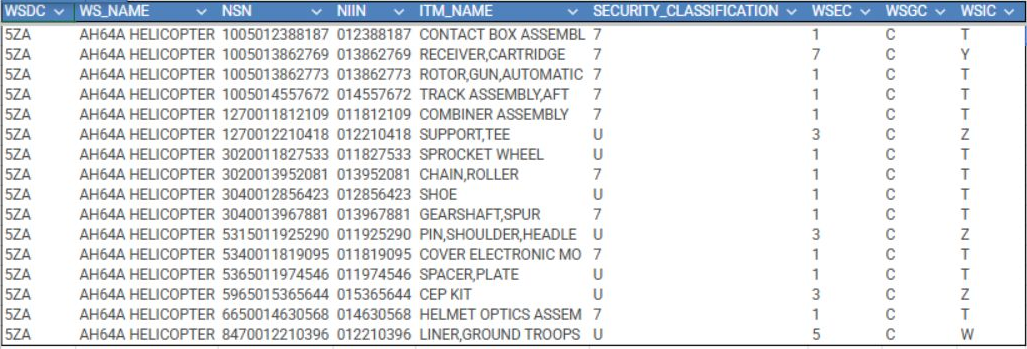
Select Export All to Excel beside Search after the 5ZA search. The worksheet contains all 16 item rows for AH64A HELICOPTER; its nine columns are:
| Worksheet column | Meaning |
|---|---|
| WSDC | The weapon-system designator code, 5ZA in this example. |
| WS_NAME | The listed weapon-system name. |
| NSN | The full stock number for the item. |
| NIIN | The nine-digit item-identification portion of the NSN. |
| ITM_NAME | The catalog item name as recorded in the list. |
| SECURITY_CLASSIFICATION | The item's recorded security code. |
| WSEC | The recorded Weapon System Essentiality Code. |
| WSGC | The recorded Weapon System Group Code. |
| WSIC | The recorded Weapon System Indicator Code. |