Research prime contractors by NAICS
Part of these button learning paths: Prime Contractors By NAICS
Video sections for this page
- 0:00 — Open Prime Contractors By NAICS
- 0:12 — Choose the industry and scope
- 0:40 — Open the AES agency breakdown
- 1:09 — Return to the search form
- 1:28 — Export the all-states result list
- 1:38 — Review the exported workbook
- 1:56 — Locate AES in the workbook
- 2:20 — Find XATOR in the results grid
- 2:55 — Open XATOR's FBO/FPDS award history
- 3:36 — Expand the first contract row
Video sections for this page
Video sections for this page
Application path: Main Menu → Prime Contractors By NAICS.
Use this page to find prime contractors by the industry in which they have awards. The page describes its coverage as the top 100 primes for the last 12 months for each NAICS, excluding DLA awards not announced in FPDS.
The initial form has four selectors. Choose a NAICS Category first to enable NAICS Code, then set Set Aside and State for the contractor group and location you want to review.
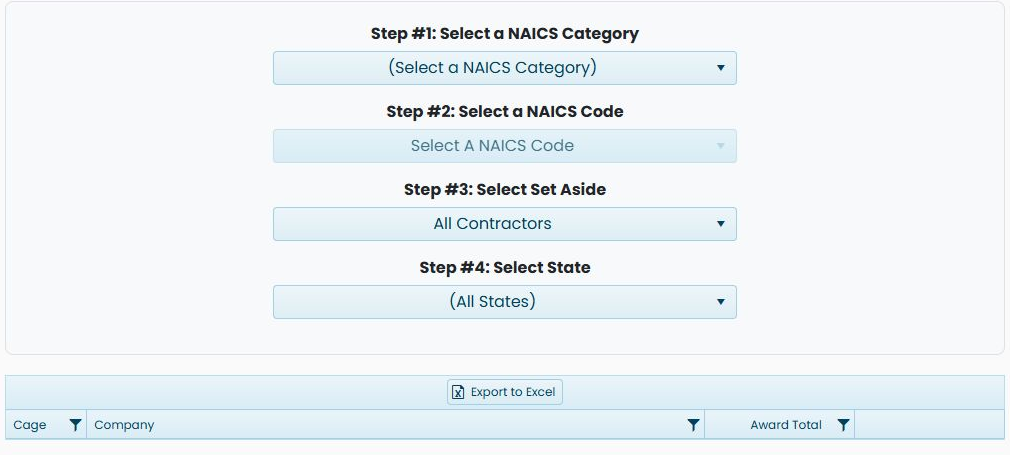
Current example: electrical prime contractors across all states
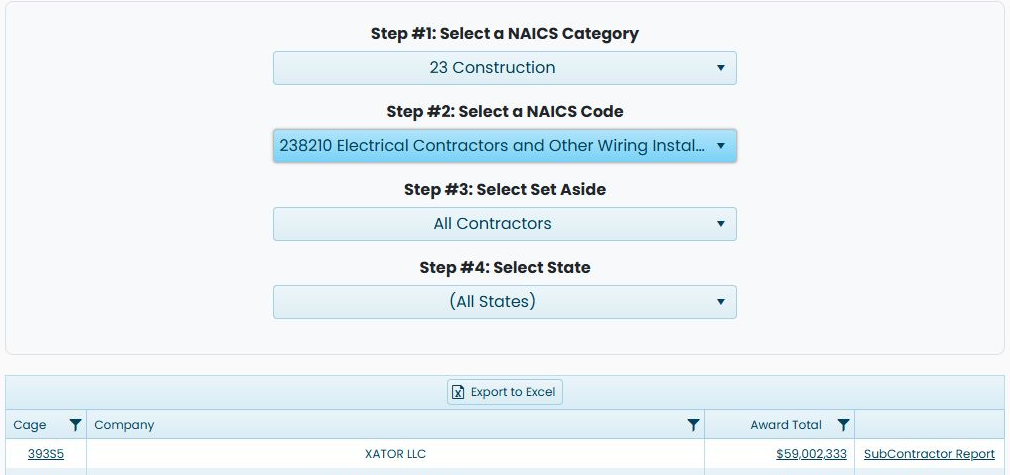
Choose 23 Construction under Select a NAICS Category, then 238210 Electrical Contractors and Other Wiring Installation Contractors under Select a NAICS Code. Leave All Contractors under Select Set Aside and (All States) under Select State. The category selects the broad industry group; the code narrows it to a particular type of work. The set-aside choice controls which contractor category is displayed, and the state choice sets the geographic scope.
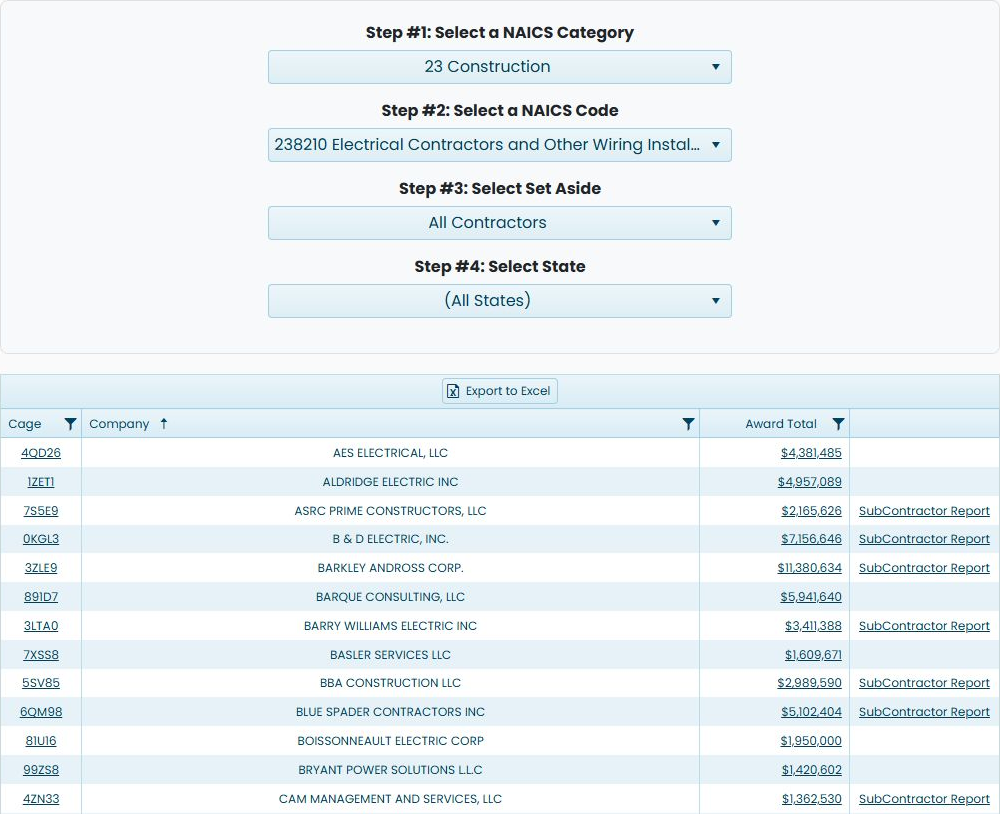
In the October 22, 2026 view, the Company heading shows ascending order. The first visible row is AES ELECTRICAL, LLC, CAGE 4QD26, with $4,381,485 under Award Total. Cage links to the company profile; Company names the supplier; Award Total is the displayed amount and links to its buying-agency breakdown. Some rows also offer SubContractor Report. Export to Excel is visible above the grid.
Select AES's $4,381,485 amount to open the agency and office report. Agency identifies the buying organization, CONTRACTING OFFICE names its office, and Total gives that row's displayed amount. The observed rows show NATIONAL GALLERY OF ART / NGA PROCUREMENT CONTRACTS / $4,381,485 and U.S. IMMIGRATION AND CUSTOMS ENFORCEMENT / MISSION SUPPORT DALLAS / $0. Read each office amount as displayed; the zero-dollar row remains part of this report. Browser Back returns to the prime search form. Reselect 23 Construction and 238210 to restore this result list; the observed form returned with Category unselected and Code disabled.

Select the market
| Control | Meaning and action |
|---|---|
| Select a NAICS Category | Narrows the six-digit NAICS choices to the selected broad industry category. Choosing a category refreshes the page. |
| Select a NAICS Code | Chooses the specific six-digit industry code and refreshes the contractor list. Use the code that represents the offering or buying history being researched. |
| Export to Excel | Available after you make qualifying selections. It provides matching company rows, including stored contact, phone, email and address fields. |
Example: women-owned electrical contractors in Florida
Keep 23 Construction and 238210 Electrical Contractors and Other Wiring Installation Contractors selected. Change Select Set Aside to Women-owned Business, leaving Select State at (All States). The list refreshes when the selection changes. Check that the selected label remains visible before reading the results.
The October 24, 2026 example shows 100 rows, with BARKLEY ANDROSS CORP. first and $11,380,634 under Award Total.
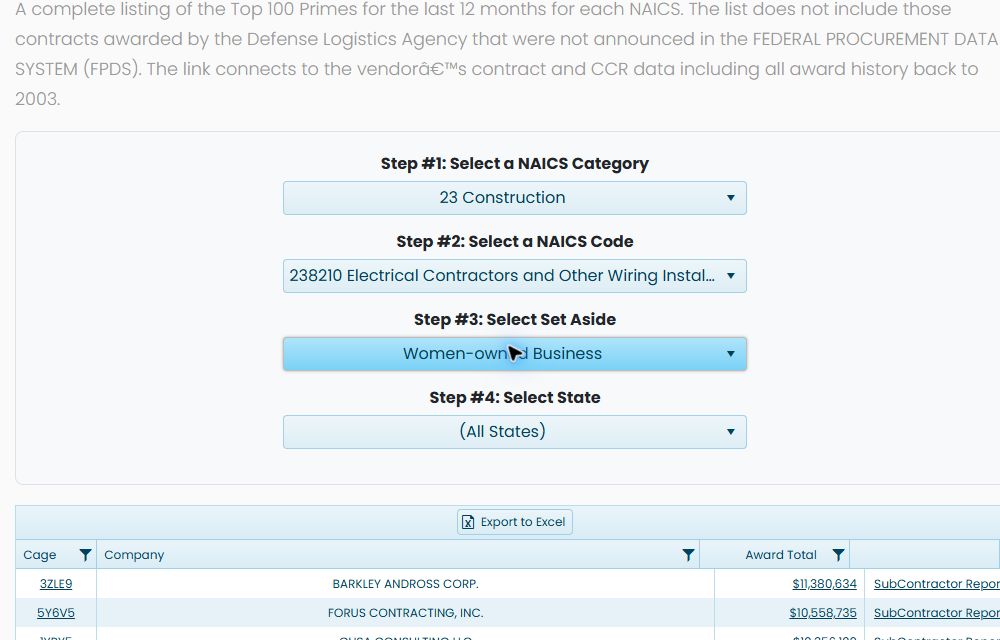
Next change Select State to Florida. The same industry and contractor-type selections remain in place. This example narrows to 19 rows, with GLOBAL QUALITY SOLUTIONS, INC. first and $564,724 under Award Total. These are dated search results, not guaranteed current totals.
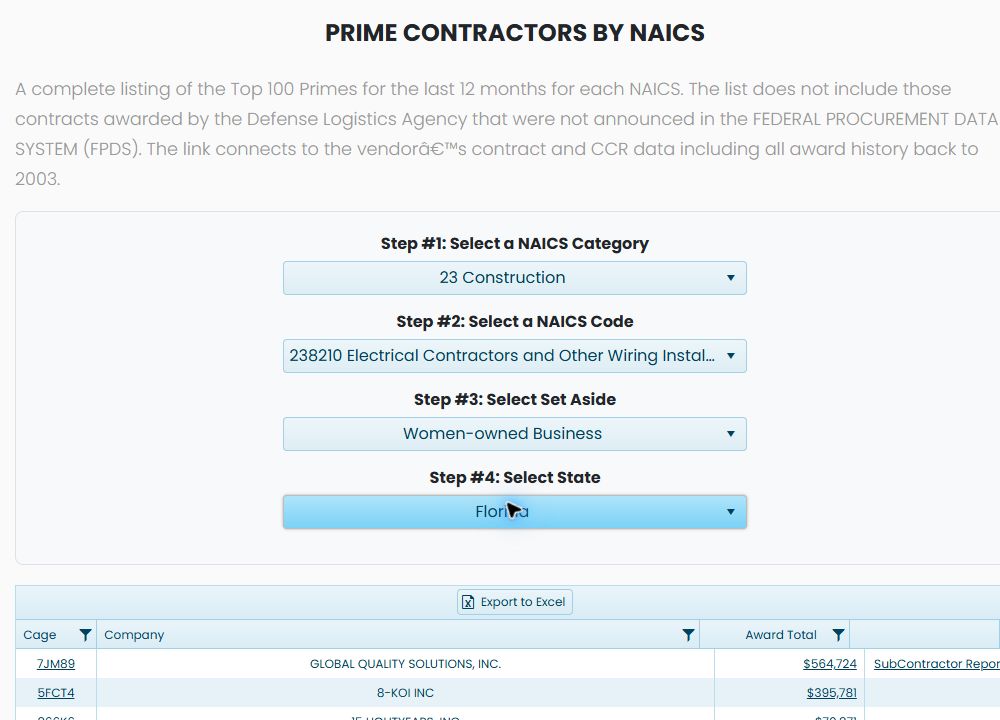
You can also operate a focused dropdown with the keyboard: press Home, type w, then Enter to select Women-owned Business; in the state dropdown, press Home, type f, then Enter for Florida. Confirm the displayed selection after each change.
The resulting rows use the same Cage, Company, Award Total, SubContractor Report and Export to Excel controls as the earlier list. Use the company-profile and agency-report steps above for those links. The workbook explanation below applies to this same three-column output layout; its illustrated values come from the separate all-contractors example.
Export and compare the prime list
Choose Export to Excel above the all-states 238210 result grid. The inspected download, PrimeContractors.xlsx, contains 100 contractor rows on Sheet1 with three columns: Cage identifies the supplier, Company names it, and Award Total gives its numeric displayed amount. The inspected workbook is ordered by Award Total from highest to lowest. In that order, XATOR LLC, CAGE 393S5, appears first at $59,002,332.96. AES ELECTRICAL, LLC, CAGE 4QD26, appears on spreadsheet row 42 at $4,381,484.89.
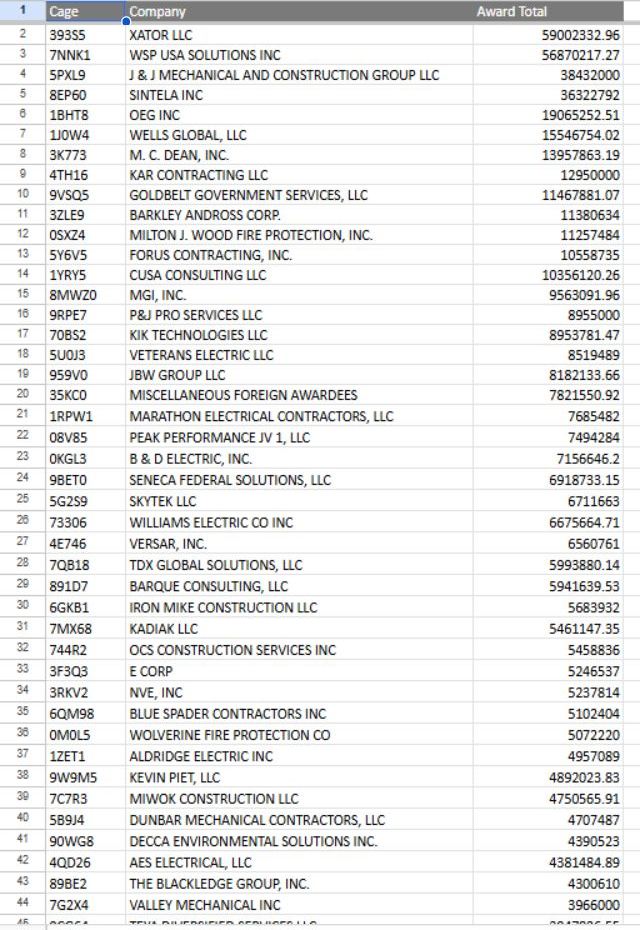
The earlier grid image is sorted by Company, which places AES first. The workbook and a later unsorted grid start with XATOR. The on-screen AES amount rounds to $4,381,485, while its workbook cell preserves $4,381,484.89. Keep that display rounding in mind when comparing the two views.
Continue from a prime to its award history
With 23 Construction, 238210, All Contractors and (All States) selected, the default grid shows XATOR LLC first, CAGE 393S5, with $59,002,333 under Award Total. The workbook above preserves that amount as $59,002,332.96. Select XATOR's linked 393S5 CAGE to open its Vendor / CAGE Detail View in Centreville, Virginia 20120. It shows contact fields and the standard company-research buttons. First 5000 records is selected for procurement-history viewing. The company-profile guide explains those shared fields and choices.
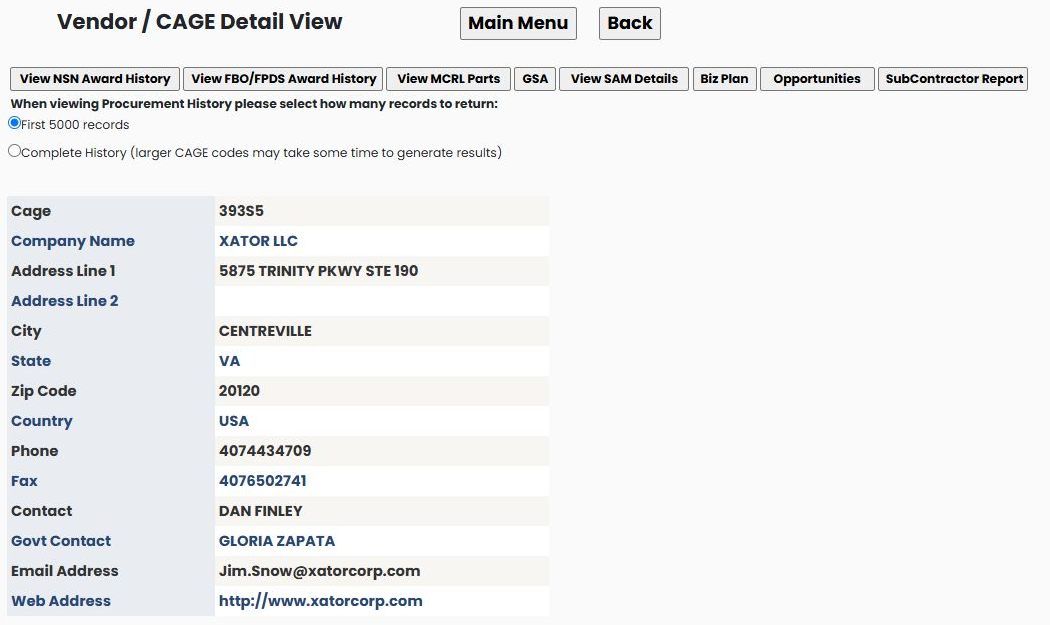
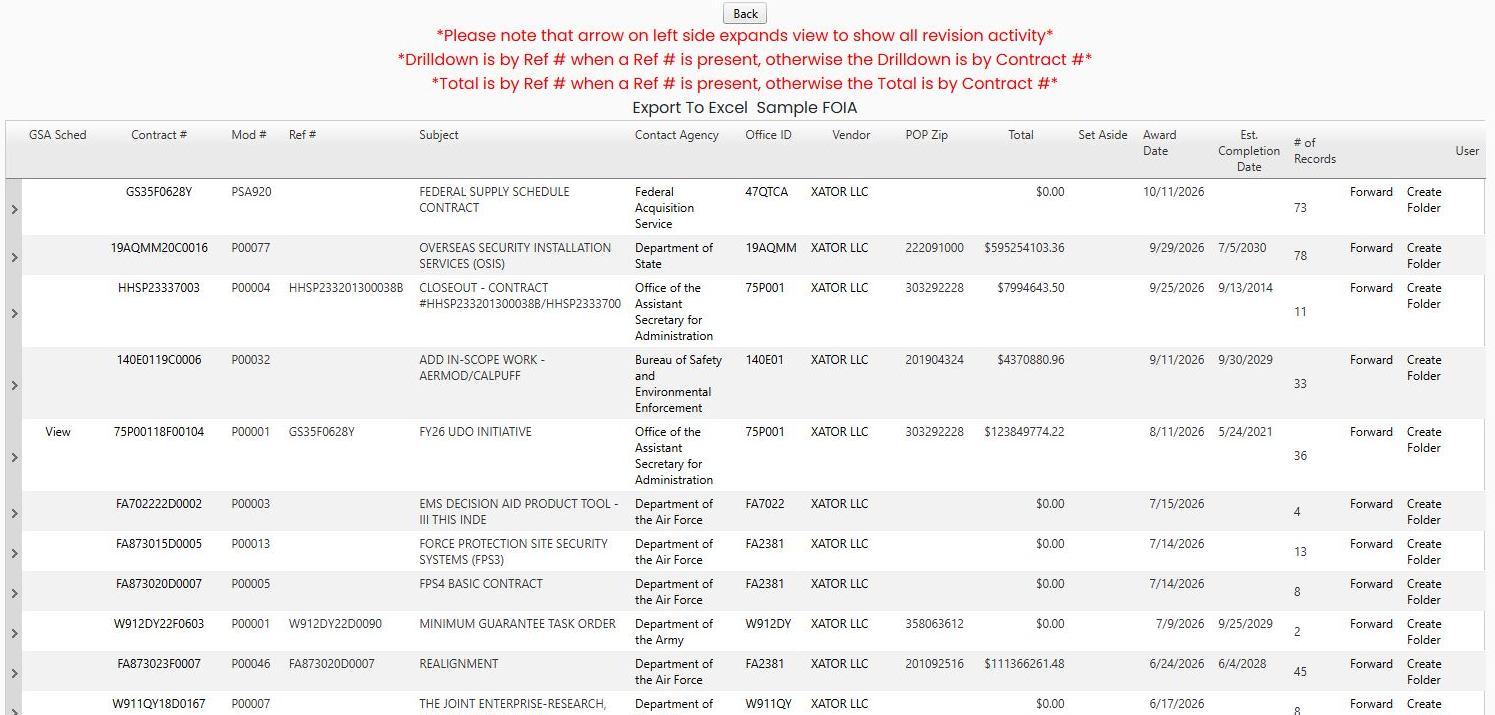
Choose View FBO/FPDS Award History to open XATOR's award list. The first displayed row is contract GS35F0628Y, modification PSA920, with $0.00 under Total and 73 under # of Records. The next is 19AQMM20C0016, modification P00077, showing $595,254,103.36 and 78 records. Read the contract and modification together; the displayed totals belong to their rows. The award-history guide explains the shared grouped-list fields and action drill-throughs.
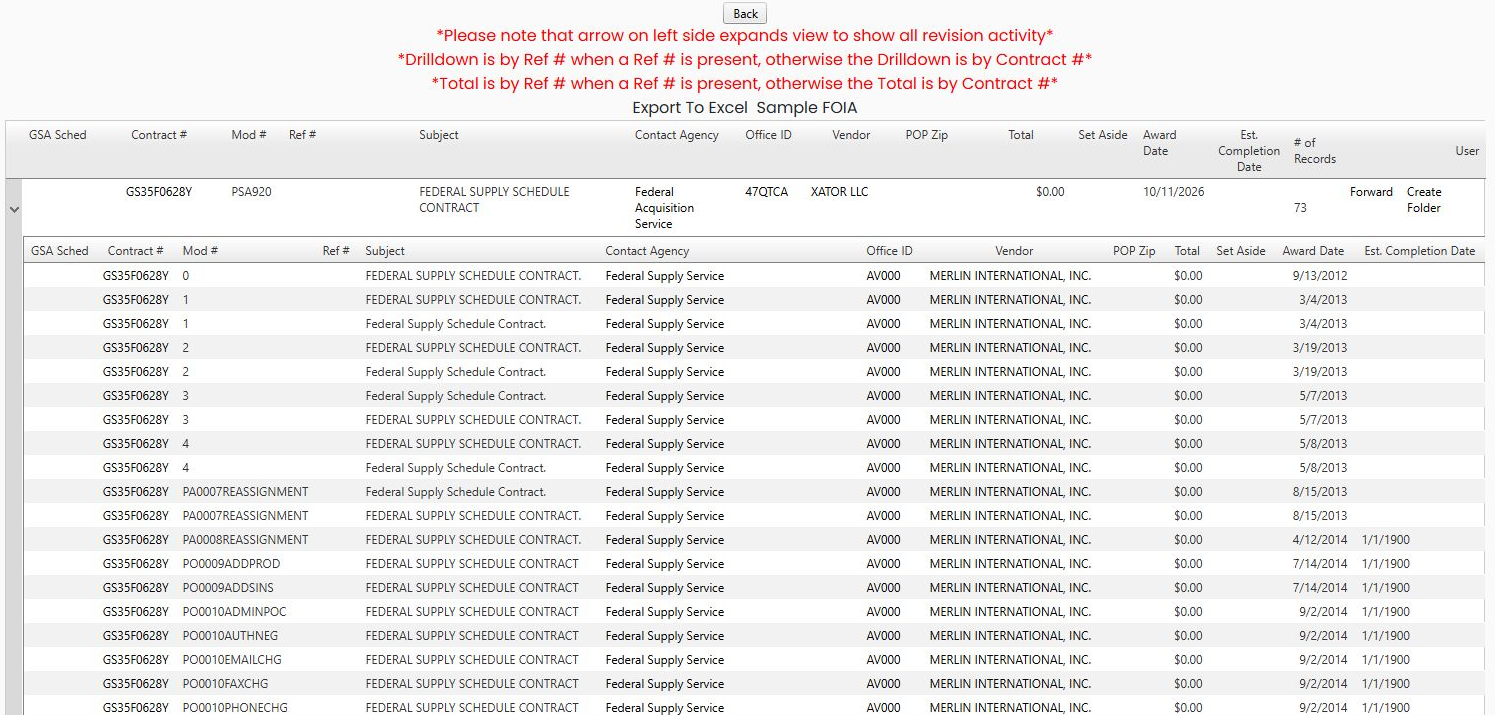
Select the arrow at the left of GS35F0628Y to expand its related revision rows. The arrow changes to a collapse control, and a second table appears beneath the parent row. Its first visible entry shows the same contract, modification 0, and award date September 13, 2012; later visible entries include modification 1. Read each child row's modification and date with the contract number. Select the arrow again to collapse the list.
Earlier example: electrical prime contractors in Florida
- Select 23 Construction as the NAICS category.
- Select 238210 Electrical Contractors and Other Wiring Installation Contractors as the NAICS code.
- Retain All Contractors under Set Aside.
- Select Florida under State.
The results update when you make the selections. Category is the broad industry group; Code selects the particular line of work. Set Aside narrows the contractor category, and State narrows the location.
The October 21, 2026 example begins with MILTON J. WOOD FIRE PROTECTION, INC., CAGE 0SXZ4, showing $11,130,640, followed by WILLIAMS ELECTRIC CO INC, CAGE 73306, showing $6,614,212.
Understand the result links
| Field or link | Meaning and use |
|---|---|
| Cage | The contractor identifier and link to its company profile. |
| Company | The contractor's name. |
| Award Total | The displayed award amount. Select it to see the agency/contracting-office breakdown. |
| SubContractor Report | Opens the linked report where one is available. |
The grid provides column headings, filter icons and Export to Excel. Use the company profile to continue into that contractor's award history and other research.
Read the agency breakdown
For CAGE 0SXZ4, the $11,130,640 link leads to a report with Agency, CONTRACTING OFFICE and Total. The example shows DEPT OF THE NAVY, NAVFAC SOUTHEAST, and $11,130,640. This tells you which buying organization accounts for the displayed business. Return to the prime list to compare another contractor.
Start from a construction trade instead
Another entry point is Main Menu → Construction Menu → Sub Contractors. That opens a list with NAICS Code and Description. Enter electrical under Search For and select Search: the 32-category list narrows to 238210.
Select that code to open PRIME CONTRACTORS BY NAICS. In this route, choose 23 Construction and 238210 on the resulting form, then choose Florida if you want the same geographic example. This form uses a table with the same Cage, Company, AwardTotal and report links. The Florida example contains 74 rows. The amount link from this table was used for the agency breakdown above.
Open a contractor's SubContractor Report
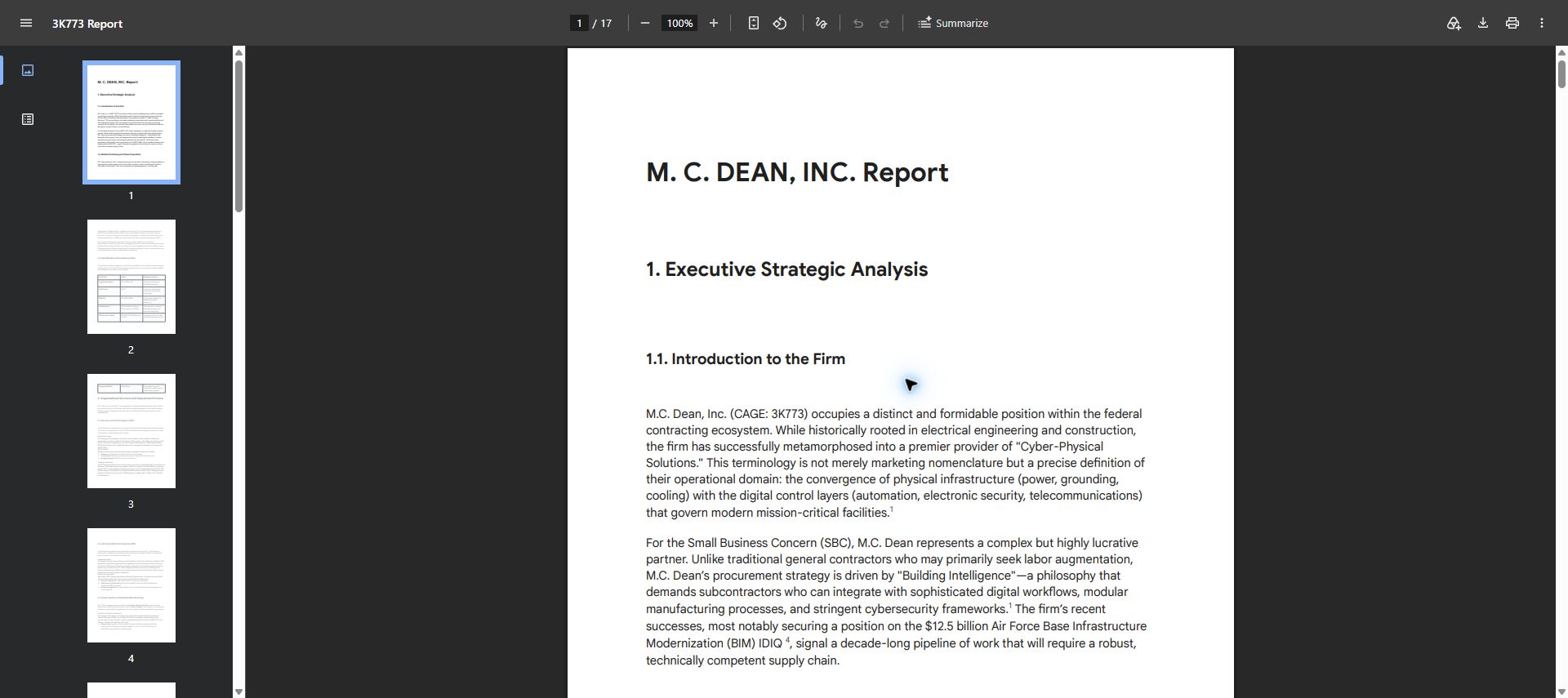
With 23 Construction → 238210, All Contractors and All States, locate M.C. DEAN, CAGE 3K773. The October 24 example displays $13,957,863 under Award Total. Choose that row's SubContractor Report.
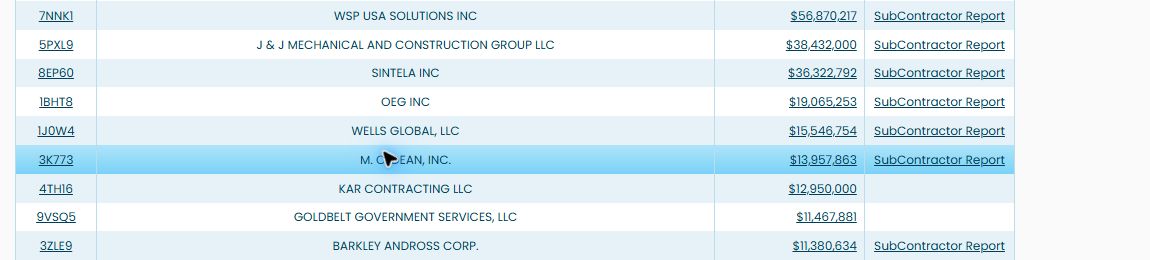
The report opens in a separate tab titled 3K773 Report. Its first page reads M. C. DEAN, INC. Report, beginning with Executive Strategic Analysis. Confirm the company matches the selected row. This PDF has 17 pages; use the left thumbnails or the viewer's page control to move through it, and zoom for readability. Treat the report as company research, not a guarantee of a current contract or subcontracting opportunity. Close the PDF tab to return to the contractor results.