Narrow candidate NSNs by technical characteristics
Part of these button learning paths: Search by NSN/NIIN
Video sections for this page
Application path: Main Menu → NSN Opportunities → an NSN → the NSN in the solicitation results → Tech. Characteristics.
Use this screen to compare an item's recorded dimensions, material and other characteristics with the part you make or supply. The NSN in the heading identifies the item being described.
Search for candidate NSNs by description and requirement
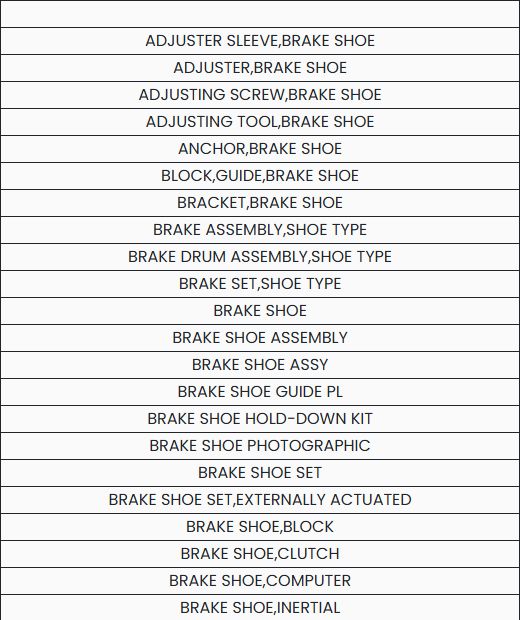
If you do not yet know the stock number, start at Main Menu → Search by NSN/NIIN → Search Technical Characteristics. In Enter keywords, separated by a space, enter brake shoe and choose Search. The description list includes BRAKE SHOE, BRAKE SHOE ASSEMBLY, and BRAKE SHOE SET. Choose the exact description that matches the item you are researching; similar descriptions open separate requirement lists.

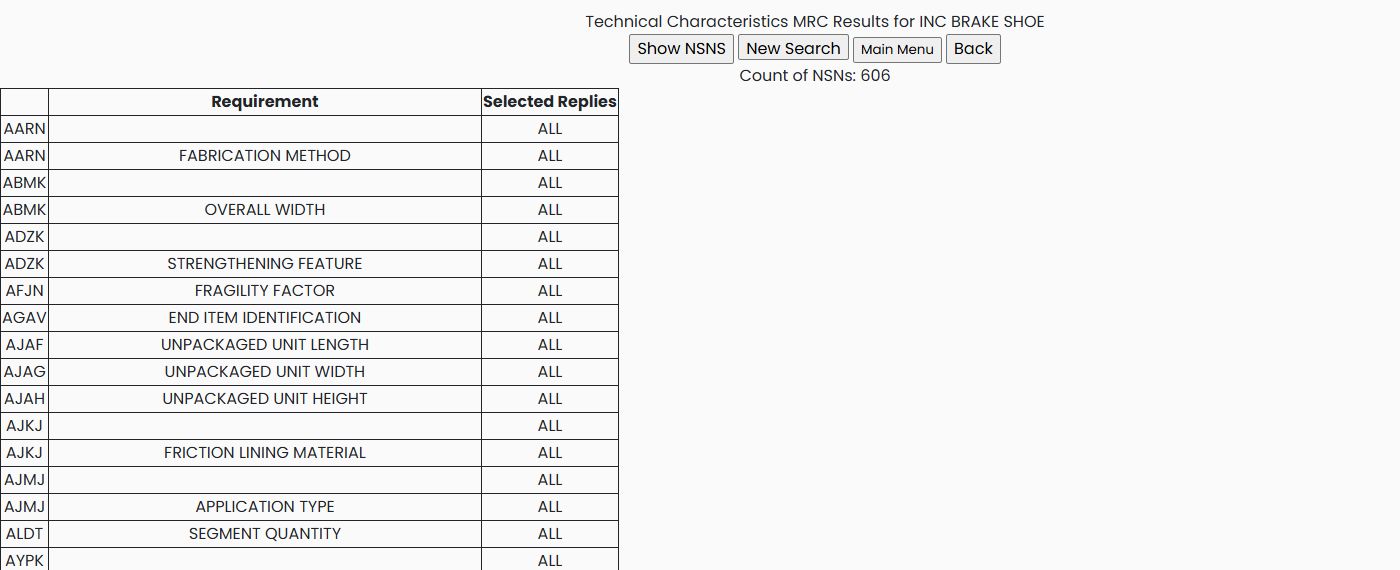
For BRAKE SHOE, the requirement page showed Count of NSNs: 606. Its table has Requirement and Selected Replies columns. The MRC code links to the replies for that requirement; the adjacent Requirement text explains what the code describes. ALL under Selected Replies means no reply has been selected for that requirement. The count above the table is the number of matching NSNs, not the number of selected replies.
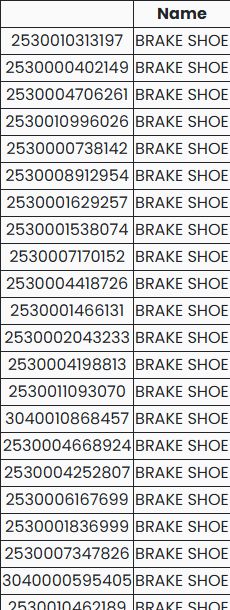
In this example, choose the AARN link on the FABRICATION METHOD row. The reply page offers COMPRESSED, COMPRESSED OR, MOLDED, MOLDED AND, and WOVEN. Select MOLDED, then choose Select Replies to apply it. The requirement page then shows 1 selected for AARN and Count of NSNs: 137. Choose Show NSNS to open the matching list; each row pairs an NSN link with its name. The first displayed entry is 2530010313197 — BRAKE SHOE. This example narrows candidates by one recorded characteristic; use the item's full details and current requirement to decide whether a candidate fits.


Combine requirements to narrow the list
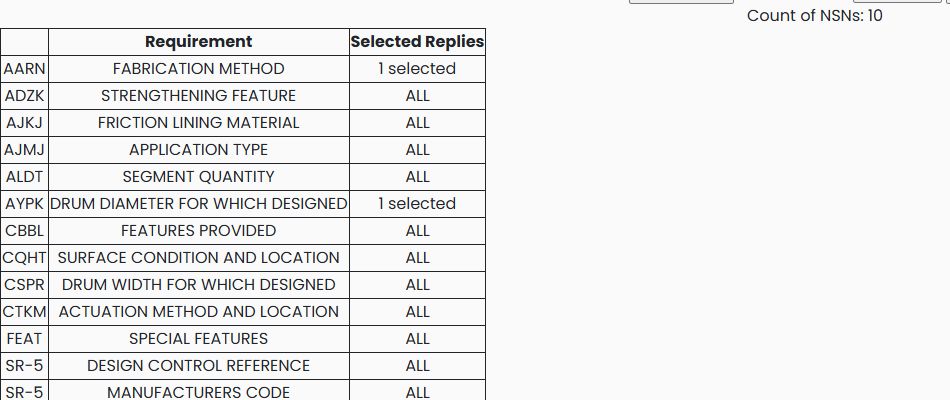
Keep AARN — FABRICATION METHOD: MOLDED selected. On the requirements page, choose AYPK — DRUM DIAMETER FOR WHICH DESIGNED, select 15.000 INCHES NOMINAL, and apply Select Replies. With both requirements applied, the count falls from 137 to 10.
Next choose CSPR — DRUM WIDTH FOR WHICH DESIGNED, select 4.000 INCHES NOMINAL, and apply Select Replies. Keeping the previous two requirements selected narrows the count to 3.
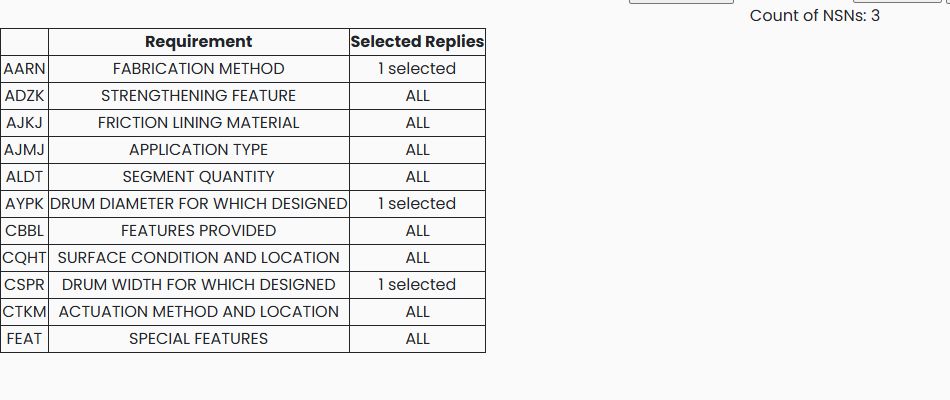
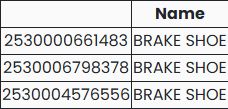
Choose Show NSNS to see the three matching stock numbers: 2530000661483, 2530006798378, and 2530004576556. This is useful when you know several physical characteristics but do not know the stock number.
To remove a requirement, reopen its reply list, clear the selected reply and apply Select Replies. Clearing all three example selections returns each requirement to ALL and the count to 606. The example was viewed October 22, 2026; counts and matching rows can change as the catalog changes.
Read the controls and limits
| Control or value | What it means |
|---|---|
| Enter keywords, separated by a space / Search | Finds item descriptions containing all entered words. A nonblank Search also clears the account's saved characteristic replies. |
| Select Replies | Saves the checked replies for that requirement. Saving none removes that requirement's restriction. |
| Count of NSNs / Show NSNS | Shows the current match count, then opens the list of linked NSNs and names. |