Relate an industry to federal supply classes
Application path: Main Menu → Naics To FSC Cross → choose an industry.
Use this cross-reference when you know an industry's NAICS code and want to identify related Federal Supply Classes. NAICS describes an industry; FSC classifies the goods. The table provides another way to decide which product classes to research.
Example: precision turned products
Choose 332721: Precision Turned Product Manufacturing. In the October 24, 2026 example, the table contains:
| FSC | Description | Primes shown | Solicitations shown |
|---|---|---|---|
| 4920 | Aircraft Maintenance and Repair Shop Specialized Equipment | 536 | 6 |
| 9999 | Miscellaneous Items | 36 | 0 |
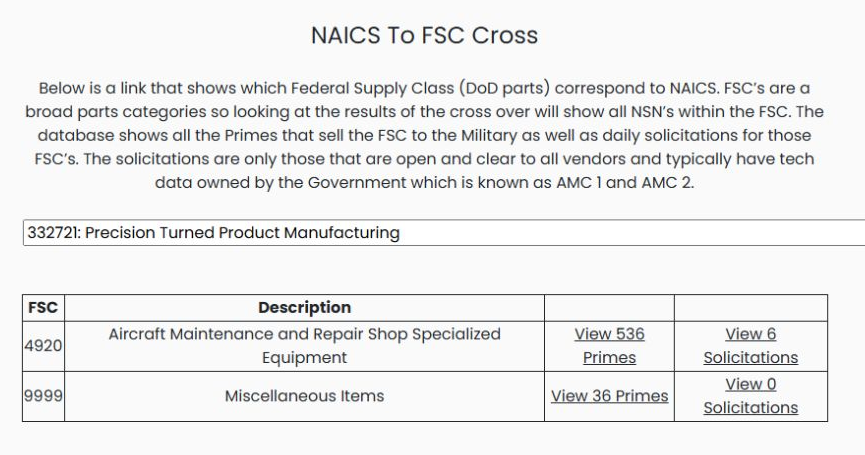
FSC is the four-digit supply-class code. Description names the class. The View … Primes and View … Solicitations labels show the counts and provide links for further research. A zero in the solicitation column is the count displayed for that row, not a statement that the industry has no other opportunities.
Use the class and description together when choosing a product category. To research a known stock item, continue with Search by NSN/NIIN. For company sales by supply class, see DLA Prime Contractors.
Follow the supplier count
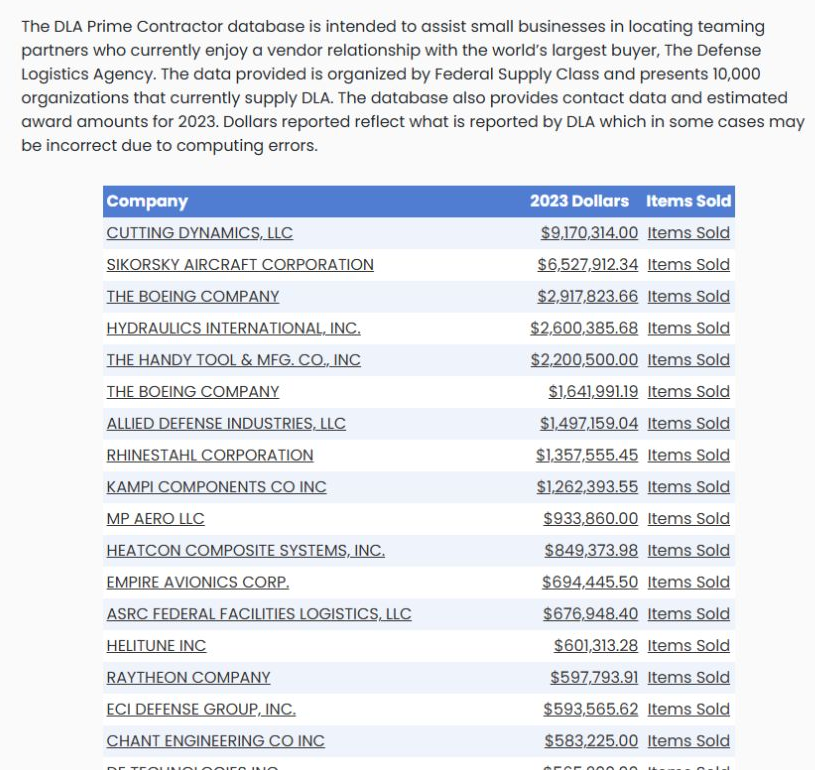
For FSC 4920, choose View 536 Primes. The prepared result lists Company, 2023 Dollars and Items Sold. The first displayed company is CUTTING DYNAMICS, LLC, with $9,170,314.00 under 2023 Dollars. Read that amount under its stated year; it is not a current-year total. Company and Items Sold are links for further research.
Follow the solicitation count
Return to the cross-reference and choose View 6 Solicitations for FSC 4920. The prepared result shows six NSN rows. NSN identifies the item; Description names it; Qty, Est. Value, Opening Date and Closing Date give the supplied notice values. Read each row separately and check the source notice for current requirements.
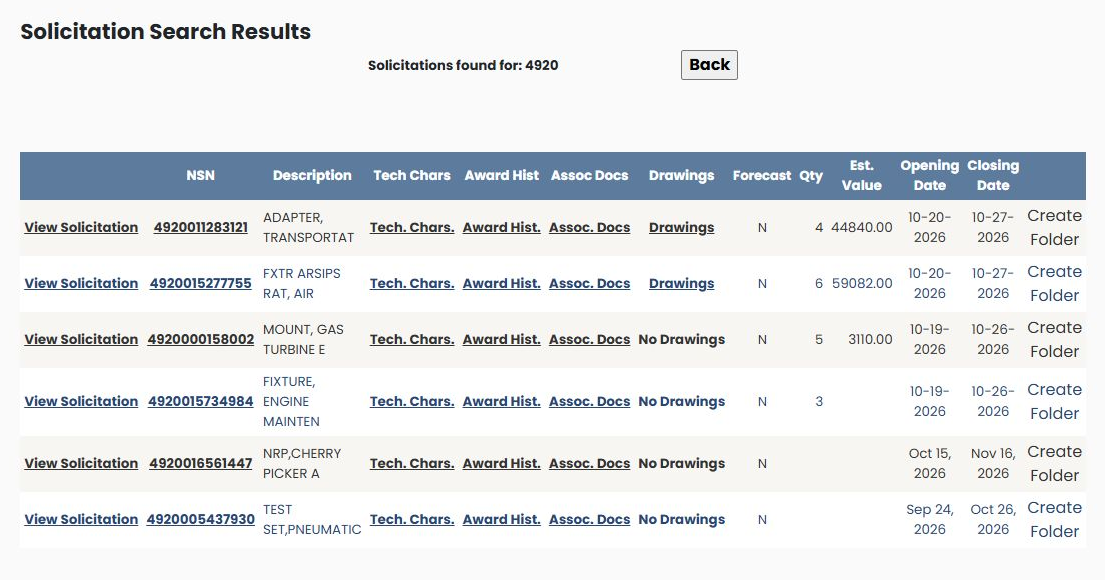
View Solicitation opens the notice. Tech. Chars., Award Hist., Assoc. Docs and Drawings provide the corresponding item-research routes; No Drawings is displayed where that row has no drawing link. Forecast shows the recorded indicator. Create Folder is the saved-work action. Use Back to return to the cross-reference. The NSN item guide explains the shared item screens.