Explore fabrication and machine-shop categories
Part of these button learning paths: Machine Shops Opportunities
Video sections for this page
Application path: Main Menu → Machine Shops Opportunities → Fabrication Station → choose a Federal Supply Class.
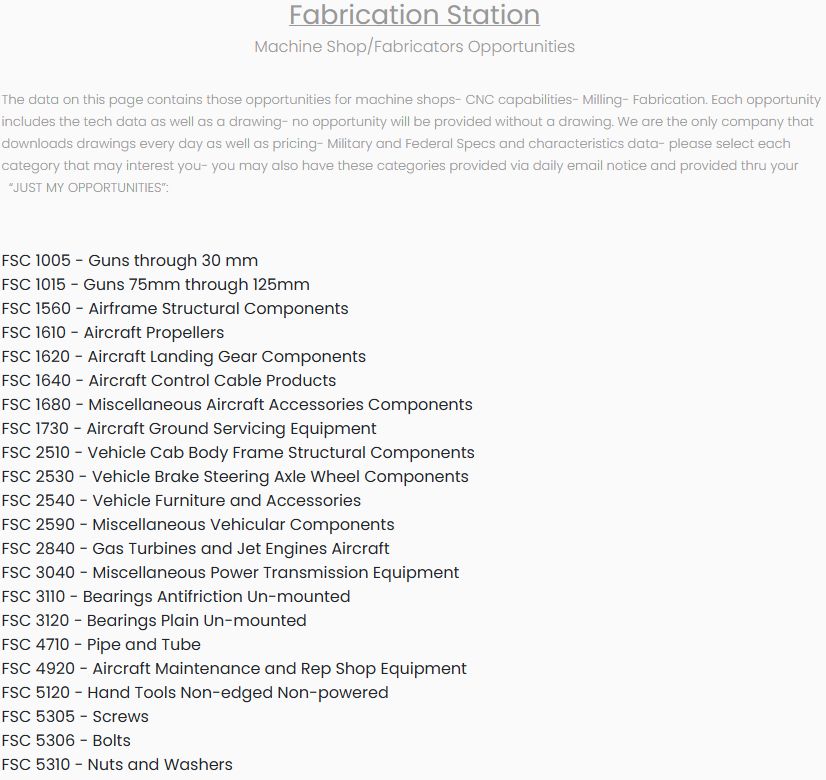
The Fabrication Station lists Federal Supply Class (FSC) categories for machine-shop and fabrication work. Choose the class matching the products you can make. For this example, select FSC 5305 — Screws; the next page lists screw opportunities. Other visible categories include 5306 — Bolts and 5310 — Nuts and Washers.
Read the opportunity rows
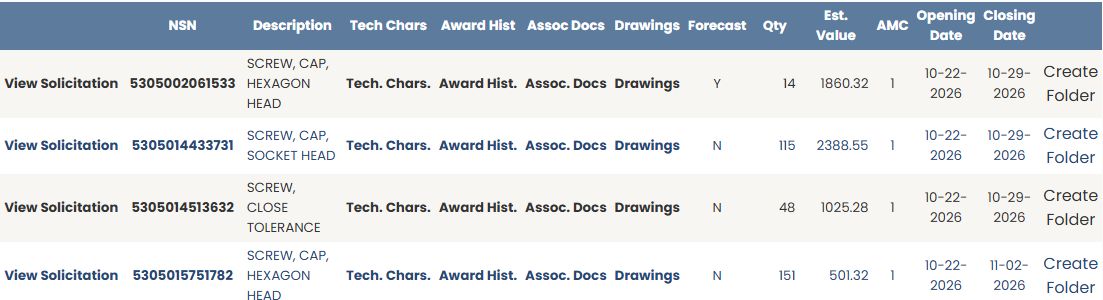
The FSC 5305 example checked on October 21, 2026 includes NSN 5305002061533, SCREW, CAP, HEXAGON HEAD, with quantity 14, estimated value $1,860.32, AMC 1, opening date October 22, 2026 and closing date October 29, 2026. Read the dates on each row before deciding which requirement to pursue.
| Field or link | Meaning and use |
|---|---|
| View Solicitation | Opens the notice as a DIBBS PDF outside this results list. Check the notice for the current requirement and dates. |
| NSN | The stock number identifying the requested item. Select it to open that item's NSN/NIIN Search Results page. |
| Description | The item name. Use it together with the NSN to identify what is being purchased. |
| Tech Chars | Opens the item's technical characteristics for a closer look at its requirements. |
| Award Hist | Opens buying history so you can research earlier purchases. |
| Assoc Docs | Opens documents associated with the item. |
| Drawings | Opens the available drawing list. |
| Forecast | A plain Y or N value in the row, not a button. The first example row shows Y; the next three visible rows show N. Do not treat the flag as a forecast quantity or date. |
| Qty | The number of units requested. |
| Est. Value | The displayed estimated dollar value of the requirement. |
| AMC | Acquisition Method Code, used when considering how the item is procured. |
| Opening Date / Closing Date | The dates shown for the opportunity. |
| Create Folder | Saves the opportunity into project work for later follow-up. |
For the meaning of individual technical replies, continue to technical characteristics. For buying-history columns, use NSN award history. The drawings guide explains drawing-list fields, and the folder guide explains saved work. These are research tasks also reached from other item entry points.
Continue from the NSN to item research
Select 5305002061533 in the FSC 5305 result row. This opens the populated NSN/NIIN Search Results page for FSC 5305, NIIN 002061533, and SCREW,CAP,HEXAGON HEAD. The item page shows a shelf price of $222.25, last award price $132.88 dated 02/09/2026, four reference-part rows, and a link to two drawings. These are values for this selected item; they differ from the opportunity row's estimated value.
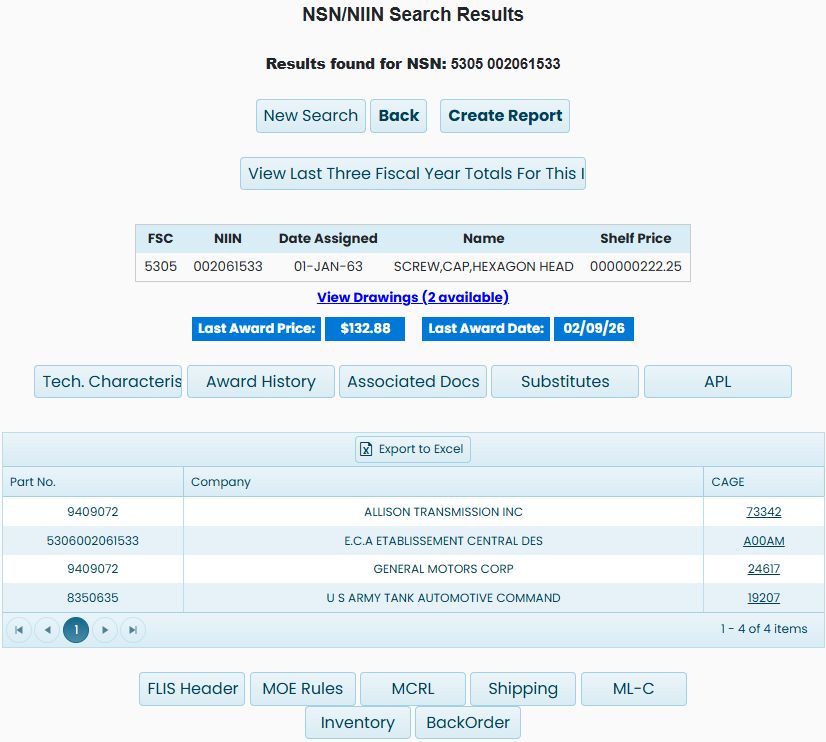
The same item-research controls appear here as on a direct stock-number search. Continue with the item-page guide for its identity, prices, parts and buttons. Its part-reference export example uses this exact NSN and explains the three workbook columns. The technical characteristics, award history and catalog research guides explain the shared branches. Use Back to return to the opportunity list when you are ready to compare another row.
Examine the available drawings
Choose Drawings beside NSN 5305002061533. The drawing list for this example contains drawing 8350635, sheet 0001, type DD, revision A, and CS-2300-0001, sheet 0001, type SS, revision B.

The drawing number identifies the document; Sheet, Type and Rev distinguish the listed entry. The Action column has View Drawing for each row; the first link opened a PDF tab. Use a row checkbox to select one drawing. In this example, Check/Uncheck All selected both row checkboxes, and a second click cleared both; the separate header checkbox remained clear. With both rows selected, Download Checked Drawings downloaded a ZIP archive containing two PDF files: 8350635_19207_DD_A_0001.PDF and CS-2300-0001_16236_SS_B_0001.PDF. Use Back beside the NSN to return to the prior results.